




Here's how it works

01. Edit your can i take ownership of an abandoned vehicle on my property in ct online
Type text, add images, blackout confidential details, add comments, highlights and more.

02. Sign it in a few clicks
Draw your signature, type it, upload its image, or use your mobile device as a signature pad.

03. Share your form with others
Send abandoned vehicle title ct via email, link, or fax. You can also download it, export it or print it out.
How to use or fill out ct dmv abandoned vehicle form with DocHub

- Click ‘Get Form’ to open the ct dmv abandoned vehicle form in our editor.
- Begin with SECTION A. Fill in the NAME OF MUNICIPALITY where the title is vested, followed by the DATE AND TIME VEHICLE TAKEN INTO CUSTODY.
- Enter the NAME OF OFFICER OR INSPECTOR who determined that the vehicle meets the criteria, along with their BADGE NUMBER.
- Provide detailed VEHICLE INFORMATION including YEAR, VEHICLE IDENTIFICATION NUMBER, MAKE/MODEL, and LOCATION where the vehicle was abandoned.
- Complete the BUSINESS NAME & ADDRESS OF TOWER and specify the AMOUNT OF CHARGE IMPOSED BY TOWER.
- Certify that all information is accurate by signing in the AUTHORIZED SIGNATURE OF MUNICIPAL OFFICIAL section and entering the DATE SIGNED.
- If transferring ownership, complete SECTION B with TRANSFEREE INFORMATION and ensure it is signed by an authorized municipal official.
Start using our platform today to fill out your ct dmv abandoned vehicle form for free!
Fill out ct dmv abandoned vehicle form online
It's free
It's free
See more ct dmv abandoned vehicle form versions
We've got more versions of the ct dmv abandoned vehicle form form. Select the right ct dmv abandoned vehicle form version from the list and start editing it straight away!
Security and compliance
At DocHub, your data security is our priority. We follow HIPAA, SOC2, GDPR, and other standards, so you can work on your documents with confidence.
Learn more


Related forms
Ds 5079 fillable
The document outlines the process for requesting retirement recognition awards from the U.S. Department of State for ret ...
Corporations Act 2001 Application for consent from ASIC to
The document is an application form (Form 342) for auditors seeking consent from the Australian Securities and Investmen ...

Monthly budget template
The document provides a Monthly and Yearly Budget Template designed to assist individuals in creating effective budgets ...
Form 80-105-25-8-1-000 (Rev
The document is a Mississippi Resident Individual Income Tax Return form for the year 2025, detailing various filing sta ...

FORM 990-N 2022
The document is an Electronic Notice (e-Postcard) Form 990-N for the tax year 2022, submitted by the tax-exempt organiza ...

Puppy spay neuter contract
The document is a spay/neuter contract from Pet Matchmaker Rescue, requiring adopters to agree to spay or neuter their a ...
Gender ideas interactions institutions pdf
The document provides information on how to download or read the PDF titled 'Gender Ideas Interactions Institutions' for ...
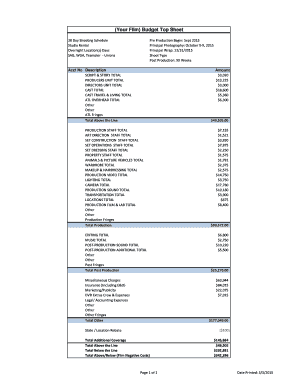
(Your Film) Budget Top Sheet
The document is a budget top sheet for a film project, detailing the financial breakdown of costs associated with pre-pr ...