




Here's how it works

01. Edit your form online
Type text, add images, blackout confidential details, add comments, highlights and more.

02. Sign it in a few clicks
Draw your signature, type it, upload its image, or use your mobile device as a signature pad.

03. Share your form with others
Send it via email, link, or fax. You can also download it, export it or print it out.
How to use or fill out supplemental 424 form with DocHub

- Click ‘Get Form’ to open the supplemental 424 form in our editor.
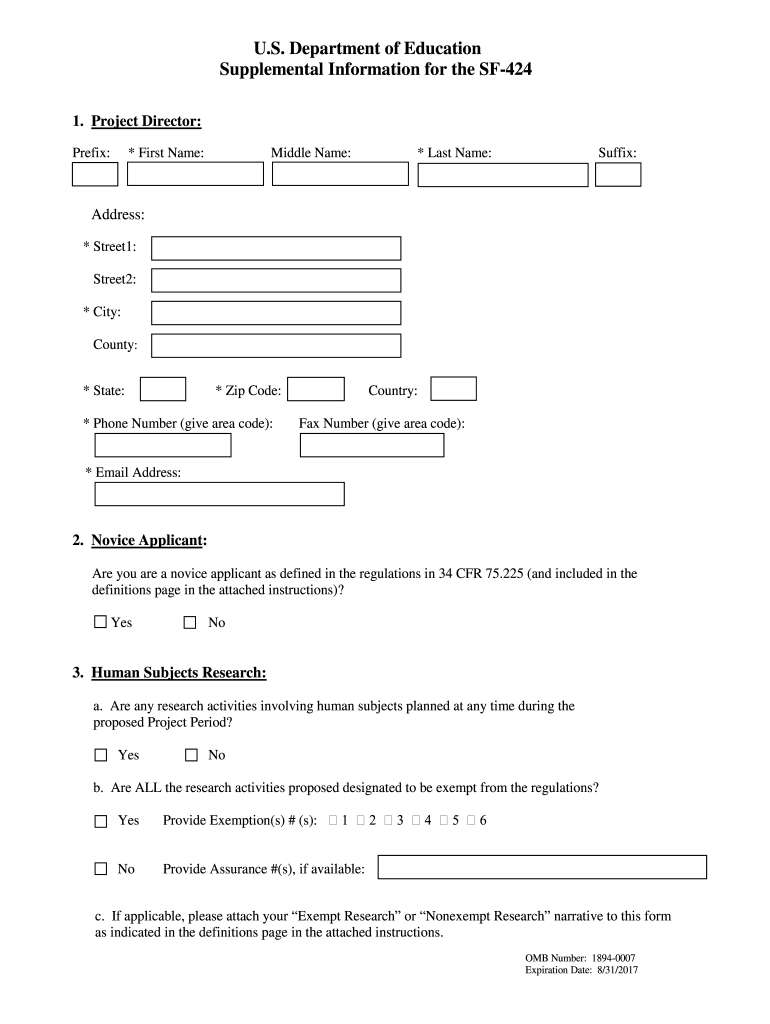
- Begin by filling out the Project Director section. Enter your prefix, first name, middle name (if applicable), last name, and suffix. Ensure all required fields marked with an asterisk are completed.
- Next, provide your address details including street address, city, county, state, zip code, and country. Don’t forget to include your phone number and email address for contact purposes.
- Indicate whether you are a novice applicant by selecting 'Yes' or 'No' in the designated section.
- For the Human Subjects Research section, answer the questions regarding planned research activities involving human subjects. If applicable, provide exemption numbers or assurance numbers as required.
- Finally, review all entries for accuracy before saving or submitting your completed form through our platform.
Start using our editor today to fill out your supplemental 424 form online for free!
Fill out supplemental 424 form online
It's free
It's free
See more supplemental 424 form versions
We've got more versions of the supplemental 424 form form. Select the right supplemental 424 form version from the list and start editing it straight away!
Security and compliance
At DocHub, your data security is our priority. We follow HIPAA, SOC2, GDPR, and other standards, so you can work on your documents with confidence.
Learn more


Related forms

Fire Protection and Prevention - Wyoming Secretary of State - soswy state wy
The document outlines Subpart F of the Occupational Safety and Health Administration (OSHA) regulations concerning fire ...

Wyoming Medicaid State Plan - Wyoming Department of Health
The document provides a comprehensive update on Wyoming's progress in implementing the Help America Vote Act (HAVA) from ...

State Agencies Checking Savings Account Monthly Reporting Form
The document is a monthly reporting form for state agencies in Wyoming to report their checking and savings account acti ...

Wyoming Treasurer's Office - Full Release of all Collateral Form
The document is a Full Release of All Collateral, authorizing the Custodian to release specified securities as per the J ...

013 Wyoming Euthanasia Certification Board - State of Wyoming - ai state wy
The document is the budget request for the Wyoming Euthanasia Certification Board for the 2009-2010 biennium. It outline ...

PDF Online - Wyoming Attorney General
The document outlines the Personnel Change-in-Status form required by the Peace Officer Standards & Training Commission ...

Work Write-upRe-Bid Walk-Through Date Bid Date Initial Case Number Construction Specialist Phone
Work Write-upRe-Bid Walk-Through Date Bid Date Initial Case Number Construction Specialist Phone
The document outlines a detailed work write-up for rehabilitation and construction specifications at the address 602 E 2 ...