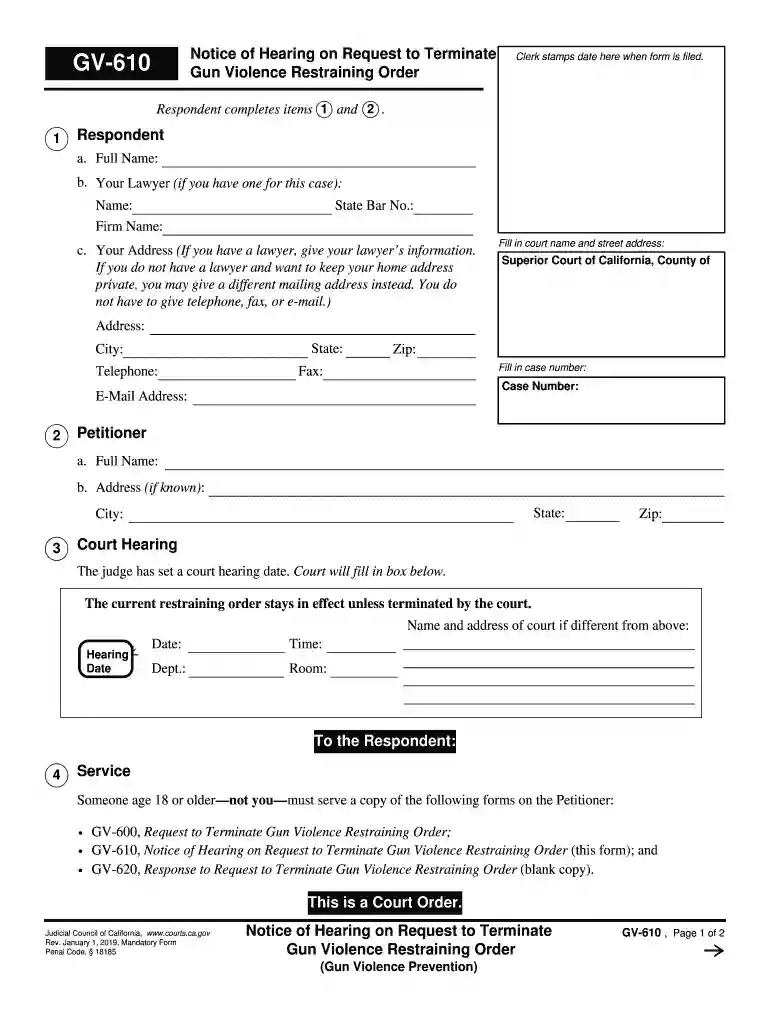
ca gv firearms Preview on Page 1

Ca gv firearms 2026

Here's how it works

  • 01. Edit your form online

    Type text, add images, blackout confidential details, add comments, highlights and more.

  • 02. Sign it in a few clicks

    Draw your signature, type it, upload its image, or use your mobile device as a signature pad.

  • 03. Share your form with others

    Send it via email, link, or fax. You can also download it, export it or print it out.

How to use or fill out ca gv firearms with our platform

Form edit decoration
9.5
Ease of Setup
DocHub User Ratings on G2
9.0
Ease of Use
DocHub User Ratings on G2
  1. Click ‘Get Form’ to open the ca gv firearms document in the editor.
  2. Begin by filling out the Respondent section. Enter your full name, and if applicable, your lawyer's name and firm details. If you prefer privacy, provide an alternative mailing address instead of your home address.
  3. Next, complete the court information by entering the Superior Court of California's name and address, including city, state, and zip code. Don't forget to include your case number.
  4. In the Petitioner section, fill in their full name and address if known. This ensures all parties are correctly identified.
  5. Review the court hearing details provided by the judge. Ensure that you note down the date, time, department, and room for your reference.
  6. Lastly, follow instructions for service of documents. Ensure someone over 18 serves copies of required forms on the Petitioner and completes proof of service documentation.

Start using our platform today to easily fill out your ca gv firearms form online for free!

See more ca gv firearms versions

We've got more versions of the ca gv firearms form. Select the right ca gv firearms version from the list and start editing it straight away!

VersionsForm popularityFillable & printable
20204.8 Satisfied (57 Votes)
20194.3 Satisfied (27 Votes)
20164.4 Satisfied (116 Votes)

be ready to get more

Complete this form in 5 minutes or less

Security and compliance

At DocHub, your data security is our priority. We follow HIPAA, SOC2, GDPR, and other standards, so you can work on your documents with confidence.

Related links

LAW ENFORCEMENT RELEASE OF FIREARMS

Beginning January of 2022, all applicants requesting a release of firearms by a law enforcement agency must electronically submit a Law Enforcement Release (LER)Read more

Learn more
A California Law Banning Firearms in Public Places Takes

Jan 11, 2024 California law banning most firearms in public is set to take effect as the legal fight continues.Read more

Learn more
CH-800 Proof of Firearms Turned In, Sold, or Stored

If the court has ordered you to turn in, sell, or store your firearms, you may use this form to prove to the court that you have obeyed its orders.Read more

Learn more
If you believe that this page should be taken down, please follow our DMCA take down process here