




Here's how it works

01. Edit your form online
Type text, add images, blackout confidential details, add comments, highlights and more.

02. Sign it in a few clicks
Draw your signature, type it, upload its image, or use your mobile device as a signature pad.

03. Share your form with others
Send it via email, link, or fax. You can also download it, export it or print it out.
How to use or fill out dws esd 61app rev 7 2018 with DocHub

- Click ‘Get Form’ to open the dws esd 61app rev 7 2018 in our platform.
- Begin by checking the services you are applying for, such as Food Stamps, Cash Assistance, Child Care, or Medical. Use the text box to mark your selections.
- Fill in your personal information in Section 1. Enter your name, address, phone number, and birth date. Ensure all fields are completed accurately.
- In Section 2, indicate whether you have a Utah Horizon Card. If not, note that a new card will be mailed to you.
- Proceed to Section 3 and answer questions regarding medical assistance needs for all individuals applying. Be thorough to avoid delays.
- Continue through the form by providing household information in Sections 4 and beyond. Make sure to include all required details about income and assets.
- Review your entries for accuracy before signing at the end of the document. Use our editor's features to make any necessary adjustments easily.
Start using our platform today for free and streamline your application process!
Fill out dws esd 61app rev 7 2018 online
It's free
It's free
See more dws esd 61app rev 7 2018 versions
We've got more versions of the dws esd 61app rev 7 2018 form. Select the right dws esd 61app rev 7 2018 version from the list and start editing it straight away!
Security and compliance
At DocHub, your data security is our priority. We follow HIPAA, SOC2, GDPR, and other standards, so you can work on your documents with confidence.
Learn more


Related forms

Thank you for choosing Dynamic Pain and Wellness
The document is a comprehensive guide for new patients at Dynamic Pain and Wellness, detailing appointment scheduling, r ...
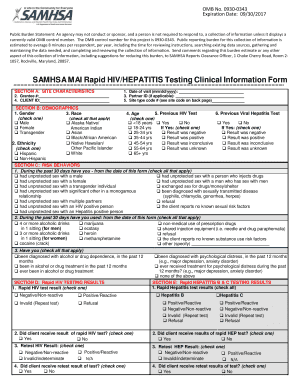
SAMHSA MAI Rapid HIV HEPATITIS Testing Clinical Information Form - integration samhsa
The document outlines the SAMHSA MAI Rapid HIV/HEPATITIS Testing Clinical Information Form, which includes sections for ...

Promedica my chart
The document outlines the ProMedica MyChart Proxy Access Request process, allowing individuals to request access to view ...

Annuity blank worksheet to compare
The document is a Product Comparison Worksheet designed for clients considering the replacement of their existing annuit ...
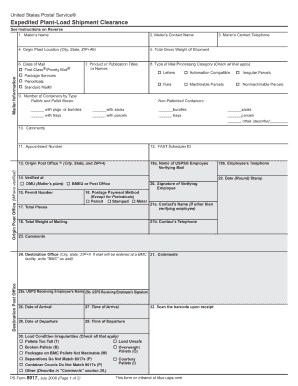
8017 in excell form
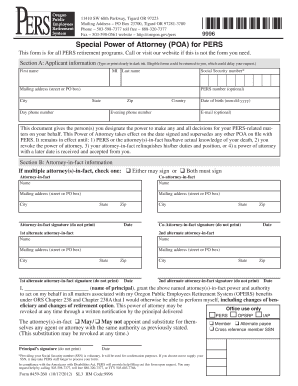
Special power of attorney for opers form
The document is a Special Power of Attorney (POA) form for the Oregon Public Employees Retirement System (PERS), allowin ...

The orderly administration of personnel records - madison va
The document outlines the collection of employee educational data under the Privacy Act, detailing the voluntary nature ...

DR-17B Suggested Format for N 0607 Florida Sales and Use
The document is a template for a Surety Bond required by the Florida Department of Revenue, outlining the obligations of ...