




01. Edit your repo order template online
Type text, add images, blackout confidential details, add comments, highlights and more.

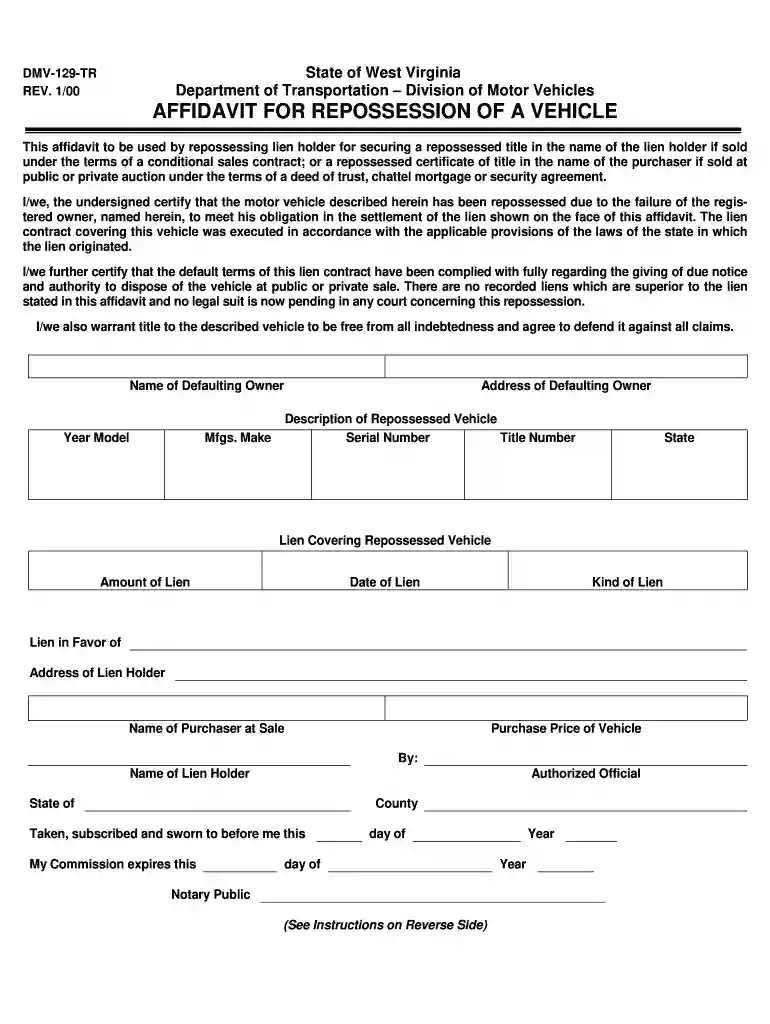
Type text, add images, blackout confidential details, add comments, highlights and more.

Draw your signature, type it, upload its image, or use your mobile device as a signature pad.

Send repo order form via email, link, or fax. You can also download it, export it or print it out.

With DocHub, making changes to your documentation requires just a few simple clicks. Follow these fast steps to change the PDF Repo order template online for free:
Our editor is super easy to use and effective. Try it now!
We've got more versions of the repo order template form. Select the right repo order template version from the list and start editing it straight away!
At DocHub, your data security is our priority. We follow HIPAA, SOC2, GDPR, and other standards, so you can work on your documents with confidence.
Jun 26, 2023 When a motor vehicle or vessel has been repossessed and the lien should have been assigned to a new lienholder due to a name change or a loanRead more
HomeMy WebLinkAbout[001] GLOBAL 2000 VIDEOTAPE ORDER FORMGLOBAL 2000 * VIDEOTAPE ORDER FORM To receive VHS videotapes, please check the appropriate lines
Mar 28, 2019 Applicant and Manufacturer Information . 3.Read more


