



Here's how it works



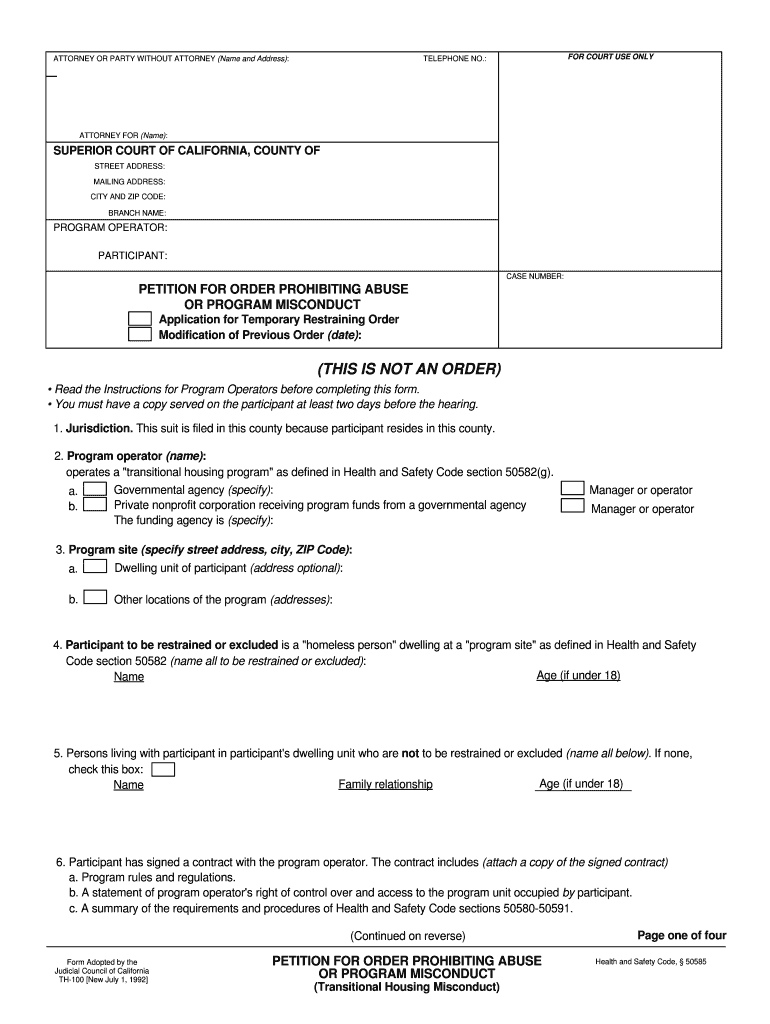
How to use or fill out TH-100 PETITION FOR ORDER PROHIBITING ABUSE OR PROGRAM - courts ca with our platform

- Click ‘Get Form’ to open the TH-100 petition in the editor.
- Begin by filling in your name and address as the attorney or party without an attorney at the top of the form. Ensure your contact information is accurate for court communication.
- In the jurisdiction section, specify why this suit is filed in this county, typically because the participant resides there.
- Complete the program operator details, including their name and whether they are a governmental agency or a private nonprofit corporation.
- List all participants to be restrained or excluded, including their ages if under 18, and any individuals living with them who should not be restrained.
- Detail any program misconduct or abuse incidents in section 6 and provide specific facts about each incident, citing relevant rules violated.
- Check appropriate boxes for requested orders regarding program misconduct and abuse restraining orders. Be specific about which rules were violated.
- Finally, review all entries for accuracy before saving your completed form. Use our platform's features to print or share your document securely.
Start using our platform today to complete your TH-100 petition easily and for free!
It's free
See more TH-100 PETITION FOR ORDER PROHIBITING ABUSE OR PROGRAM - courts ca versions
Got questions?
Can I sign my restraining order attorney california in electronic format?
According to eSignature laws, documents signed digitally have the same validity as traditionally approved ones. You can electronically sign almost any business and personal documentation. Four types of paperwork still demand handwritten signatures only - wills and testamentary trusts, court orders and other court forms, state statutes regulating divorce, adoption, or other family law, and notice of cancellation of utility services. If you follow the guidelines and utilize a secure and compliant software solution, like DocHub, you can eSign your restraining order attorney california without printing it.
Can I sign my restraining order sample letter while I edit it?
When you edit your restraining order sample letter with DocHub, you simply will not need to look for other applications or services to sign it. An electronic signature is a component of DocHub’s comprehensive editing toolset, which allows you to apply changes in your form without jumping between websites. Simply complete your form, double-check the correctness of your data and put your electronic signature at the end to make it submission-ready within a few minutes.
What are the requirements for a restraining order?
What is a CH 100?
How much does it cost to put a restraining order on someone in California?
Security and compliance
At DocHub, your data security is our priority. We follow HIPAA, SOC2, GDPR, and other standards, so you can work on your documents with confidence.
Learn more