



Here's how it works



How to use or fill out rem-health.compost-offer-medical-questionnairePost Offer Medical Questionnaire - REM Occupational Health ... with our platform

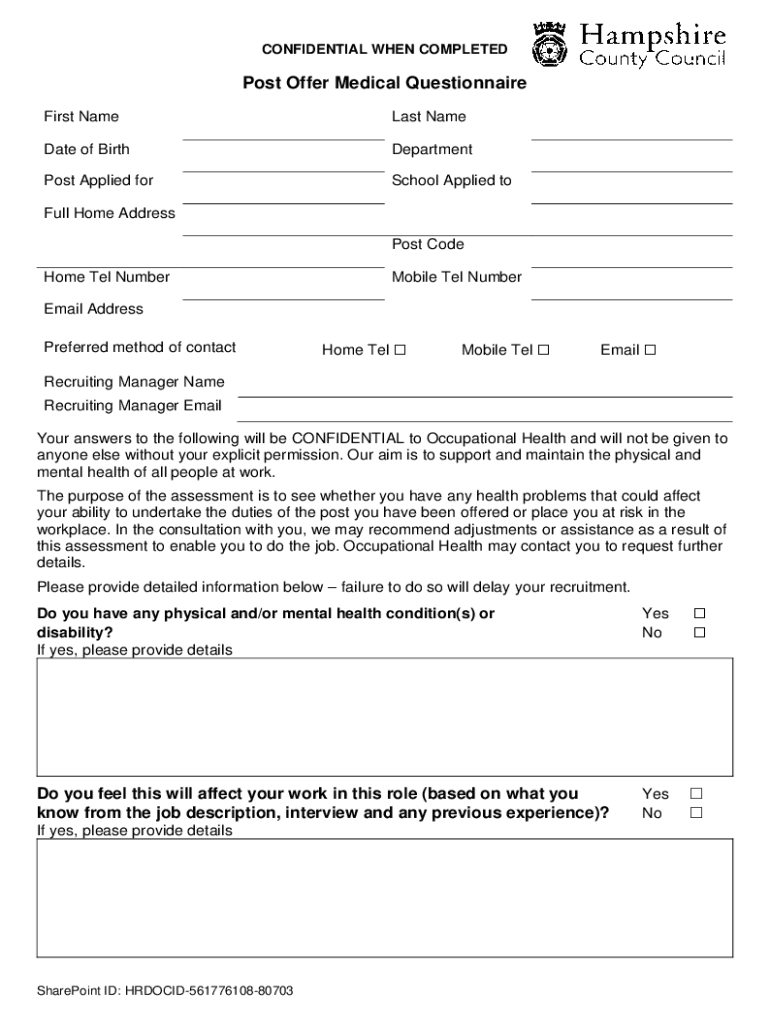
- Click ‘Get Form’ to open it in the editor.
- Begin by entering your personal information, including your First Name, Last Name, Date of Birth, and contact details. Ensure accuracy as this information is crucial for your assessment.
- Indicate your preferred method of contact by checking the appropriate box next to Home Tel, Mobile, or Email.
- Carefully answer the health-related questions. For each question regarding physical or mental health conditions, select 'Yes' or 'No' and provide detailed explanations if applicable.
- Complete the Absence History section by noting any sickness absence over the past two years and specifying the number of episodes if applicable.
- Finally, review all entered information for accuracy before signing and dating the declaration at the end of the form. Remember that failure to sign may delay your medical clearance.
Start filling out your Post Offer Medical Questionnaire today using our platform for a seamless experience!
It's free
See more rem-health.compost-offer-medical-questionnairePost Offer Medical Questionnaire - REM Occupational Health ... versions
| Versions | Form popularity | Fillable & printable |
|---|---|---|
| 2022 | 4.2 Satisfied (39 Votes) |
Got questions?
How can I send my rem-health.compost-offer-medical-questionnairePost Offer Medical Questionnaire - REM Occupational Health ... from Google Drive for approval?
If you frequently deal with documents kept in your Google Drive, DocHub is a perfect solution for you to easily and quickly complete, modify, and approve them. This editor integrates well with Google apps, so you can export your rem-health.compost-offer-medical-questionnairePost Offer Medical Questionnaire - REM Occupational Health ... from your Google Drive to the editor without downloading and re-uploading it. Right-click on your file, select Open With → DocHub PDF Sign and Edit. In our editor, add and assign Signature Fields for all parties involved, then click on the Menu button above → Send → choose how you want to share your paperwork.
Can I sign my rem-health.compost-offer-medical-questionnairePost Offer Medical Questionnaire - REM Occupational Health ... while I edit it?
When you edit your rem-health.compost-offer-medical-questionnairePost Offer Medical Questionnaire - REM Occupational Health ... with DocHub, you simply will not need to look for other software or solutions to eSign it. An electronic signature is part of DocHub’s comprehensive editing toolset, which enables you to apply changes in your form without switching between websites. Simply complete your form, double-check the correctness of the data and place your electronic signature at the end to make it submission-ready within a few minutes.
Security and compliance
At DocHub, your data security is our priority. We follow HIPAA, SOC2, GDPR, and other standards, so you can work on your documents with confidence.
Learn more