




Here's how it works

01. Edit your virginia tuition assistance grant online
Type text, add images, blackout confidential details, add comments, highlights and more.

02. Sign it in a few clicks
Draw your signature, type it, upload its image, or use your mobile device as a signature pad.

03. Share your form with others
Send virginia tuition assistance grant program via email, link, or fax. You can also download it, export it or print it out.
How to use or fill out VA Tuition Assistance Grant with our platform

- Click ‘Get Form’ to open the VA Tuition Assistance Grant application in the editor.
- Begin by filling out Section A: Student Information. Enter your name, Social Security Number, date of birth, and contact details. Ensure all fields are completed accurately to avoid processing delays.
- In Section B: Domicile Information, provide details about your residency and employment status in Virginia. If applicable, include information about your parent or spouse's domicile.
- Proceed to Section C: Parent/Legal Guardian/Spouse Information. Fill in the required details about your parent or guardian if necessary, including their residency status and contact information.
- Complete Section D: Additional Information by detailing your education history and enrollment plans for the upcoming academic year.
- Finally, review Section E: Certification and Signature(s). Sign and date the application before submitting it to your institution’s financial aid office.
Start using our platform today to fill out your VA Tuition Assistance Grant application easily and for free!
Fill out va tuition assistance grant online
It's free
It's free
See more va tuition assistance grant versions
We've got more versions of the va tuition assistance grant form. Select the right va tuition assistance grant version from the list and start editing it straight away!
Security and compliance
At DocHub, your data security is our priority. We follow HIPAA, SOC2, GDPR, and other standards, so you can work on your documents with confidence.
Learn more


Related forms
Pa 8879
The document PA-8879-P is a Pennsylvania E-File Signature Authorization form for S Corporations and Partnerships, used t ...

Florida Supreme Court Approved Family Law Form 12 930(c
The document provides instructions for using Florida Family Law Rules of Procedure Form 12.930(c), which outlines the St ...
Financial disclosure form pdf
Enrollment form
The document is an enrollment form for a prescription program, specifically for Collagenase SANTYL Ointment. It includes ...
Fmla leave of absence form npd 60

Nj tobacco certificate
The document outlines the requirements for the Tobacco and Vapor Products Tax in New Jersey, specifically focusing on th ...

Ky revenue exemption
The document is an Affidavit of Exemption for a fiduciary or beneficiary of an estate in Kentucky, stating that all asse ...
Schedule tax
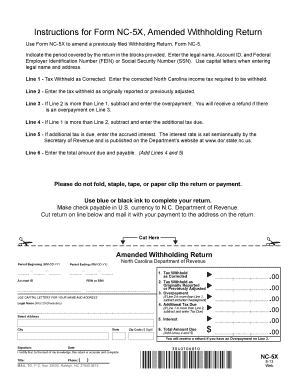
The document provides instructions for completing Form NC-5X, which is used to amend a previously filed Withholding Retu ...