Here's how it works



How to use or fill out cecil county taxi voucher program with our platform

- Click ‘Get Form’ to open the cecil county taxi voucher program application in the editor.
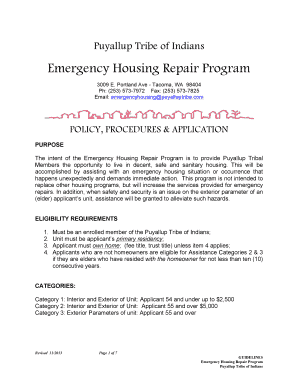
- Begin by filling in your personal information, including your name, address, and date of birth. Ensure accuracy as this information is crucial for eligibility verification.
- Indicate your marital status and check any applicable boxes regarding your ethnicity and veteran status. This helps in understanding the demographic distribution of applicants.
- Provide annual income details for yourself and your spouse if applicable. Attach proof of income documentation as specified in the guidelines.
- If you have a disability, explain it in the designated section and indicate any special requirements such as needing a lift-equipped vehicle.
- Review all entered information for accuracy before signing and dating the form at the bottom. Once completed, print your return address on an envelope, secure all documents inside, and mail it without payment.
Start using our platform today to easily complete your cecil county taxi voucher program application online for free!
It's free
See more cecil county taxi voucher program versions
| Versions | Form popularity | Fillable & printable |
|---|---|---|
| 2012 | 4 Satisfied (38 Votes) |
Got questions?
How can I create an electronic signature in my cecil county taxi voucher program on Android?
Signing documents on a mobile device is fast, simple, and doesn’t require software installation when you have an account with DocHub. Log in from any browser, complete your blank fields with your data, and click on Sign → Create your signature. You can draw your electronic signature just as you usually do on paper, add its picture to your cecil county taxi voucher program, or type in your name and stylize its look. No matter what option you select, your form will be valid.
How do you fill out cecil county taxi voucher program on iOS?
You need only an internet connection and a browser to complete your cecil county taxi voucher program by using an iOS phone. Open the DocHub website and authenticate. Then, add your file or choose it from the list in your dashboard. Then use our editing tools to complete your form and preserve all your modifications. You may also send it to a dedicated recipient right away.
Security and compliance
At DocHub, your data security is our priority. We follow HIPAA, SOC2, GDPR, and other standards, so you can work on your documents with confidence.
Learn more