Athlete emergency contact form 2026

Get Form
athlete emergency contact form Preview on Page 1

Here's how it works

01. Edit your athlete emergency contact form online
Type text, add images, blackout confidential details, add comments, highlights and more.
02. Sign it in a few clicks
Draw your signature, type it, upload its image, or use your mobile device as a signature pad.
03. Share your form with others
Send sports emergency contact form via email, link, or fax. You can also download it, export it or print it out.

How to use or fill out athlete emergency contact form with our platform

Form edit decoration
9.5
Ease of Setup
DocHub User Ratings on G2
9.0
Ease of Use
DocHub User Ratings on G2
  1. Click ‘Get Form’ to open the athlete emergency contact form in the editor.
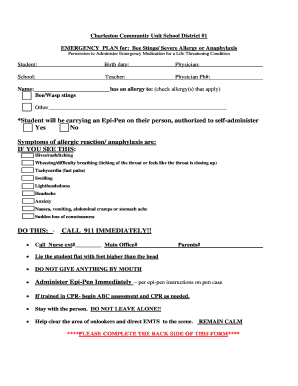
  2. Begin by entering the athlete's name and date of birth in the designated fields. This information is crucial for identification purposes.
  3. Fill in the parent's name, address, and phone numbers, including a cell phone number. If the student does not live with you, provide additional contact information as needed.
  4. Next, input insurance details including the insurance company and ID number. This ensures that medical services can be accessed promptly if necessary.
  5. Provide information for the medical clinic and hospital, including names and phone numbers. This allows for quick access to healthcare providers in emergencies.
  6. List any allergies or medical conditions under 'Medical Conditions' to inform caregivers of potential health risks.
  7. Complete the emergency contact section by adding names, relationships, addresses, and phone numbers for two additional contacts who can be reached if needed.
  8. Finally, review all entered information for accuracy before signing and dating the authorization statement at the bottom of the form.

Start filling out your athlete emergency contact form today on our platform for free!

See more athlete emergency contact form versions

We've got more versions of the athlete emergency contact form form. Select the right athlete emergency contact form version from the list and start editing it straight away!
Versions Form popularity Fillable & printable
2012 4 Satisfied (36 Votes)
be ready to get more

Complete this form in 5 minutes or less

Get form

Got questions?

We have answers to the most popular questions from our customers. If you can't find an answer to your question, please contact us.
Contact us

Electronic document signing demands a software solution that works in compliance with data protection and eSignature regulations. DocHub is a great tool for that, as it fulfills all the above mentioned requirements. Whatever method you like to sign your athlete emergency contact form in DocHub, your eSignature will be legally binding and court-admissible.

When you edit your athlete emergency contact form with DocHub, you only require a steady internet connection and virtually any browser installed on your device. No need to install any third-party software or study tutorials. Just open a tab with DocHub, drag and drop your file, and modify it immediately.

Security and compliance

At DocHub, your data security is our priority. We follow HIPAA, SOC2, GDPR, and other standards, so you can work on your documents with confidence.

Learn more
ccpa2
pci-dss
gdpr-compliance
hipaa
soc-compliance
be ready to get more

Complete this form in 5 minutes or less

Get form