




Here's how it works

01. Edit your form online
Type text, add images, blackout confidential details, add comments, highlights and more.

02. Sign it in a few clicks
Draw your signature, type it, upload its image, or use your mobile device as a signature pad.

03. Share your form with others
Send it via email, link, or fax. You can also download it, export it or print it out.
How to use or fill out Glasses Prescription Order Form - Infab with our platform

- Click ‘Get Form’ to open the Glasses Prescription Order Form - Infab in the editor.
- Begin by entering your Company Name and Telephone # at the top of the form. This information is essential for processing your order.
- Fill in the Company Purchase Order # and Patient’s Name to ensure accurate identification of the order.
- Provide the Date and Ship to Address, including City, State, and Zip code, so that your glasses can be delivered promptly.
- Select the Glasses Model # and Lead Equivalency. Specify the Type of Script by checking either Single Vision, Bifocal, or Bifocal Progressive.
- Complete the Prescription section by filling in Sphere, Cylinder, Bifocal/Progressive Add, and Axis for both Right (R) and Left (L) eyes.
- Ensure you include PD (Pupillary Distance) and Segment Height as required for processing. Remember that PD is mandatory for Single Vision orders, while both PD & Segment Height are needed for Bifocal/Progressive orders.
- Finally, obtain the Dispensing Optician's Signature before submitting your form. You can then photo copy this form and mail or fax it to Infab Corporation using the provided contact details.
Start using our platform today to fill out your Glasses Prescription Order Form - Infab easily and for free!
Fill out Glasses Prescription Order Form - Infab online
It's free
It's free
See more Glasses Prescription Order Form - Infab versions
We've got more versions of the Glasses Prescription Order Form - Infab form. Select the right Glasses Prescription Order Form - Infab version from the list and start editing it straight away!
Security and compliance
At DocHub, your data security is our priority. We follow HIPAA, SOC2, GDPR, and other standards, so you can work on your documents with confidence.
Learn more


Related forms

Fsa 2004
The document is an authorization form from the U.S. Department of Agriculture's Farm Service Agency (FSA) that allows th ...

Release blocked funds
The document provides instructions for parties whose wire transfers have been blocked by U.S. financial institutions due ...

Hospital discrepancy form sample
The document is a Narcotic Discrepancy Form used at Providence Hospital in Mobile, AL. It outlines the procedure for rep ...

Clia laboratory user fees
The document outlines the payment process and requirements for laboratories seeking a Certificate under the Clinical Lab ...

Cageaid form
The document outlines the CAGEAID substance use screening tool, which consists of a series of questions designed to asse ...

Ira 15d form
The document is an application form for life insurance from Liberty National Life Insurance Company, specifically design ...
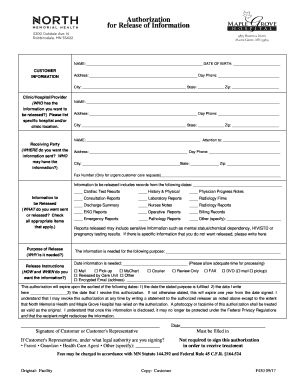
North memorial information
The document is an Authorization for Release of Information form, which allows a customer to request the release of thei ...

- tax ny
The document outlines the eligibility criteria and application process for the New York State Family Tax Relief Credit f ...