
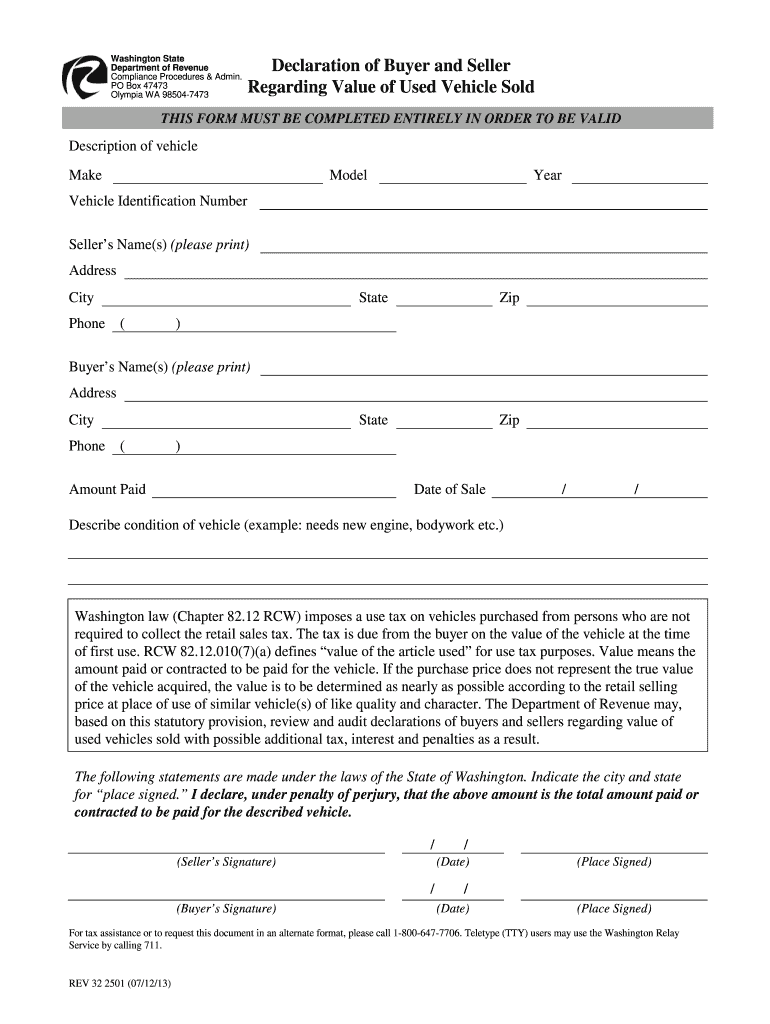




Here's how it works

01. Edit your intent to sell form online
Type text, add images, blackout confidential details, add comments, highlights and more.

02. Sign it in a few clicks
Draw your signature, type it, upload its image, or use your mobile device as a signature pad.

03. Share your form with others
Send vehicle declaration form via email, link, or fax. You can also download it, export it or print it out.
How to use or fill out seller used with our platform

- Click ‘Get Form’ to open it in the editor.
- Begin by filling out the 'Description of Vehicle' section. Enter the Make, Model, Year, and Vehicle Identification Number (VIN) accurately.
- Next, provide the Seller’s Name(s), Address, City, State, and Zip Code. Ensure that all information is printed clearly for validation.
- Fill in the Buyer’s Name(s) and their corresponding Address, City, State, and Zip Code in the same manner as the seller's information.
- Indicate the Amount Paid for the vehicle and enter the Date of Sale in the specified format.
- Describe the condition of the vehicle briefly but thoroughly (e.g., needs new engine).
- Both parties must sign in their respective sections and indicate the Date and Place Signed to validate this declaration.
Start using our platform today to complete your seller used form easily and for free!
Fill out seller used online
It's free
It's free
Security and compliance
At DocHub, your data security is our priority. We follow HIPAA, SOC2, GDPR, and other standards, so you can work on your documents with confidence.
Learn more


Related forms

Telecommunications Access Minnesota - Minnesota State Legislature - archive leg state mn
The document is the 2012 Annual Report of Telecommunications Access Minnesota (TAM), which outlines the programs and ser ...
Minnesota Statutes, section 144A
The document outlines the Minnesota Statutes related to home care services, including definitions, rights of individuals ...

Property Tax Inventory
The document provides a comprehensive overview of Minnesota's property tax system, detailing its complexities, preferenc ...

COLUMBIA CONSTRUCTION SERVICESMICHIGAN, INC - decisions courts state ny
The document is a short form order from the Supreme Court of New York regarding a breach of contract case between Columb ...
In the Matter of FINGER LAKES - decisions courts state ny
The document is a memorandum and order from the New York Supreme Court, Appellate Division, regarding an appeal by Finge ...
ABBOTT, an Attorney - decisions courts state ny
The document is a memorandum and order from the New York Supreme Court, Appellate Division, regarding the suspension of ...

Bergson v Glantz - Unified Court System - courts state ny
The document is a court opinion from the Supreme Court of Suffolk County regarding the case Bergson v. Glantz, where the ...
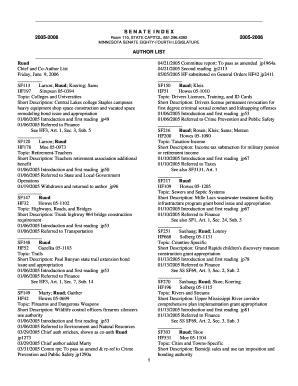
4392 MINNESOTA SENATE EIGHTYFOURTH LEGISLATURE 20052006 AUTHOR LIST 04 21 2005 Committee report: To
4392 MINNESOTA SENATE EIGHTYFOURTH LEGISLATURE 20052006 AUTHOR LIST 04 21 2005 Committee report: To
The document is a comprehensive index of the Minnesota Senate's legislative activities during the 2005-2006 session, det ...