




Here's how it works

01. Edit your proof relationship affidavit of relationship sample letter online
Type text, add images, blackout confidential details, add comments, highlights and more.

02. Sign it in a few clicks
Draw your signature, type it, upload its image, or use your mobile device as a signature pad.

03. Share your form with others
Send family member proof relationship affidavit of relationship sample letter via email, link, or fax. You can also download it, export it or print it out.
How to use or fill out affidavit relationship with our platform

- Click ‘Get Form’ to open the affidavit relationship in the editor.
- Begin by entering the state and county at the top of the form. This information is crucial for legal validity.
- In the first section, provide your name as the Affiant. Ensure that it matches your official identification.
- Next, fill in the street address, city, state, and zip code of the property related to this affidavit.
- In the following section, clearly state any prior dealings you have had with the individuals mentioned. If none, write 'none' or leave it blank as appropriate.
- Finally, print your name and sign where indicated. Make sure to date the document accurately before submission.
Start using our platform today for free to streamline your affidavit completion process!
Fill out affidavit relationship online
It's free
It's free
Security and compliance
At DocHub, your data security is our priority. We follow HIPAA, SOC2, GDPR, and other standards, so you can work on your documents with confidence.
Learn more


Related forms

Sc placard
The document outlines the new law regarding disabled placards and license plates, which mandates that all placards must ...

209a form
The document is an Abuse Prevention Order issued by the Trial Court of Massachusetts, outlining restrictions and obligat ...

Sbar example for uti
The document outlines a protocol for evaluating and reporting potential urinary tract infections (UTIs) in residents bef ...
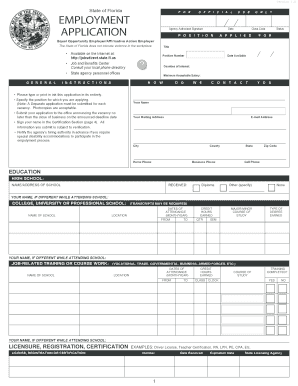
State of florida job application fillable form
The document is an official employment application for the State of Florida, outlining the necessary information and ins ...

Ttb form 510051 help 2009
The document is a form from the Alcohol and Tobacco Tax and Trade Bureau (TTB) for submitting formulas and processes rel ...