Sample letter affidavit form 2026

Get Form
affidavit of complaint Preview on Page 1

Here's how it works

01. Edit your affidavit of complaint online
Type text, add images, blackout confidential details, add comments, highlights and more.

02. Sign it in a few clicks
Draw your signature, type it, upload its image, or use your mobile device as a signature pad.

03. Share your form with others
Send complaint affidavit via email, link, or fax. You can also download it, export it or print it out.

How to use or fill out sample letter affidavit form with our platform

Form edit decoration
9.5
Ease of Setup
DocHub User Ratings on G2
9.0
Ease of Use
DocHub User Ratings on G2
  1. Click ‘Get Form’ to open the sample letter affidavit form in the editor.
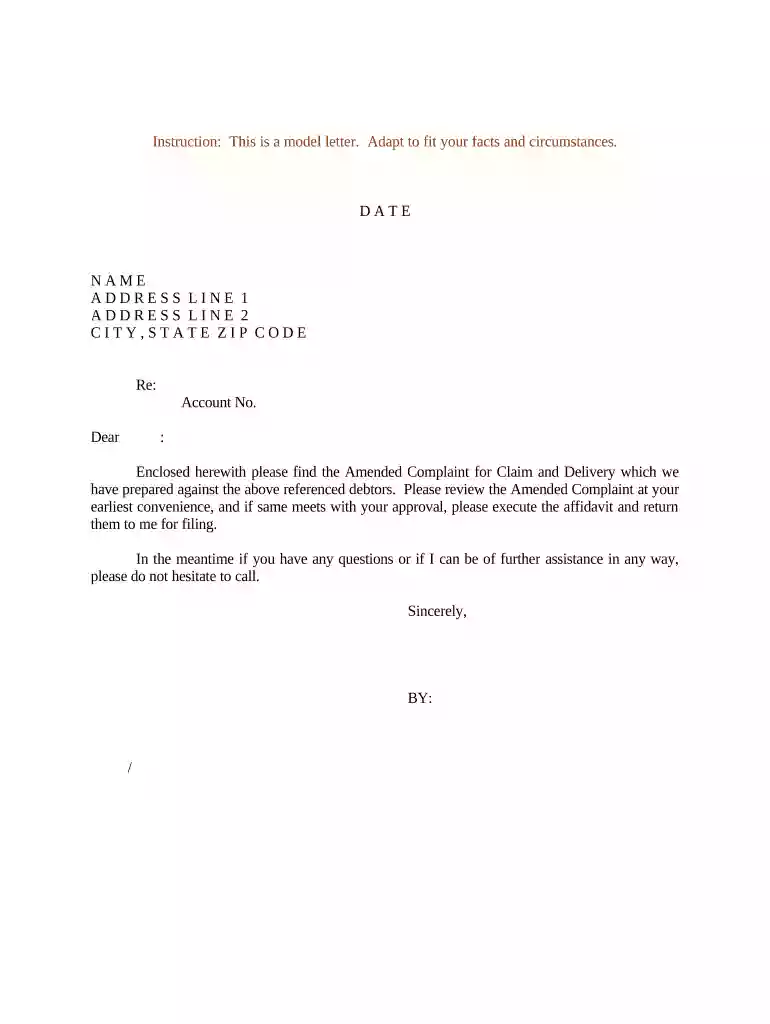
  2. Begin by entering the date at the top of the form. This is crucial for record-keeping and should reflect the current date.
  3. Fill in your name and address details in the designated fields. Ensure accuracy as this information identifies you as the sender.
  4. In the 'Re:' section, specify the subject matter, such as 'Account No.' followed by the relevant account number for clarity.
  5. Address the recipient appropriately in the greeting line, ensuring you include their name for a personal touch.
  6. Review and customize the body of the letter to fit your specific circumstances, particularly regarding any enclosed documents.
  7. Conclude with a professional closing statement, followed by your signature line where you can sign digitally using our platform.

Start editing your sample letter affidavit form online for free today!

be ready to get more

Complete this form in 5 minutes or less

Get form

Got questions?

We have answers to the most popular questions from our customers. If you can't find an answer to your question, please contact us.
Contact us
This means that you do not need to ask a lawyer to create an affidavit. It is important to note, however, that certain types of affidavits will need to contain specific information in order to fulfill their purpose and meet legal requirements.
You simply fill in some information, then print the form to bring to a notary public for signing. To complete the Affidavit, youll submit the following information: Location: State and county. Your information: Name and state.
For example, Before me comes [your name], whose residence is [address, including city, county, state, and zip code], and hereby swears to the following facts under penalty of perjury. Depending on who drafts the affidavit, this sentence may vary in wording. The following paragraphs usually each contain one fact.
An affidavit is essentially a written and sworn statement. As such, most, but not all, affidavits require notarization. The key way youll know is that affidavits that require notarization usually indicate that clearly by providing a notarial certificate and space for the Notarys signature and seal.
The following are six critical sections that must be included: Title. This is either your name (Affidavit of Jane Doe) or the specific case information. Statement of identity. The next paragraph tells the court about yourself. Statement of truth. Statement of facts. Closing statement of truth. Sign and docHub.

Security and compliance

At DocHub, your data security is our priority. We follow HIPAA, SOC2, GDPR, and other standards, so you can work on your documents with confidence.
Learn more
ccpa2
pci-dss
gdpr-compliance
hipaa
soc-compliance