Type text, add images, blackout confidential details, add comments, highlights and more.
02. Sign it in a few clicks
Draw your signature, type it, upload its image, or use your mobile device as a signature pad.
03. Share your form with others
Send ermc via email, link, or fax. You can also download it, export it or print it out.
How to use or fill out ermc with our platform
Ease of Setup
DocHub User Ratings on G2
Ease of Use
DocHub User Ratings on G2
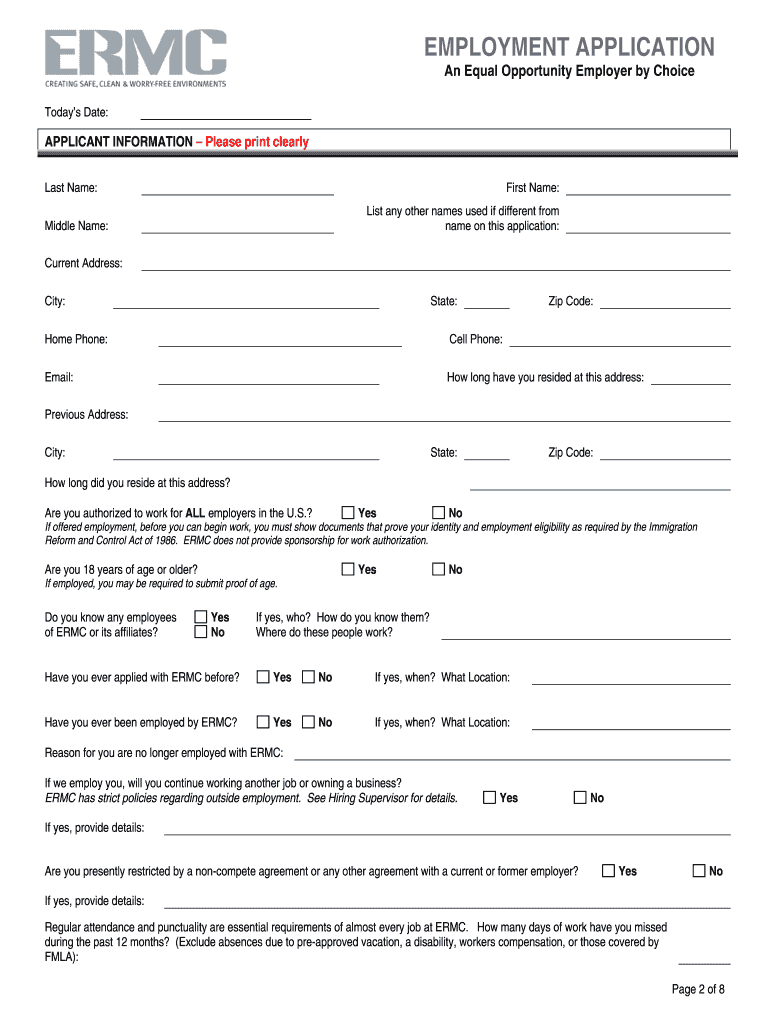
Click ‘Get Form’ to open the ermc application in the editor.
Begin by filling out the 'Applicant Information' section. Clearly print your last name, first name, and any other names used. Provide your current address, phone numbers, and email.
In the 'Criminal History' section, answer truthfully about any convictions. Remember to exclude minor traffic violations and sealed records.
Complete the 'Employment Information' section by indicating the job you are applying for and your minimum acceptable salary. Specify your availability for work.
Fill in your educational background and employment history accurately, starting with your most recent job. Include details about duties and reasons for leaving previous positions.
Review all sections carefully before signing to ensure all information is complete and accurate. Use our platform's tools to make edits as needed.
Start filling out your ermc application today for free using our platform!
Crystal structure of ErmC, an rRNA methyltransferase
by DE Bussiere 1998 Cited by 160 This sequence-specific methylation is catalyzed by the Erm group of methyltransferases (MTases). They are found in several strains of pathogenicRead more
Qualified individuals may enroll in some program courses as non-matriculated students. Those interested in this should apply to the General Auditing programRead more
Cookie consent notice
This site uses cookies to enhance site navigation and personalize your experience.
By using this site you agree to our use of cookies as described in our Privacy Notice.
You can modify your selections by visiting our Cookie and Advertising Notice.