




Here's how it works

01. Edit your dochub com fillable form online
Type text, add images, blackout confidential details, add comments, highlights and more.

02. Sign it in a few clicks
Draw your signature, type it, upload its image, or use your mobile device as a signature pad.

03. Share your form with others
Send mississippi lost title application via email, link, or fax. You can also download it, export it or print it out.
How to use or fill out Lost car title ms fillable 2010 form

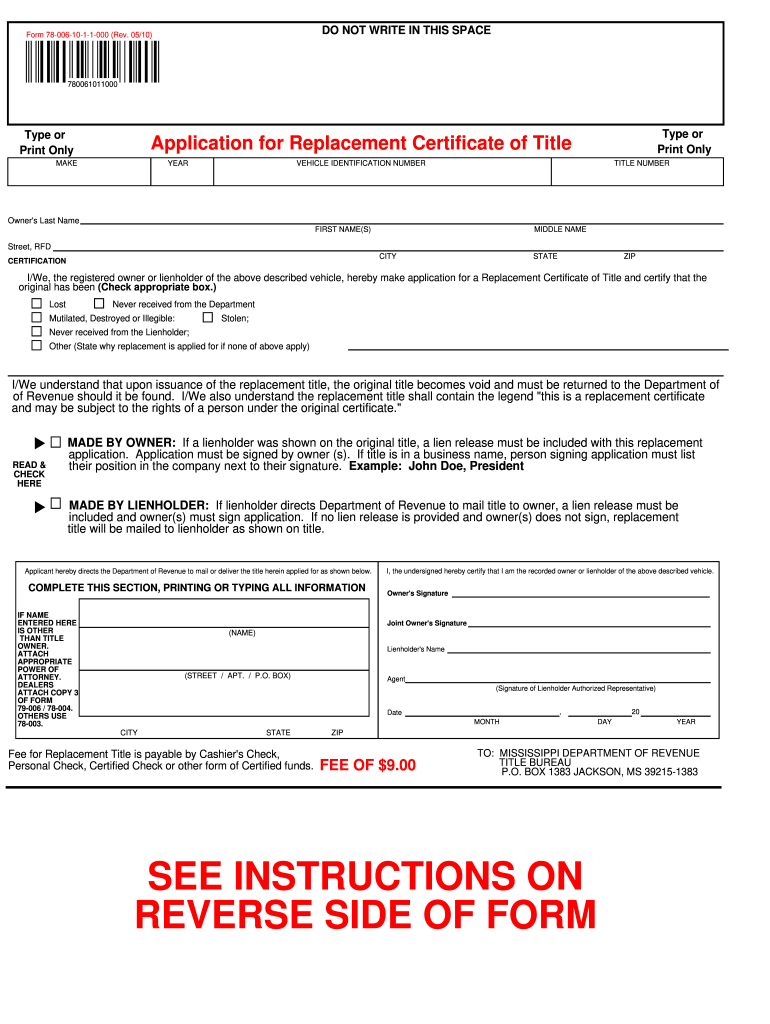
- Click ‘Get Form’ to open it in the editor.
- Begin by entering the vehicle's MAKE, YEAR, and VEHICLE IDENTIFICATION NUMBER (VIN) in the designated fields.
- Fill in your personal information: Owner's Last Name, First Name(s), Middle Name, Street Address, City, State, and ZIP Code.
- In the Certification section, check the appropriate box indicating why you are applying for a replacement title (e.g., Lost, Stolen).
- If applicable, ensure that any lienholder information is included and that a lien release is attached if required.
- Sign the application as the owner. If there is a joint owner or lienholder, ensure their signatures are also included.
- Review all entered information for accuracy before submitting. Once confirmed, print and mail it to the Mississippi Department of Revenue with the required fee.
Start using our platform today to easily fill out your Lost car title ms fillable 2010 form for free!
Fill out Lost car title ms fillable 2010 form online
It's free
It's free
See more Lost car title ms fillable 2010 form versions
We've got more versions of the Lost car title ms fillable 2010 form form. Select the right Lost car title ms fillable 2010 form version from the list and start editing it straight away!
Security and compliance
At DocHub, your data security is our priority. We follow HIPAA, SOC2, GDPR, and other standards, so you can work on your documents with confidence.
Learn more


Related forms

Lessons from the Design of Formative Feedback Tools for Teachers
The document discusses the design and development of handheld formative feedback tools for teachers, focusing on the col ...

DEBT INSTRUMENTS - pantherFILE - pantherfile uwm
The document provides a comprehensive overview of various debt instruments, including simple loan contracts, fixed-payme ...

The Celts in Portugal
The document discusses the presence and influence of Celtic culture in Portugal, particularly during the Iron Age. It hi ...

Rich Tax Breaks Bolster Video Game Makers - NYTimes
The article discusses the substantial tax breaks provided by the U.S. government to video game companies, particularly h ...

University of Wisconsin Parkside: University Advancement - uwp
The document outlines the University of Wisconsin-Parkside's University Advancement and its Benevolent Foundation, estab ...

A long hard slog: debt and economic recovery - University of - uwsp
The document titled 'A Long Hard Slog: Debt and Economic Recovery' by Scott Wallace and Randy F. Cray examines the sever ...

UBD - UWSP Student Information Servers
The document is an instructional unit for first-grade students focused on ocean life, designed by Kassi, Jessie, Kelly, ...

Analysis of the Online Mathematics Course Retention - UW-Stout - www2 uwstout
The document is a research report by Pamela J. Steltenpohl, submitted to the University of Wisconsin-Stout, focusing on ...