




Here's how it works

01. Edit your kentucky state police reports online online
Type text, add images, blackout confidential details, add comments, highlights and more.

02. Sign it in a few clicks
Draw your signature, type it, upload its image, or use your mobile device as a signature pad.

03. Share your form with others
Send kentucky state police accident reports online via email, link, or fax. You can also download it, export it or print it out.
How to use or fill out ky collision report with our platform

- Click ‘Get Form’ to open the ky collision report in the editor.
- Begin by entering the date and time of the collision, along with the county and specific location details. Ensure accuracy as this information is crucial for processing.
- Fill in your information under 'YOUR INFORMATION (Vehicle 1)'. Include your name, address, driver's license number, date of birth, and contact number. Repeat this for 'OTHER VEHICLE / PEDESTRIAN (Vehicle 2)' if applicable.
- Provide vehicle details such as make, model, registration plate number, and insurance information for both vehicles involved. Be sure to enter estimated repair costs accurately.
- Use the diagram section to illustrate what happened during the collision. Clearly indicate directions and vehicle positions.
- In the description section, provide a detailed account of the incident. This narrative will help clarify circumstances surrounding the collision.
- Finally, sign and date the report at the bottom before submitting it through our platform.
Start filling out your ky collision report online for free today!
Fill out ky collision report online
It's free
It's free
Security and compliance
At DocHub, your data security is our priority. We follow HIPAA, SOC2, GDPR, and other standards, so you can work on your documents with confidence.
Learn more


Related forms
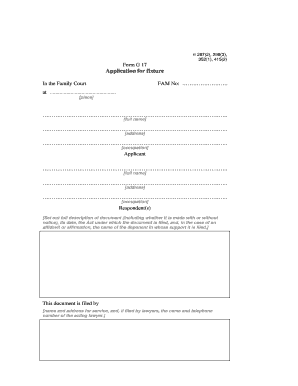
Form G 17
The document is an application form for scheduling a hearing in the Family Court, detailing the parties involved, their ...

Financial identification form
The document is a financial identification privacy statement that outlines the necessary information required for accoun ...

Communication Release Form - Advanced Urgent Care
The document is a Communications Consent form from Advanced Urgent Care that outlines the patient's authorization for th ...

Allergy Questionnaire - Kaiser Permanente - mydoctor kaiserpermanente
The document is a patient intake form for an Allergy Department, designed to collect detailed information about a patien ...