




Here's how it works

01. Edit your cf1 form online
Type text, add images, blackout confidential details, add comments, highlights and more.

02. Sign it in a few clicks
Draw your signature, type it, upload its image, or use your mobile device as a signature pad.

03. Share your form with others
Send cf1 form sample via email, link, or fax. You can also download it, export it or print it out.
How to use or fill out cf1 with our platform

- Click ‘Get Form’ to open the cf1 in the editor.
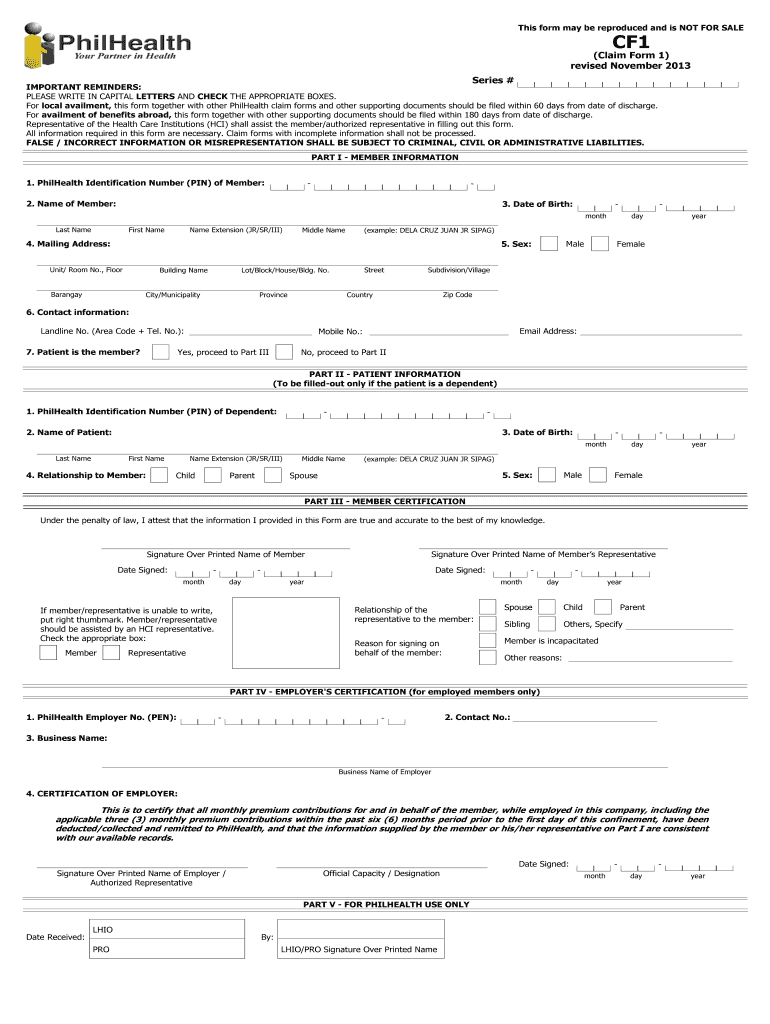
- Begin with Part I - Member Information. Fill in your PhilHealth Identification Number (PIN), name, date of birth, and mailing address. Ensure all details are written in capital letters.
- Indicate your contact information, including landline, mobile number, and email address. Confirm if the patient is the member; if not, proceed to Part II.
- In Part II - Patient Information, complete the fields for the dependent's PIN, name, date of birth, and relationship to the member. Again, ensure accuracy and clarity.
- Move to Part III - Member Certification. Sign and date the form as required. If you cannot write, place your thumbmark and have an HCI representative assist you.
- For employed members, complete Part IV - Employer's Certification by providing your employer's PhilHealth number and business name. Ensure your employer signs this section.
Start filling out your cf1 form today using our platform for a seamless experience!
Fill out cf1 online
It's free
It's free
See more cf1 versions
We've got more versions of the cf1 form. Select the right cf1 version from the list and start editing it straight away!
Got questions?
We have answers to the most popular questions from our customers. If you can't find an answer to your question, please contact us.
Contact us
How much does Kindig CF1 cost?
After a lively bidding war among the audience and remote callers, Kindig (who was center stage during bidding) celebrated the in Rides sale for $770,000.
How much does a Kindig IT custom cost?
0:18 3:28 Now lets talk about the paint job the average cost for a Kindig paint job is around $20,000. ThatsMoreNow lets talk about the paint job the average cost for a Kindig paint job is around $20,000. Thats right folks $20,000 just for the paint.
How much does a Kindig CF1 Corvette cost?
In January 2024, the #5 custom Vette was sold at the Mecum Kissimmee auction for $770,000. Later in January 2024, the #4 CF1 sold at the Barrett-Jackson Scottsdale auction for $605,000. It seems that Dave Kindig has tapped into a lucrative market with his CF1 Custom Corvettes.
How many CF1 Corvettes has Kindig built?
At the time of writing, the shops website lists a total of 11 such cars having been made, each of them are unique in some sense and immensely valuable.
What is a CF1 car?
SOLD for $605,000 in Scottsdale! Designed by famed custom-car builder Dave Kindig, the 1953 CF1 Roadster is a turnkey, series-production car from Kindig-it Design.
Security and compliance
At DocHub, your data security is our priority. We follow HIPAA, SOC2, GDPR, and other standards, so you can work on your documents with confidence.
Learn more


Related forms

Canara bank customer request form
The document is a customer request letter for savings and current account holders, detailing various services that custo ...
Ics 213 form example
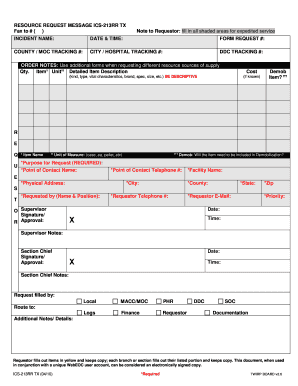
The document is a RESOURCE REQUEST MESSAGE (ICS-213RR TX) used for requesting resources during an incident. It includes ...

MANIFIESTO PARA UNA ACTIVIDAD GENERADORA INSTRUCCIONES G E - www2 pr
The document is a waste manifest form (PGC-012) issued by the Government of Puerto Rico's Environmental Quality Board fo ...

YC Checklists Boat wash and Captain Insp - Yacht Concierge - yachtconcierge
The document outlines a comprehensive checklist for inspecting and maintaining a boat, covering various areas such as ex ...

Dpsmv 1637 form
The document is an application form for a salvage-reconstructed motor vehicle in Louisiana, requiring information from t ...

Position Job Identification Form - Florida Atlantic University
The document is a Position Job Identification Form for non-line positions, specifically for Temporary Exempt, Teaching A ...