





Here's how it works

01. Edit your imm 5707 online
Type text, add images, blackout confidential details, add comments, highlights and more.

02. Sign it in a few clicks
Draw your signature, type it, upload its image, or use your mobile device as a signature pad.

03. Share your form with others
Send imm 5707 pdf download free via email, link, or fax. You can also download it, export it or print it out.
How to use or fill out imm 5707 form 2022 pdf download with DocHub

- Click ‘Get Form’ to open the imm 5707 form in our editor.
- Begin with Section A, where you will enter your personal details. Fill in your full name, date of birth, country of birth, present address, and occupation. Indicate if you will be accompanied by your spouse or common-law partner to Canada by selecting 'Yes' or 'No'.
- Next, provide information for your parents in the same section. If any parent is deceased, include their city/town of death and date under 'Present address'.
- Move to Section B to list all children. Include their names, relationships, dates of birth, countries of birth, marital statuses, present addresses, and occupations. Again, indicate if they will accompany you to Canada.
- In Section C, sign and date the form to certify that all information provided is accurate. Ensure that you understand the implications of your signature.
Start using our platform today for free to complete your imm 5707 form efficiently!
Fill out imm 5707 form 2022 pdf download online
It's free
It's free
See more imm 5707 form 2022 pdf download versions
We've got more versions of the imm 5707 form 2022 pdf download form. Select the right imm 5707 form 2022 pdf download version from the list and start editing it straight away!
Got questions?
We have answers to the most popular questions from our customers. If you can't find an answer to your question, please contact us.
Contact us
How much bank balance is required for a Canada family visa?
How much money you need Number of family membersFunds you need (in Canadian dollars) 1 $15,263 2 $19,001 3 $23,360 4 $28,362 Mar 21, 2025
How to download forms from IRCC?
Downloading and opening PDF files Find the link of the file you want to save (you may need to go back to the previous page to find it). Right-click the link. Select Save target as or Save link as. Choose the location on your computer where you would like to save the file. Select Save.
Can I get a TRV stamp outside Canada?
Applying for your new TRV from outside of Canada If you apply for your new Study Permit from outside of Canada, a TRV will be automatically issued to you. You will receive instructions indicating how and where to mail your passport so that the TRV counterfoil can be affixed to your passport.
What documents do I need to enter Canada from the US?
To travel to Canada from the USA, U.S. citizens generally need a valid U.S. Passport, but a Passport Card, Enhanced Drivers License (EDL), or Trusted Traveler Program card (like NEXUS) are also accepted for land/sea travel. U.S. Lawful Permanent Residents (Green Card holders) need their passport from their country of nationality plus their valid Green Card. Always carry your most reliable document, like a passport, and check specific requirements for minors or unique situations. For U.S. Citizens: Passport Book: The most universally accepted document, required for air travel. Passport Card: Valid for land and sea travel to Canada. Enhanced Drivers License (EDL) or ID (EIC): Available in certain states and provinces for land/sea crossings. Trusted Traveler Program Cards: NEXUS, SENTRI, or FAST cards are accepted for land/sea travel. For U.S. Lawful Permanent Residents (Green Card Holders): A valid passport from your country of nationality AND your valid Green Card. Special Situations: Children: Specific rules apply; parents should carry birth certificates and potentially a consent letter if the child travels alone. Native Americans: May use their Certificate of Citizenship or Status Card with photo ID. Key Considerations: REAL ID: Not sufficient for crossing into Canada; its for domestic U.S. travel. Minors: Always check the Canadian governments guidance on traveling with children. Best Practice: Even if using other documents, having your passport is always recommended as proof of citizenship/residency. AI can make mistakes, so double-check responsesTravel and identification documents for entering CanadaDec 15, 2025 passport or any official document used to travel (requirement for all travellers) port of entry letter (requirement foAgence des services frontaliers du CanadaWhat you need to enter Canada - Canada.caDec 16, 2025 US travellers. What you need to bring to Canada as an American depends on whether youre a citizen or a permanent resiCanada.ca
What is IMM 5707?
Family Information (IMM 5707) This form must be filled out by each person, 18 years of age or older, applying for a Temporary Resident Visa, a study or work permit outside Canada.
Security and compliance
At DocHub, your data security is our priority. We follow HIPAA, SOC2, GDPR, and other standards, so you can work on your documents with confidence.
Learn more


Related forms

Wv forms state
The document provides comprehensive instructions and forms for filing the 2021 West Virginia Personal Income Tax Return ...
It 141
The document is the West Virginia Fiduciary Income Tax Return (Form IT-141) for the tax year 2021, designed for resident ...
Nd 1ext
The document is an Individual Extension Payment Voucher from the North Dakota Office of State Tax Commissioner, intended ...
1120s instructions
The document provides detailed instructions for completing Form 1120-S, the U.S. Income Tax Return for an S Corporation, ...
Oregon form
The document is the 2021 Form OR-40-N, an Oregon Individual Income Tax Return for Nonresidents. It provides instructions ...
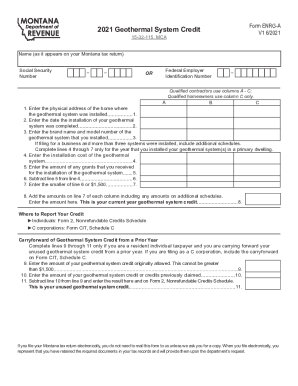
Fillable Online Understand The Geothermal Tax Credit ...
The document is Form ENRG-A, which outlines the 2021 Geothermal System Credit for Montana taxpayers. It provides instruc ...
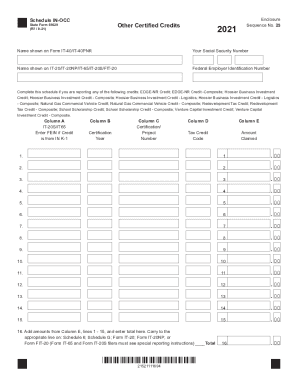
Fillable Online uhv Data Request Form - University of ...
The document outlines the Schedule IN-OCC for reporting various certified tax credits in Indiana, including EDGE-NR Cred ...

Wv no title
The document is a form from the West Virginia Department of Transportation's Division of Motor Vehicles for the cancella ...
People also ask
What documents are needed for proof of family relationship in Canada?
You prove the family relationship through interviews and using genuine documents (paper documents, digital photos and scans) such as: birth certificates, marriage certificates, passports, other identity documents (such as family registration cards, national ID cards, drivers license etc) and documents showing the
What is the difference between IMM 5257 and IMM5257e?
The application for Temporary Resident Visa Canada is the IRCC IMM 5257 form, commonly referred to as IMM5257e or the English visitor visa form.