



Here's how it works



How to use or fill out Applebee's Employee Handbook with our platform

- Click ‘Get Form’ to open the Applebee's Employee Handbook in the editor.
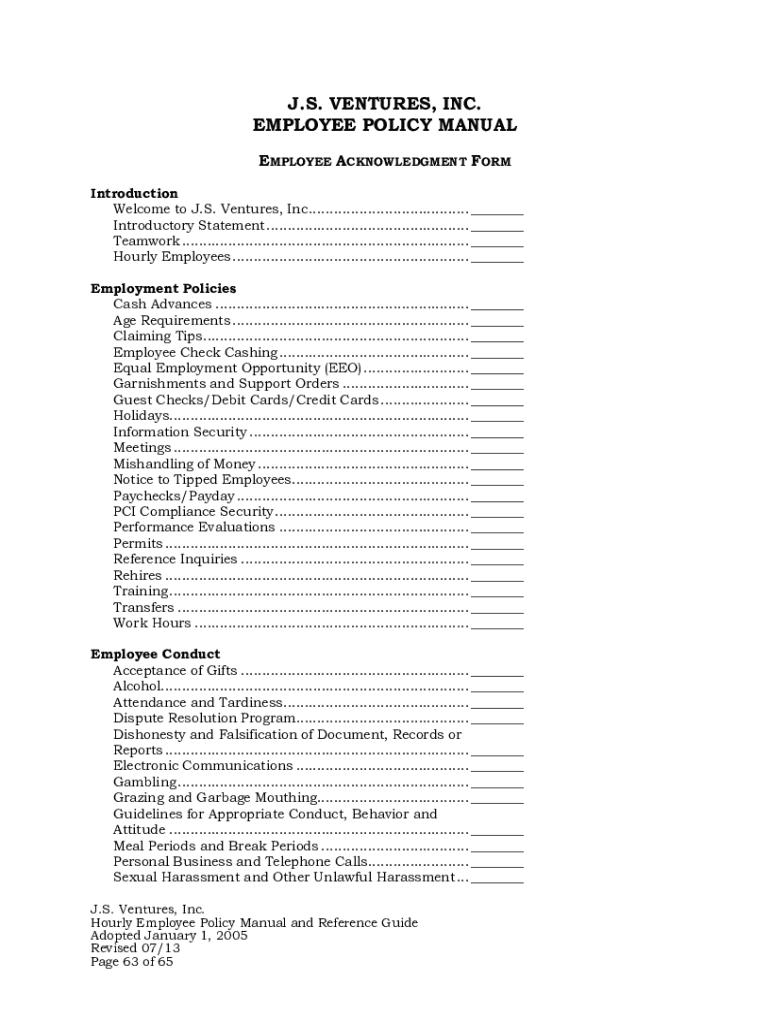
- Begin by reviewing the 'Introduction' section, which welcomes you to J.S. Ventures, Inc. and outlines the purpose of the handbook.
- Navigate to the 'Employment Policies' section. Here, fill out any required fields regarding your understanding of policies such as Cash Advances and Equal Employment Opportunity (EEO).
- Proceed to the 'Employee Conduct' section. Acknowledge your understanding of guidelines on Attendance, Alcohol, and Dispute Resolution by checking appropriate boxes or signing where indicated.
- In the 'Compensation/Employee Benefits' section, ensure you understand your eligibility for benefits like 401(k) and Paid Vacation. Fill in any personal information required.
- Finally, complete the 'Employee Acknowledgment Form' at the end of the handbook. Sign and date it to confirm that you have read and understood all policies outlined.
Start using our platform today for free to streamline your document editing and signing process!
It's free
See more applebee's employee handbook versions
| Versions | Form popularity | Fillable & printable |
|---|---|---|
| 2013 | 4.8 Satisfied (49 Votes) |
Got questions?
How can I sign my applebee's employee handbook on iOS?
With DocHub, you can rapidly approve your applebee's employee handbook or any other paperwork on iOS, even without installing extra programs. You can access your DocHub account from any internet-connected browser and complete and sign your form in any preferred method with just a few clicks.
Can I edit applebee's training modules on my phone?
As a comprehensive document editing service, DocHub is available on mobile devices. Open DocHub in your choice of mobile internet browser and employ our smart mobile-friendly toolset to complete your applebee's training modules.
Security and compliance
At DocHub, your data security is our priority. We follow HIPAA, SOC2, GDPR, and other standards, so you can work on your documents with confidence.
Learn more