




Here's how it works



How to use or fill out formato ff sre 006 editable with our platform

- Click ‘Get Form’ to open the formato ff sre 006 editable in the editor.
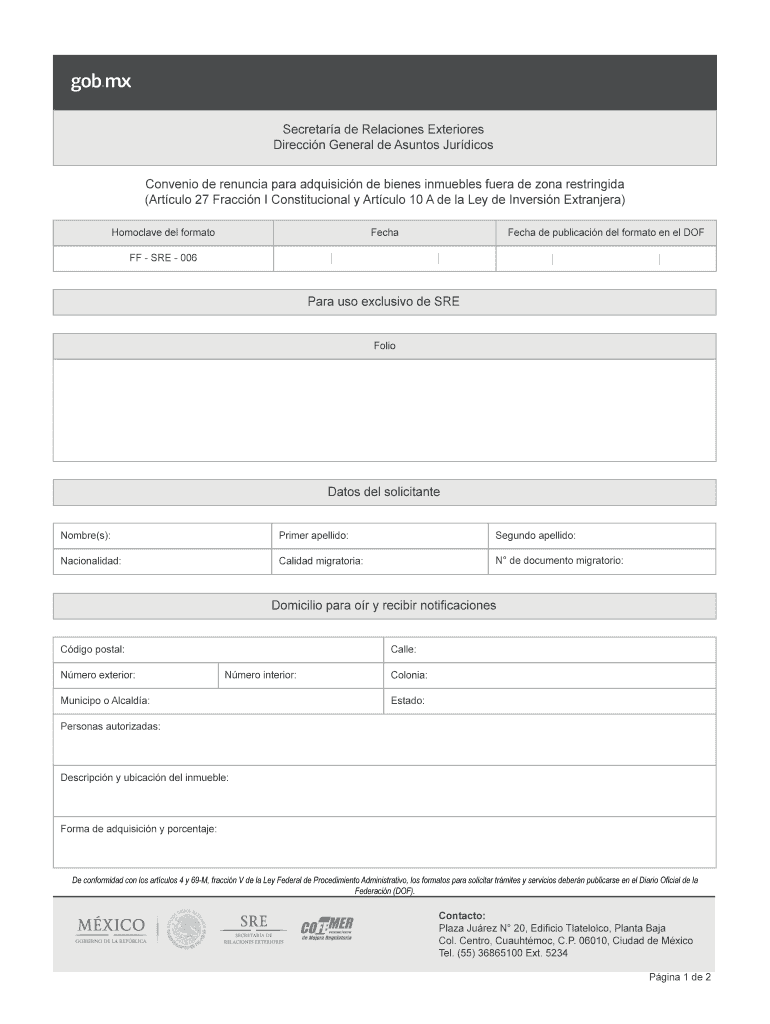
- Begin by entering your personal information in the 'Datos del solicitante' section. Fill in your first name, first surname, second surname, nationality, migratory status, and document number.
- Next, provide your address for notifications. Input your postal code, exterior number, street name, interior number (if applicable), municipality or borough, neighborhood, and state.
- In the 'Personas autorizadas' field, list any authorized individuals related to the property acquisition.
- Describe the property by detailing its location and characteristics in the 'Descripción y ubicación del inmueble' section.
- Finally, indicate how you plan to acquire the property and specify the percentage of ownership.
Start using our platform today to easily complete your formato ff sre 006 editable for free!
It's free
See more formato ff sre 006 editable versions
| Versions | Form popularity | Fillable & printable |
|---|---|---|
| 2016 | 4.8 Satisfied (212 Votes) |
Got questions?
Can I sign my convenio de renuncia para adquisición de bienes inmuebles fuera de zona restringida on a mobile?
Sure, you’ll find many different apps for this on the web. Nevertheless, if you need to eSign your convenio de renuncia para adquisición de bienes inmuebles fuera de zona restringida without installing extra software, DocHub is the best choice you can make. This powerful editor works on mobile devices just as on desktops. Open our editor in your preferred internet browser, register or sign in to your account, and start managing your documents.
How do you edit formato ff sre 006 on Android?
Document editing with DocHub is equally convenient on desktop and mobile devices. You only need an internet browser to modify your formato ff sre 006 on Android. Open our website and sign in to access the tools you need. Add your file and introduce your intended changes. Next, you can keep your form in your file storage or send it out immediately.
Security and compliance
At DocHub, your data security is our priority. We follow HIPAA, SOC2, GDPR, and other standards, so you can work on your documents with confidence.
Learn more


