Type text, add images, blackout confidential details, add comments, highlights and more.

02. Sign it in a few clicks
Draw your signature, type it, upload its image, or use your mobile device as a signature pad.

03. Share your form with others
Send dar membership form via email, link, or fax. You can also download it, export it or print it out.

How to use or fill out dar form with our platform
Ease of Setup
DocHub User Ratings on G2
Ease of Use
DocHub User Ratings on G2
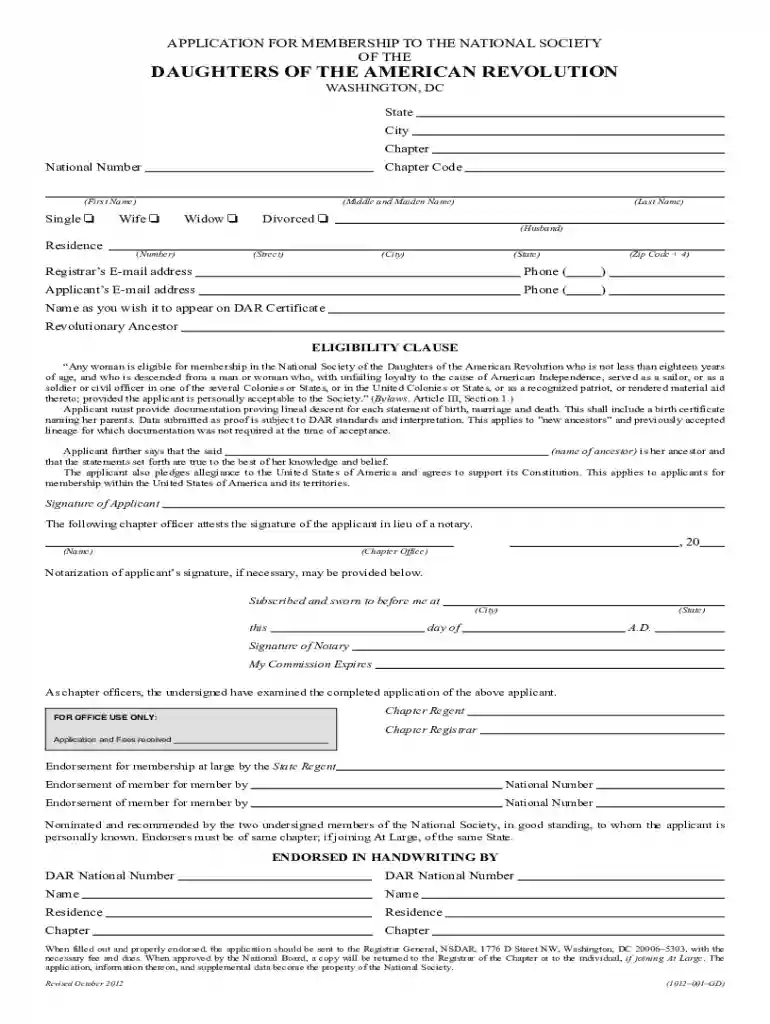
Click ‘Get Form’ to open the dar form in the editor.
Begin by entering your personal information in the designated fields, including your name, address, and contact details. Ensure that you follow the correct format for dates and places as specified in the application notes.
Fill out the lineage section carefully. Provide accurate details about your ancestors, including their names, birth dates, and places of residence. Remember to document each connection clearly to support your eligibility.
Review all sections for completeness and accuracy. Pay special attention to the eligibility clause and ensure you have included necessary documentation proving lineal descent.
Once completed, print the form on legal-sized acid-free paper as per the guidelines. Check your printer settings to ensure everything is formatted correctly before finalizing.
Start using our platform today to fill out your dar form easily and efficiently!
Interactive DAR forms may be housed in Emory University instances of Qualtrics, Microsoft Forms or REDCap system. If you are experiencing issues with a formRead more
Cookie consent notice
This site uses cookies to enhance site navigation and personalize your experience.
By using this site you agree to our use of cookies as described in our Privacy Notice.
You can modify your selections by visiting our Cookie and Advertising Notice.