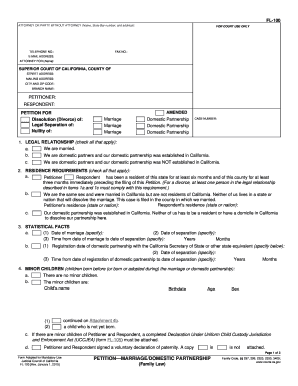
Standard goodyear waiver 2026

Get Form
standard goodyear waiver Preview on Page 1

Here's how it works

01. Edit your form online
Type text, add images, blackout confidential details, add comments, highlights and more.
02. Sign it in a few clicks
Draw your signature, type it, upload its image, or use your mobile device as a signature pad.
03. Share your form with others
Send it via email, link, or fax. You can also download it, export it or print it out.

How to use or fill out standard Goodyear waiver with our platform

Form edit decoration
9.5
Ease of Setup
DocHub User Ratings on G2
9.0
Ease of Use
DocHub User Ratings on G2
  1. Click ‘Get Form’ to open the standard Goodyear waiver in the editor.
  2. Begin by entering the participant's name in the designated field. Ensure that this is accurate as it will be used for identification purposes.
  3. Next, provide the participant's signature and date. This confirms their agreement to the terms outlined in the waiver.
  4. If the participant is under 18, fill out the parent or guardian's information, including their name and phone number. They must also sign and date to acknowledge their consent.
  5. Review all entered information for accuracy before finalizing. This ensures that all details are correct and complete.

Start using our platform today to easily fill out your Goodyear waiver online for free!

be ready to get more

Complete this form in 5 minutes or less

Get form

Got questions?

We have answers to the most popular questions from our customers. If you can't find an answer to your question, please contact us.
Contact us

Upload your standard goodyear waiver to DocHub (once you’ve created an account for this). If you need to complete fields in it, use proper tools from the upper pane. For instance, add Signature Fields, assign each to specific party, and click on Sign → Request signatures from others. Change your message for your recipients and click Send Request. You can also send your document by fax or as a Signing link instead of using email (you’ll locate these options by navigating to the Menu → Send)

Apart from a comprehensive toolset for editing PDFs on mobile phones, DocHub allows you to sign your standard goodyear waiver along the way. Open our editor in your internet browser, make modifications using DocHub’s toolset, and complete your editing by eSigning the finished form.

Purchase Your Pass Today A Goodyear resident may sponsor a non-resident to utilize the facility as their guest by purchasing a non-resident day pass. Family memberships and day passes must be purchased in-person at the Welcome Center. Children ages 2 and under receive free entry and do not require a pass.
Your local Goodyear Tire Service Network location offers a variety of maintenance and repair services, including tire installation. Currently, when buying your tires via Goodyear.com, the tire installation cost for four tires will be an est. $99.80*.
How Much Does it Cost to Mount and Balance Tires? On average, expect to spend $15 to $60 to mount and balance each tire. The lower end tends to be for smaller tirestypically on carsand steel wheels. On the higher end, you are looking at larger wheels or low-profile tires, which are harder to work on.

Security and compliance

At DocHub, your data security is our priority. We follow HIPAA, SOC2, GDPR, and other standards, so you can work on your documents with confidence.

Learn more
ccpa2
pci-dss
gdpr-compliance
hipaa
soc-compliance

People also ask

$99.80*. Cost includes mounting and balancing, and TPMS kit.
Even if you didnt buy your tires from us, or theyre the OE tires your vehicle came with, we still give you free tire inspections which include air pressure checks. We will mount and balance tires not purchased through Discount Tire for a charge per tire that depends on your stores region.
Tire purchase includes installation at No charge.

Related links