




Here's how it works

01. Edit your maryland assessment online
Type text, add images, blackout confidential details, add comments, highlights and more.

02. Sign it in a few clicks
Draw your signature, type it, upload its image, or use your mobile device as a signature pad.

03. Share your form with others
Send md land instrument intake via email, link, or fax. You can also download it, export it or print it out.
How to use or fill out the Maryland Instrument with our platform

- Click ‘Get Form’ to open the Maryland Instrument in the editor.
- Begin by selecting the type of instrument you are submitting. Check the appropriate box for Mortgage, Lease, Deed, etc.
- Fill in the consideration amount and any applicable tax exemptions. Ensure that all entries are legible and typed in black ink.
- Provide detailed property information including location, property identifiers, and whether it is a partial conveyance.
- Enter grantor and grantee names accurately. If there are additional names to be indexed, include them in the optional fields provided.
- Review all sections for completeness before saving your form. Remember to print at least four copies once completed.
Start using our platform today to streamline your document editing and signing process for free!
Fill out maryland instrument online
It's free
It's free
See more maryland instrument versions
We've got more versions of the maryland instrument form. Select the right maryland instrument version from the list and start editing it straight away!
| Versions | Form popularity | Fillable & printable |
|---|---|---|
| 2007 | 4.9 Satisfied (58 Votes) |
Security and compliance
At DocHub, your data security is our priority. We follow HIPAA, SOC2, GDPR, and other standards, so you can work on your documents with confidence.
Learn more


Related forms

D49 State Assessment Opt Out Request Form 2024
The document is a '2024 D49 State Assessment Parent Request Form for Opt Out' that allows parents or guardians to reques ...

X-ray Equipment Amendment - Ohio Department of Health
The document outlines the process for appointing a new Individual Responsible for Radiation Protection (IRRP) at a facil ...
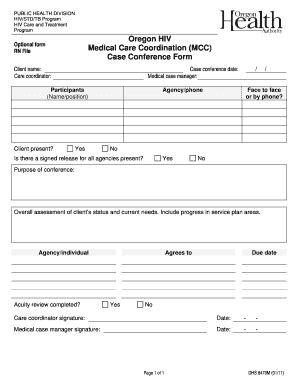
Care conference template
The document is a case conference form used by the Oregon HIV Medical Care Coordination Program to assess a client's sta ...

Fillable Online idrb kerala gov Form No 13 APPLICATION FOR LEAVE
The document is a leave application form (Form No 13) that requires applicants, both Gazetted and Non-Gazetted, to provi ...

Report of Name or Address Change CDPH 8391
The document outlines the requirements for individuals holding various radiologic permits and certificates in California ...
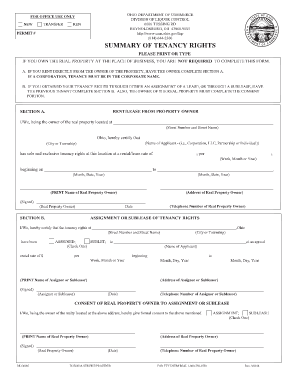
Ohio liquor control
The document is a form from the Ohio Department of Commerce, Division of Liquor Control, outlining the process for certi ...
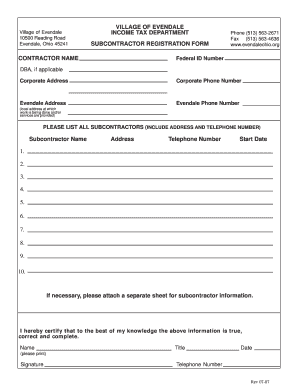
Subcontractor Registration form - Village Of Evendale - evendaleohio
The document is a Subcontractor Registration Form from the Income Tax Department of the Village of Evendale, Ohio. It re ...