Front range volleyball 2026

Get Form
front range volleyball Preview on Page 1

Here's how it works

01. Edit your form online
Type text, add images, blackout confidential details, add comments, highlights and more.
02. Sign it in a few clicks
Draw your signature, type it, upload its image, or use your mobile device as a signature pad.
03. Share your form with others
Send it via email, link, or fax. You can also download it, export it or print it out.

How to use or fill out front range volleyball with our platform

Form edit decoration
9.5
Ease of Setup
DocHub User Ratings on G2
9.0
Ease of Use
DocHub User Ratings on G2
  1. Click ‘Get Form’ to open the front range volleyball document in the editor.
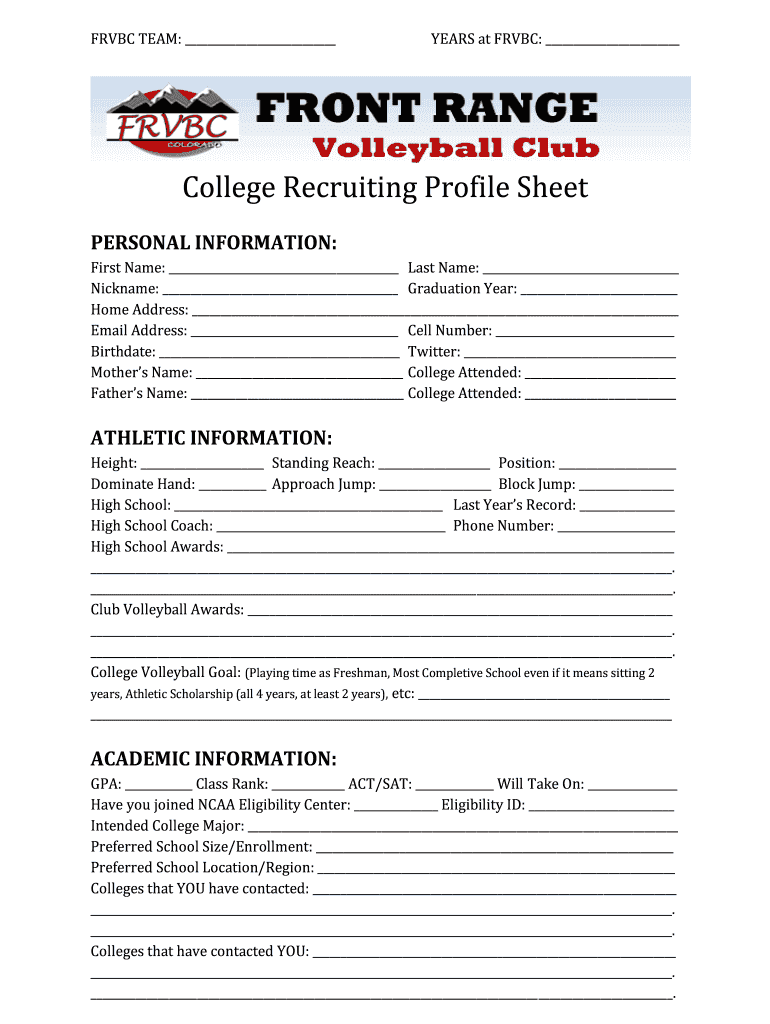
  2. Begin by filling in the team name and years at FRVBC at the top of the form. This sets the context for your profile.
  3. In the Personal Information section, enter your first and last name, nickname, graduation year, and contact details including email and cell number. Make sure all information is accurate for effective communication.
  4. Proceed to Athletic Information. Fill in your height, standing reach, position, and other athletic metrics. This data is crucial for coaches reviewing your profile.
  5. In Academic Information, provide your GPA, class rank, and standardized test scores. Indicate if you have joined the NCAA Eligibility Center as this is important for college recruitment.
  6. Finally, review all sections for completeness before saving or sharing your form. Our platform allows you to easily export or send it directly from Google apps.

Start using our platform today to streamline your front range volleyball profile creation!

See more front range volleyball versions

We've got more versions of the front range volleyball form. Select the right front range volleyball version from the list and start editing it straight away!
Versions Form popularity Fillable & printable
2014 4.8 Satisfied (53 Votes)
be ready to get more

Complete this form in 5 minutes or less

Get form

Got questions?

We have answers to the most popular questions from our customers. If you can't find an answer to your question, please contact us.
Contact us

Yes, you can utilize DocHub for signing any business and private documentation, including your front range volleyball. All eSignatures you create with our service are legally binding and court-admissible, as DocHub complies with standards required by ESIGN and UETA. Save your completed document with a detailed Audit Trail if needed.

With DocHub, you have several convenient ways to edit your front range volleyball online. You can drag and drop the form and modify it directly at the DocHub site or use our browser extension to fill out your form immediately. Additionally, you can modify your PDF on your smartphone, as DocHub is compatible with all the accessible mobile platforms.