
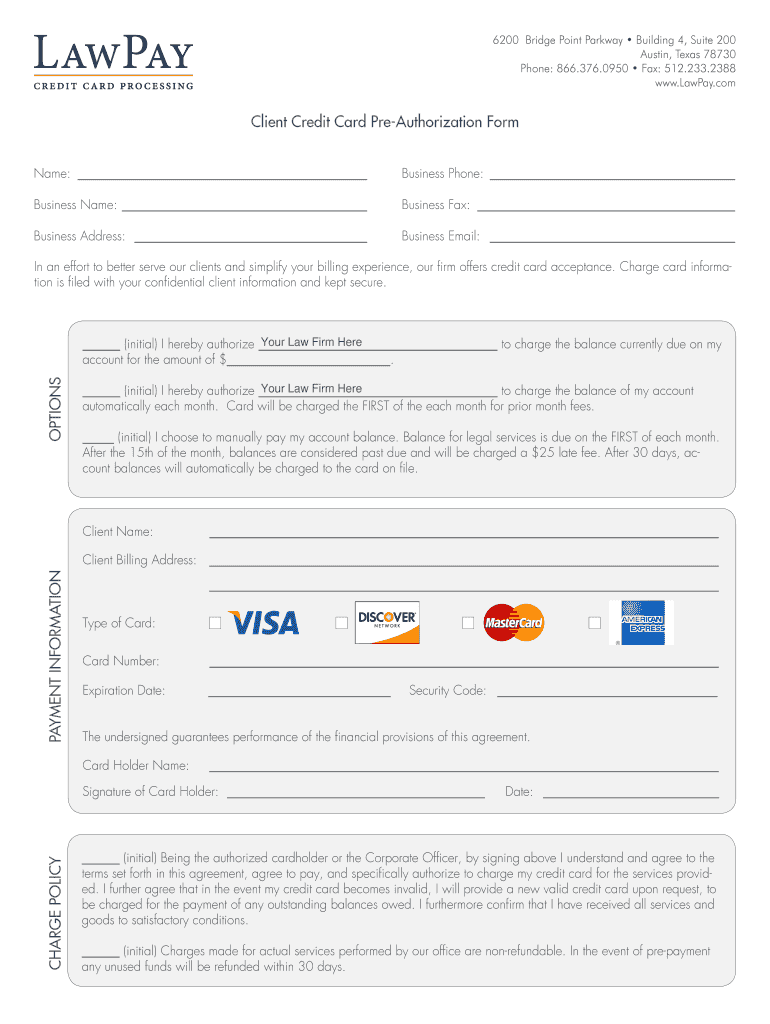




Here's how it works

01. Edit your free cc authorization form online
Type text, add images, blackout confidential details, add comments, highlights and more.

02. Sign it in a few clicks
Draw your signature, type it, upload its image, or use your mobile device as a signature pad.

03. Share your form with others
Send credit card authorization form via email, link, or fax. You can also download it, export it or print it out.
How to use or fill out credit card authorization form with our platform

- Click ‘Get Form’ to open the credit card authorization form in the editor.
- Begin by entering your name in the designated field at the top of the form. This identifies you as the client.
- Fill in your business phone, name, fax, address, and email to ensure accurate contact information is recorded.
- In the options section, choose how you would like to handle payments by initialing next to your preferred method: one-time charge, automatic monthly charges, or manual payments.
- Provide your billing address and select your card type. Enter your card number, expiration date, and security code accurately for processing.
- Sign and date the form at the bottom to authorize charges and confirm understanding of the terms outlined in the agreement.
Start using our platform today for free to streamline your document editing and signing process!
Fill out credit card authorization form online
It's free
It's free
Security and compliance
At DocHub, your data security is our priority. We follow HIPAA, SOC2, GDPR, and other standards, so you can work on your documents with confidence.
Learn more


Related forms

Application for Renewal of Louisiana Pharmacy Permit for Year 2020
The document is an application for the renewal of a Louisiana pharmacy permit for the year 2020. It outlines the necessa ...
2018 NY Cooperstown All Star Village Umpire Application Participation Form
The document is an umpire application form for the Cooperstown All Star Village for the year 2018. It requests personal ...
PROVIDER OVERPAYMENT REFUND FORM draft 17Dec08 4 doc
The document is a Provider Overpayment Refund Form for Anthem Blue Cross and Blue Shield in Virginia. It outlines the pr ...

Commonwealth Challenge Application
The document outlines the application process for the Virginia Commonwealth Challenge Youth Academy, detailing required ...

UMT Scholarship Program for US Public High School Seniors
The document outlines the guidelines for the 2020-2021 Scholarship Program aimed at graduating high school seniors in th ...

Fillable Online Membership application and contractSMOI docx
The document outlines the Newark Unified School District's Non-Enrolled Kindergarten Early Release Contract for the 2019 ...

ACCOUNTING SERVICES BUREAU - insurance ca
The document is an Electronic Funds Transfer (EFT) Authorization Agreement for invoice payments issued by the California ...

SED Student Internship Application
The document is an application form for unpaid student internships at the New York State Education Department. It outlin ...