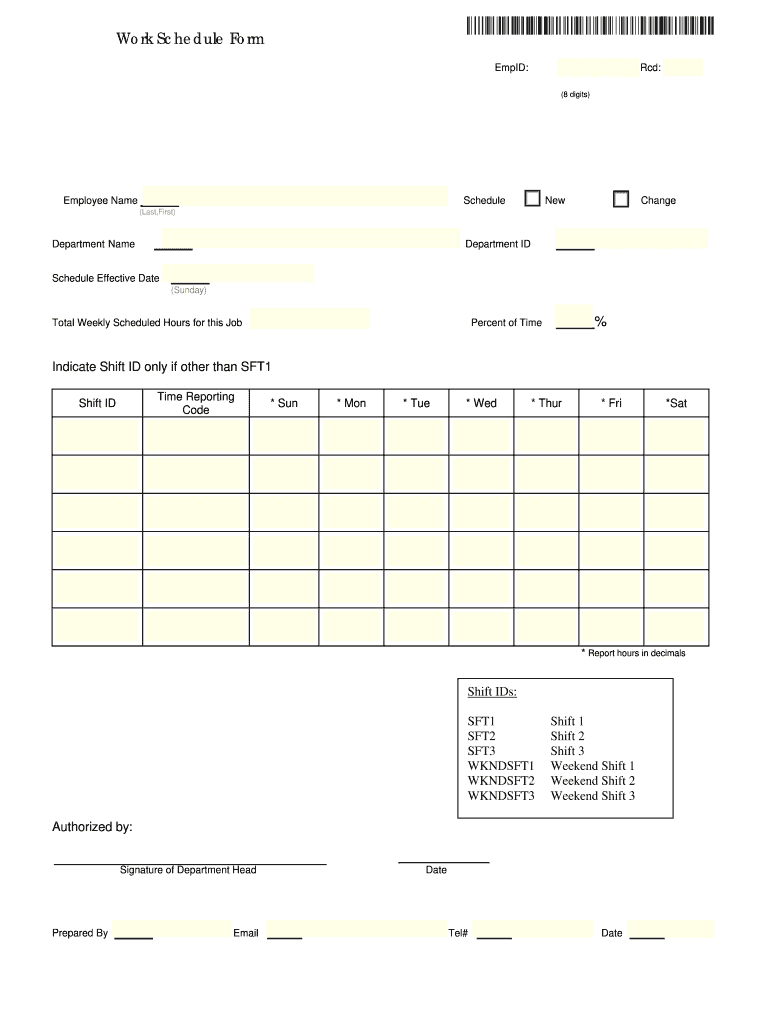
Work schedule form 2026

Get Form
free printable work schedule forms Preview on Page 1

Here's how it works

01. Edit your free printable work schedule forms online
Type text, add images, blackout confidential details, add comments, highlights and more.
02. Sign it in a few clicks
Draw your signature, type it, upload its image, or use your mobile device as a signature pad.
03. Share your form with others
Send printable work schedule form via email, link, or fax. You can also download it, export it or print it out.

How to use or fill out work schedule form with our platform

Form edit decoration
9.5
Ease of Setup
DocHub User Ratings on G2
9.0
Ease of Use
DocHub User Ratings on G2
  1. Click ‘Get Form’ to open the work schedule form in the editor.
  2. Begin by entering your Employee ID (EmpID) and Record number (Rcd), ensuring the Rcd is an 8-digit number.
  3. Fill in your full name in the 'Employee Name' section, using the format Last, First.
  4. Select whether this is a new schedule or a change by checking the appropriate box.
  5. Input your Department Name and Department ID for proper identification.
  6. Specify the Schedule Effective Date, starting from Sunday, and indicate the Total Weekly Scheduled Hours for this job.
  7. Enter the Percent of Time you will be working, followed by any Shift ID if applicable. Report hours in decimals for accuracy.
  8. Complete each day of the week (Sun-Sat) with your scheduled hours, using decimal format as needed.
  9. Finally, ensure that you have the signature of your Department Head in the 'Authorized by' section before submitting.

Start filling out your work schedule form online for free today!

be ready to get more

Complete this form in 5 minutes or less

Get form

Got questions?

We have answers to the most popular questions from our customers. If you can't find an answer to your question, please contact us.
Contact us
An employee schedule template is a calendar or table listing all employees and the hours they are scheduled to work. You can fill in employee schedule templates easily and consistently so all employees know their expected work hours, stay organized and ensure all shifts are covered.
The 5/2/5/3 work schedule is a staffing structure that has employees work for five days, then take two days off, followed by five days on, and then three days off.
A work schedule includes the hours of a day and the days of a work week that you are required to work. Some work schedules have the same hours every day and the same days every week. Others may be flexible and change from week to week or day to day.
How to make a schedule Find your preferred scheduling template. Create a list of tasks or goals to complete. Decide how long to spend on work and personal tasks. Add the tasks to your schedule. Consistently monitor and add to your schedule. Determine your increment amount. Give yourself plenty of time to complete tasks.
A work schedule is a plan that outlines when and how work tasks should be completed. It can also include information about designated work hours, breaks, lunch times, and any other details related to work activities that need to be done.

People also ask

You can use a template to create a work schedule in Microsoft Word to simplify scheduling, allocate resources, and anticipate workload. Follow the step-by-step guide below to download a template, fill it out, and get started on your work schedule. Download the weekly work schedule template.

work schedule template