




Here's how it works



How to use or fill out APPLICATION FOR EMPLOYMENT - Chelan-Douglas Health District - cdhd wa with DocHub

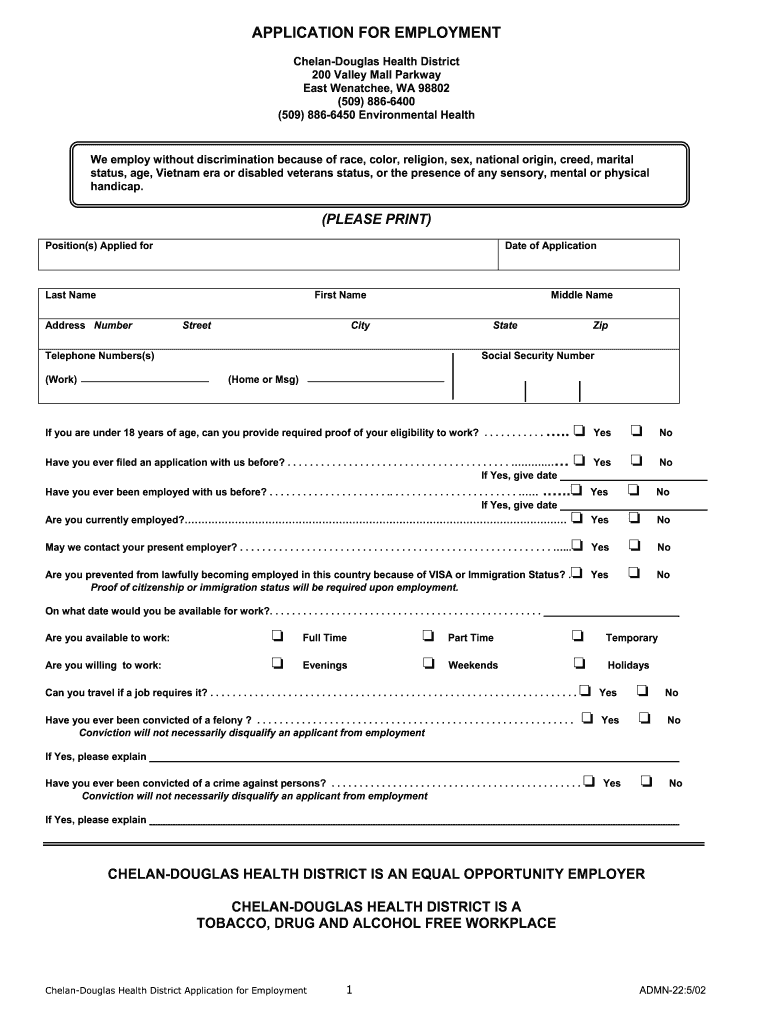
- Click ‘Get Form’ to open the APPLICATION FOR EMPLOYMENT in our editor.
- Begin by filling in your personal information, including your last name, first name, and address. Ensure all details are accurate for effective communication.
- Indicate the position you are applying for and the date of your application. This helps streamline the hiring process.
- Answer questions regarding your employment history and availability. Be honest about your current employment status and whether we can contact your employer.
- Complete the education section by listing schools attended, courses studied, and any degrees obtained. This information is crucial for assessing qualifications.
- Provide details about your work experience, including job titles, responsibilities, and reasons for leaving previous positions.
- Finally, review all entries for accuracy before signing the application to certify that all information is true.
Start filling out your APPLICATION FOR EMPLOYMENT today using our platform for free!
It's free
See more APPLICATION FOR EMPLOYMENT - Chelan-Douglas Health District - cdhd wa versions
Got questions?
How can I sign my APPLICATION FOR EMPLOYMENT - Chelan-Douglas Health District - cdhd wa online?
Log in to your DocHub account and import your APPLICATION FOR EMPLOYMENT - Chelan-Douglas Health District - cdhd wa to our editor using one of its upload methods - from your device, cloud storage, secure URL, or your DocHub folders if you have already managed your form before. Open our editor, click the Sign key in the upper toolbar, and decide on your signing method. You can use an image of your handwritten signature, draw it, enter your name, or use a QR code as an alternative.
How do you get APPLICATION FOR EMPLOYMENT - Chelan-Douglas Health District - cdhd wa for my state?
If you are looking for a state-specific APPLICATION FOR EMPLOYMENT - Chelan-Douglas Health District - cdhd wa sample, you will find it in our DocHub Forms & Templates catalog. Use the search field, key in your form’s name, and search through the results for your state. You may also filter out irrelevant results while exploring our catalog by categories.
Security and compliance
At DocHub, your data security is our priority. We follow HIPAA, SOC2, GDPR, and other standards, so you can work on your documents with confidence.
Learn more


