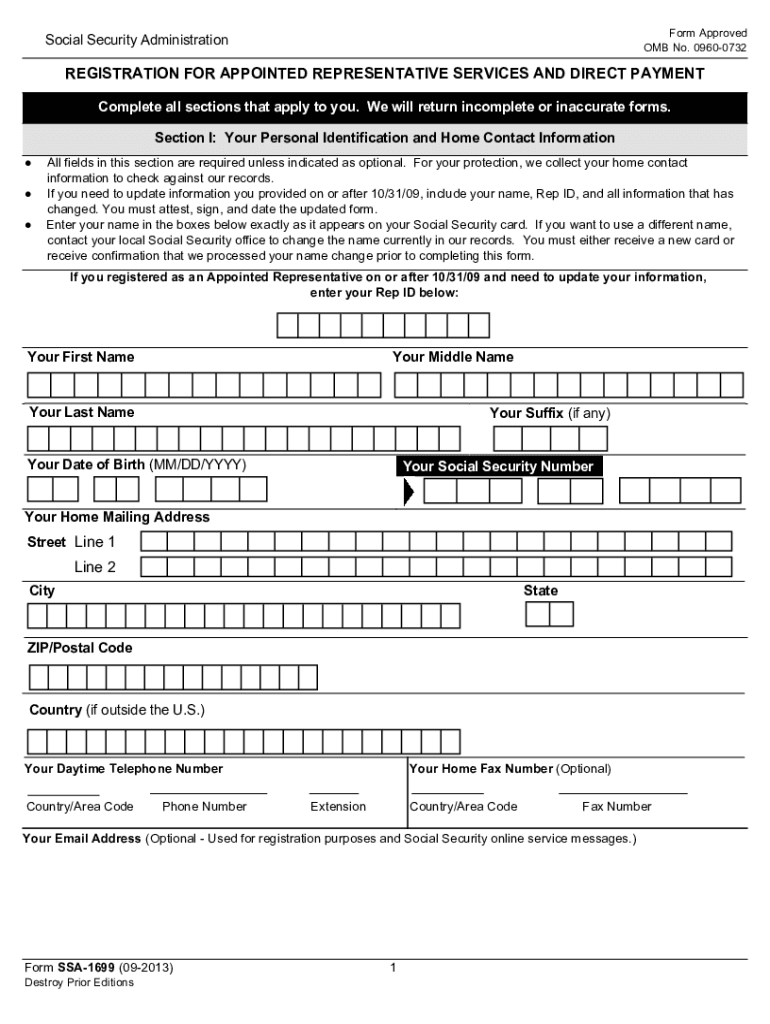
Social security appointed make 2026

Get Form
ssa 1699 form Preview on Page 1

Here's how it works

01. Edit your ssa 1699 form online
Type text, add images, blackout confidential details, add comments, highlights and more.
02. Sign it in a few clicks
Draw your signature, type it, upload its image, or use your mobile device as a signature pad.
03. Share your form with others
Send 1699 registration via email, link, or fax. You can also download it, export it or print it out.

How to use or fill out social security appointed make with our platform

Form edit decoration
9.5
Ease of Setup
DocHub User Ratings on G2
9.0
Ease of Use
DocHub User Ratings on G2
  1. Click ‘Get Form’ to open the social security appointed make in the editor.
  2. Begin with Section I, entering your personal identification and home contact information. Ensure all required fields are filled accurately, including your name as it appears on your Social Security card.
  3. Proceed to Section II to confirm your representational standing. Check the appropriate box indicating whether you are in good standing to practice law.
  4. In Section III, provide details about your bar and court information if applicable. This includes the court or bar name and your admission year.
  5. Complete Section IV by providing your address for notices and preferred payment method. Make sure to include accurate banking details if opting for direct deposit.
  6. Finally, review Sections VI and VII for attestations. Confirm that you understand and will comply with SSA laws before signing and dating the form.

Start using our platform today to fill out your social security appointed make form easily and for free!

See more social security appointed make versions

We've got more versions of the social security appointed make form. Select the right social security appointed make version from the list and start editing it straight away!
Versions Form popularity Fillable & printable
2013 4.9 Satisfied (374 Votes)
2010 4.3 Satisfied (33 Votes)
be ready to get more

Complete this form in 5 minutes or less

Get form

Got questions?

We have answers to the most popular questions from our customers. If you can't find an answer to your question, please contact us.
Contact us

With DocHub, you can quickly sign your ssa1699 or any other document on iOS, even without installing extra programs. You can access your DocHub account from any internet-connected browser and complete and sign your document in any preferred method with just a few clicks.

When you edit your form ssa 1699 with DocHub, you merely require a steady web connection and virtually any browser installed on your device. No need to install any third-party software or research tutorials. Simply open a tab with DocHub, drag and drop your file, and modify it on the spot.

Security and compliance

At DocHub, your data security is our priority. We follow HIPAA, SOC2, GDPR, and other standards, so you can work on your documents with confidence.

Learn more
ccpa2
pci-dss
gdpr-compliance
hipaa
soc-compliance