



Here's how it works



How to use or fill out iowa edms with our platform

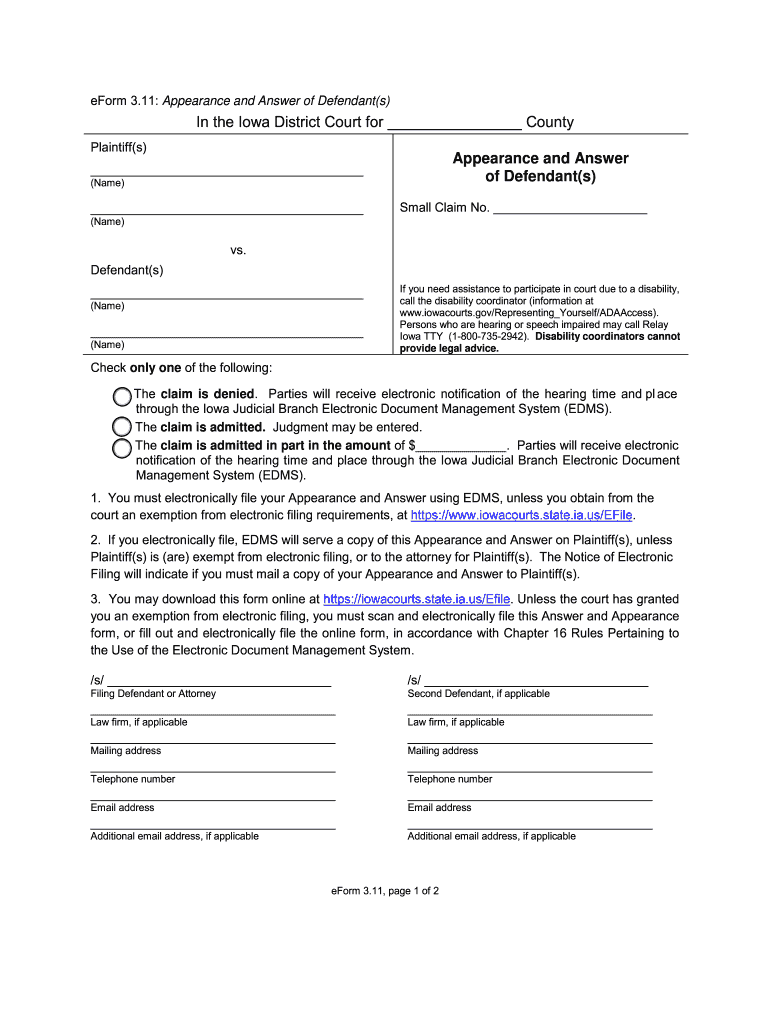
- Click ‘Get Form’ to open the Iowa EDMS Appearance and Answer form in the editor.
- Begin by entering the county name where your case is filed in the designated field at the top of the form.
- Fill in your name and any co-defendants' names in the appropriate sections under 'Defendant(s)'.
- Indicate your response to the claim by checking one of the options provided: deny, admit, or admit in part. If admitting in part, specify the amount.
- Complete your contact information, including mailing address, telephone number, and email address. If applicable, provide details for a second defendant.
- Once all fields are filled out accurately, save your changes and proceed to electronically file your Appearance and Answer using our platform.
Start using our platform today for free to streamline your document editing and filing process!
It's free
Got questions?
How do I sign my eflexiowa without printing?
Electronic signatures are an excellent replacement for traditional signing, as they save time, effort, and costs people spend on printing, scanning, and paper delivery. You can eSign your eflexiowa using a trustworthy and powerful online document processing services like DocHub. It complies with major eSignature policies (ESIGN and UETA), so all forms approved there are legally binding and have the same validity as manually signed ones.
What browser do I need to edit iowa edms online?
If you want to edit your iowa edms online swiftly, it does not matter what web browser you employ. DocHub’s simple editing tools are accessible using any internet browser. Simply open the appropriate tab in the editor, add your document, and fill it out without stress.
What does EDMS mean in Iowa courts?
Are US court documents public?
How do I request court documents in Iowa?
Security and compliance
At DocHub, your data security is our priority. We follow HIPAA, SOC2, GDPR, and other standards, so you can work on your documents with confidence.
Learn more