




Here's how it works

01. Edit your lpc form online
Type text, add images, blackout confidential details, add comments, highlights and more.

02. Sign it in a few clicks
Draw your signature, type it, upload its image, or use your mobile device as a signature pad.

03. Share your form with others
Send nc lpc license verification via email, link, or fax. You can also download it, export it or print it out.
How to use or fill out hm ncblpc lpc with our platform

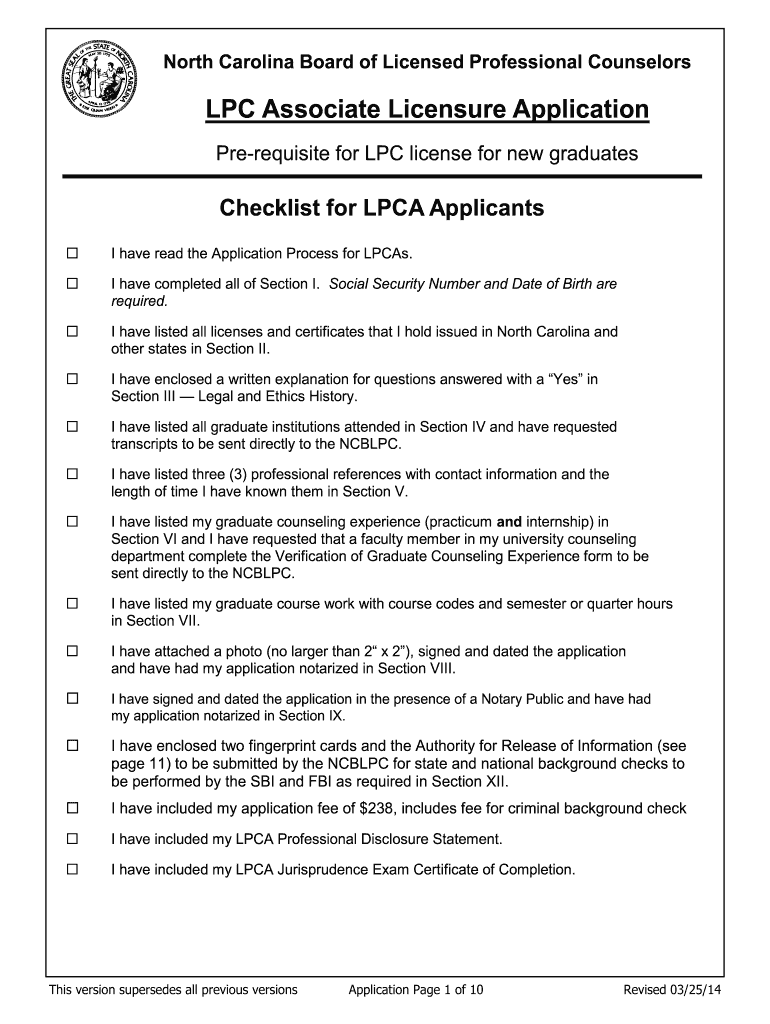
- Click ‘Get Form’ to open the hm ncblpc lpc application in the editor.
- Begin with Section I, where you will need to enter your full name, Social Security Number, and Date of Birth. Ensure all information is accurate as these are required fields.
- In Section II, list all licenses and certificates you hold. Use the provided fields to detail each credential's type and issuing authority.
- For Section III, answer the legal and ethics history questions honestly. If you answer 'Yes' to any question, prepare a written explanation as instructed.
- Proceed to Section IV by listing all graduate institutions attended. Request that your transcripts be sent directly to the NCBLPC.
- In Section V, provide three professional references along with their contact information and your relationship duration.
- Complete Sections VI and VII by detailing your counseling experience and coursework. Make sure to include course codes and hours completed.
- Finally, attach a passport-sized photo in Section VIII, sign in front of a Notary Public in Section IX, and ensure all required documents are included before submission.
Start filling out your hm ncblpc lpc application today for free using our platform!
Fill out hm ncblpc lpc online
It's free
It's free
Security and compliance
At DocHub, your data security is our priority. We follow HIPAA, SOC2, GDPR, and other standards, so you can work on your documents with confidence.
Learn more


