




Here's how it works



How to use or fill out DA Form 1247, JUL 2007 with our platform

- Click ‘Get Form’ to open DA Form 1247 in the editor.
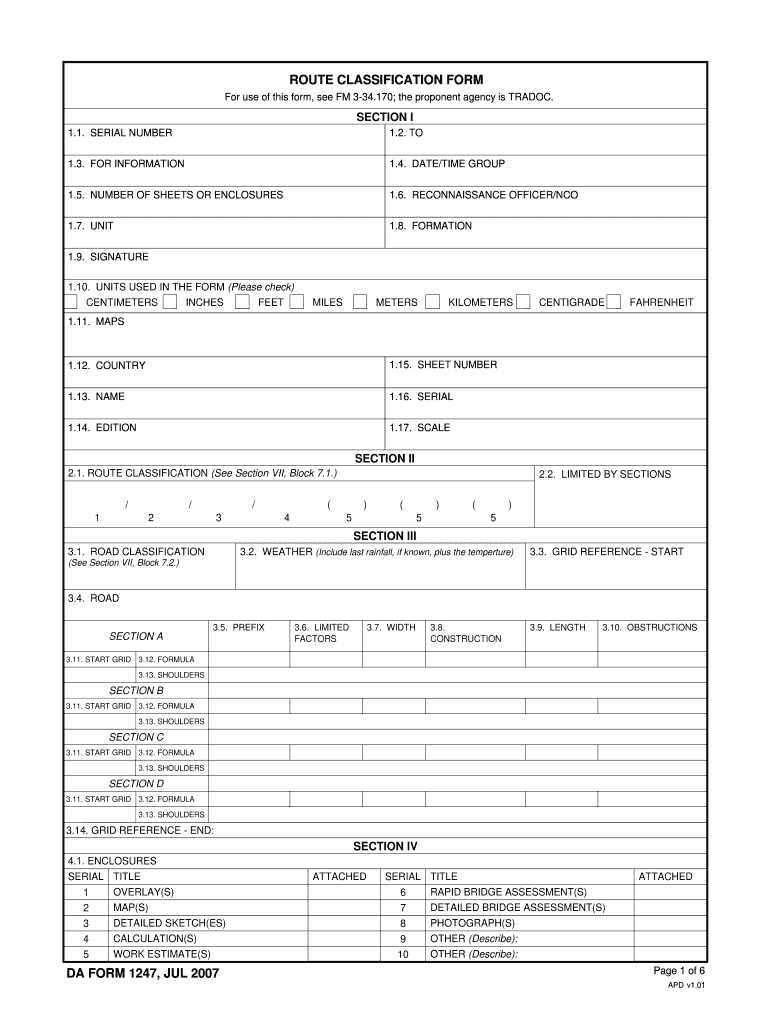
- Begin with Section I. Fill in the SERIAL NUMBER, TO, FOR INFORMATION, and DATE/TIME GROUP fields accurately. Ensure you specify the NUMBER OF SHEETS OR ENCLOSURES.
- Continue by entering details for the RECONNAISSANCE OFFICER/NCO, UNIT, and FORMATION. Don’t forget to sign where indicated.
- In Section II, classify the route by selecting appropriate options under ROUTE CLASSIFICATION and LIMITED BY SECTIONS.
- Move to Section III and provide information on ROAD CLASSIFICATION, WEATHER conditions, and GRID REFERENCE - START. Include any obstructions or limitations in the relevant fields.
- Complete Sections IV through VII by detailing encumbrances, recommendations for upgrades, and factors used in classifications as required.
Start using our platform today to fill out your DA Form 1247 easily and for free!
It's free
See more DA Form 1247, JUL 2007 versions
Got questions?
How can I sign my DA Form 1247, JUL 2007 without printing?
eSignatures are a perfect replacement for traditional signing, as they save time, effort, and money people spend on printing, scanning, and paper delivery. You can electronically sign your DA Form 1247, JUL 2007 using a trustworthy and robust online document management services like DocHub. It complies with main eSignature policies (ESIGN and UETA), so all forms approved there are legally binding and have the same validity as physically signed ones.
How do you edit DA Form 1247, JUL 2007 on iOS?
You can easily edit and complete your DA Form 1247, JUL 2007 on any iOS device. Open an internet browser of your liking, go to the DocHub website, authorize or create a new account, upload your file for editing, and make your required changes. Our service is mobile-friendly, so utilizing its functions on your smartphone will be a no-brainer, even on the first try.
Security and compliance
At DocHub, your data security is our priority. We follow HIPAA, SOC2, GDPR, and other standards, so you can work on your documents with confidence.
Learn more


