




Here's how it works



How to use or fill out Request for Personnel Action - Brigham Young University Hawaii with our platform

- Click ‘Get Form’ to open the Request for Personnel Action in the editor.
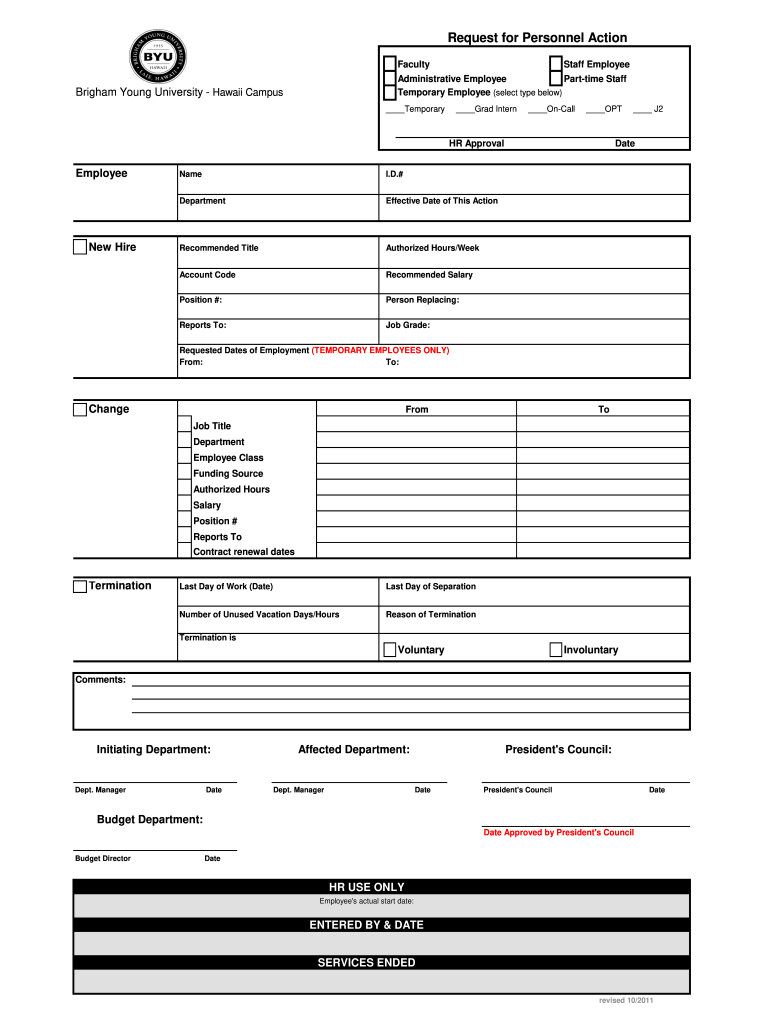
- Begin by selecting the type of employee you are processing: Faculty, Staff Employee, Administrative Employee, Part-time Staff, or Temporary Employee. If selecting Temporary, specify the type (e.g., Grad Intern, On-Call).
- Fill in the employee's name and I.D. number in the designated fields. Ensure accuracy as this information is crucial for HR records.
- Enter the department and effective date of this action. This helps in tracking when changes take effect.
- Complete the recommended title, authorized hours per week, account code, and recommended salary fields to provide a comprehensive overview of the position.
- For temporary employees only, specify requested dates of employment by filling in 'From' and 'To' dates.
- If applicable, fill out termination details including last day of work and reason for termination. Choose between voluntary or involuntary termination.
- Finally, ensure all necessary approvals are obtained by having department managers and President's Council sign off on their respective sections before submission.
Start using our platform today to streamline your document editing and form completion process!
It's free
See more Request for Personnel Action - Brigham Young UniversityHawaii versions
| Versions | Form popularity | Fillable & printable |
|---|---|---|
| 2011 | 4 Satisfied (46 Votes) |
Got questions?
What do I need to sign my personnel action request electronically?
Electronic document approval demands a software solution that complies with data protection and eSignature regulations. DocHub is an excellent tool for that, as it fulfills all the aforementioned requirements. Whatever method you like to sign your personnel action request in DocHub, your eSignature will be legally binding and court-admissible.
Can I print my personnel request form and finish it on my own?
When you go for analog ways of completing your personnel request form, you can easily download your file for printing. Search DocHub’s Forms & Templates catalog to find the exact file template you require and open it for editing or download it on your device in the format of your choice. It is possible to complete your form electronically and place your handwritten signature on it after printing or eSign your file with DocHub.
What GPA do you need for BYU Hawaii?
Can I get into BYU with a 3.0 GPA?
Does BYU accept 3.7 GPA?
Security and compliance
At DocHub, your data security is our priority. We follow HIPAA, SOC2, GDPR, and other standards, so you can work on your documents with confidence.
Learn more


