




Here's how it works



How to use or fill out Iowa Pre Participation Physical Form 2012 with DocHub

- Click ‘Get Form’ to open the Iowa Pre Participation Physical Form 2012 in our editor.
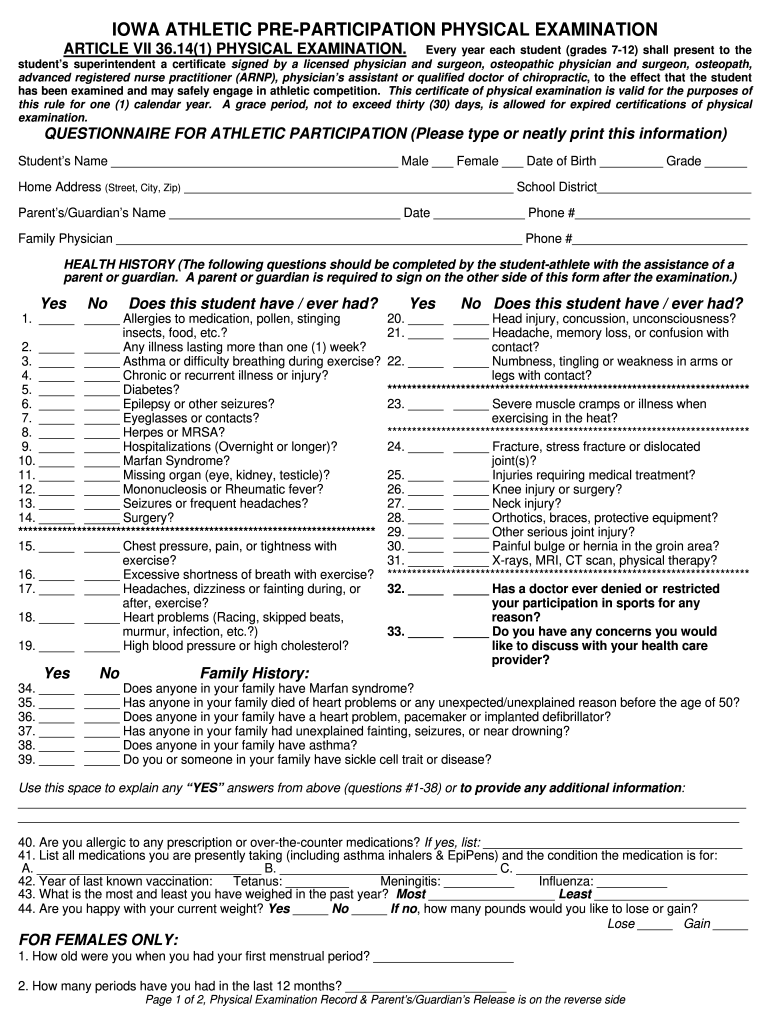
- Begin by entering the student’s name, gender, date of birth, and grade in the designated fields. Ensure all information is accurate for proper identification.
- Fill in the home address and school district. This information helps in verifying the student's enrollment and residency.
- Complete the health history section by answering each question regarding allergies, past illnesses, and injuries. Use checkboxes to indicate 'Yes' or 'No' responses.
- For family history, provide details about any relevant medical conditions that may affect athletic participation. This section is crucial for understanding potential risks.
- The physical examination record must be filled out by a licensed medical professional. Ensure they complete all necessary evaluations and sign off on recommendations for participation.
- Finally, have a parent or guardian review and sign the permission section to confirm accuracy and consent for athletic activities.
Start using our platform today to easily fill out your Iowa Pre Participation Physical Form for free!
It's free
See more iowa pre participation physical form 2012 versions
Got questions?
How can I sign my iowa pre participation physical form 2012 without printing?
Electronic signatures are an excellent alternative to traditional signing, as they save time, effort, and costs people spend on printing, scanning, and paper delivery. You can eSign your iowa pre participation physical form 2012 utilizing a reliable and robust online document management services like DocHub. It complies with primary eSignature regulations (ESIGN and UETA), so all documents approved there are legally binding and have the same validity as manually signed ones.
How to fill out and sign iowa pre participation physical form 2012 online?
You can easily fill out, modify, and even eSign your iowa pre participation physical form 2012 utilizing DocHub. Create a new profile and start your free trial. After that, you can upload the file with the form and simply make all the required edits. No need to print on paper or use a third-party application to sign it, as you can place your electronic signature on your document faster through DocHub.
How long are sports physicals good for in Iowa?
What is a pre participation physical?
Security and compliance
At DocHub, your data security is our priority. We follow HIPAA, SOC2, GDPR, and other standards, so you can work on your documents with confidence.
Learn more


