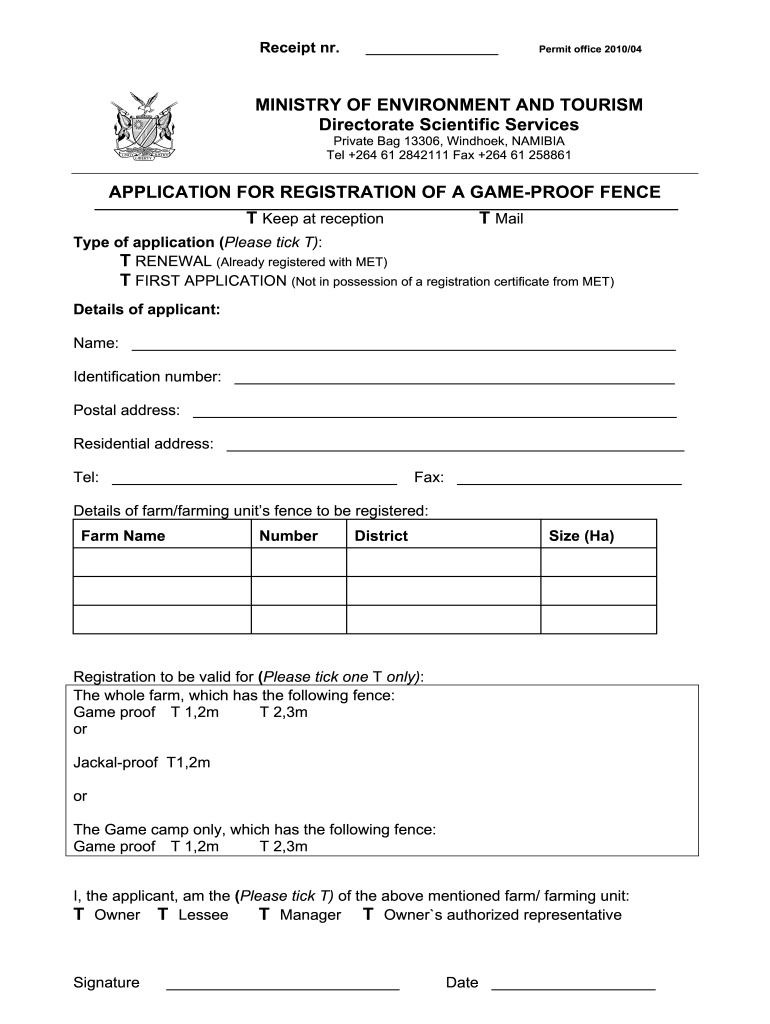
Game proof fence registration bapplicationb - Ministry of Environment bb 2025

Get Form
vrt2 form Preview on Page 1

Here's how it works

01. Edit your vrt2 form online
Type text, add images, blackout confidential details, add comments, highlights and more.
02. Sign it in a few clicks
Draw your signature, type it, upload its image, or use your mobile device as a signature pad.
03. Share your form with others
Send it via email, link, or fax. You can also download it, export it or print it out.

How to use or fill out Game proof fence registration application - Ministry of Environment with our platform

Form edit decoration
9.5
Ease of Setup
DocHub User Ratings on G2
9.0
Ease of Use
DocHub User Ratings on G2
  1. Click ‘Get Form’ to open it in the editor.
  2. Begin by selecting the type of application. Tick either 'RENEWAL' if you are already registered or 'FIRST APPLICATION' if you do not possess a registration certificate.
  3. Fill in your personal details in the 'Details of applicant' section, including your name, identification number, postal address, residential address, telephone number, and fax number.
  4. In the 'Details of farm/farming unit’s fence to be registered' section, provide the farm name, number, district, and size in hectares.
  5. Indicate the registration validity by ticking one option: either for the whole farm or just for the game camp. Specify the type of fence (game proof or jackal-proof) and its height.
  6. Select your role concerning the farm by ticking one option: Owner, Lessee, Manager, or Owner's authorized representative.
  7. Finally, sign and date the application at the bottom of the form.

Start using our platform today to complete your Game proof fence registration application easily and for free!

See more Game proof fence registration bapplicationb - Ministry of Environment bb versions

We've got more versions of the Game proof fence registration bapplicationb - Ministry of Environment bb form. Select the right Game proof fence registration bapplicationb - Ministry of Environment bb version from the list and start editing it straight away!
Versions Form popularity Fillable & printable
2010 4.9 Satisfied (450 Votes)
be ready to get more

Complete this form in 5 minutes or less

Get form

Got questions?

We have answers to the most popular questions from our customers. If you can't find an answer to your question, please contact us.
Contact us

Sure, electronically drawing your signature is appropriate, but only if you utilize a tool that complies with industry laws and regulations. Consider DocHub, which guarantees eSignature validity under ESIGN and UETA requirements. All you need to approve your Game proof fence registration bapplicationb - Ministry of Environment bb electronically is an account with DocHub and an internet connection. After you open your document in our editor, click Sign and select the Draw option.

You may quickly complete, modify, and even eSign your Game proof fence registration bapplicationb - Ministry of Environment bb utilizing DocHub. Create a new profile and begin your free trial. After that, you can upload the file with the form and easily make all the necessary edits. No need to print on paper or use a third-party application to sign it, as you can put your electronic signature on your document faster through DocHub.