




Here's how it works



How to use or fill out Soil Site Evaluation Sheet for Permit with DocHub

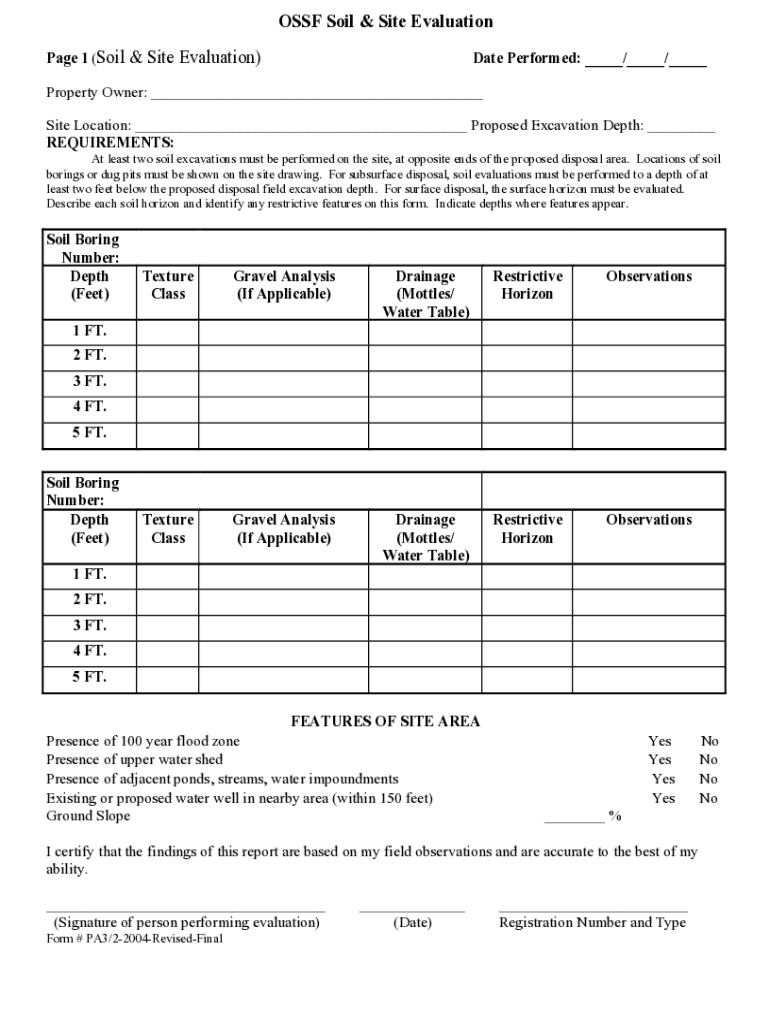
- Click ‘Get Form’ to open the Soil Site Evaluation Sheet in our editor.
- Begin by entering the 'Date Performed' and the 'Property Owner' details at the top of the form. Ensure accuracy as this information is crucial for record-keeping.
- In the 'Site Location' field, provide a clear description of where the evaluation is taking place. This helps in identifying the specific area being assessed.
- For 'Proposed Excavation Depth', specify how deep you plan to excavate. This will guide your soil evaluation process.
- Complete the soil boring sections by documenting each boring number, depth, texture class, drainage observations, and any restrictive horizons encountered during your evaluation.
- Indicate any site features such as flood zones or nearby water wells by checking 'Yes' or 'No'. This information is vital for understanding environmental impacts.
- Finally, ensure that you sign and date the form at the bottom to certify your findings are accurate. Include your registration number and type if applicable.
Start using our platform today to easily fill out your Soil Site Evaluation Sheet for Permit online and for free!
It's free
See more Soil Site Evaluation Sheet for Permit versions
| Versions | Form popularity | Fillable & printable |
|---|---|---|
| 2004 | 4.6 Satisfied (40 Votes) |
Got questions?
Is it safe to sign my Soil Site Evaluation Sheet for Permit electronically?
You should use only trustworthy software solutions with strong data protection compliance to approve your paperwork electronically. DocHub is just the type of editor you need! It stores data on Amazon Web Servers and complies with all required security requirements and eSignature regulations, so it’s a reliable way to electronically sign your Soil Site Evaluation Sheet for Permit or other forms with this tool.
How do you edit Soil Site Evaluation Sheet for Permit online?
With DocHub, you have several convenient methods to edit your Soil Site Evaluation Sheet for Permit online. You can drag and drop the form and modify it straight at the DocHub site or use our browser extension to fill out your form immediately. On top of that, you can modify your PDF on your phone, as DocHub works with all the available mobile platforms.
How to become a soil evaluator?
What are soil evaluations?
What is a soil evaluator?
Security and compliance
At DocHub, your data security is our priority. We follow HIPAA, SOC2, GDPR, and other standards, so you can work on your documents with confidence.
Learn more


