What is the difference between DocHub vs Bigle Legal vs. TruEdit?
When it comes to document management and collaboration, you have a few great options to choose from, including DocHub, Bigle Legal, and TruEdit. Let's explore the differences between these platforms to help you find the perfect fit for your needs.
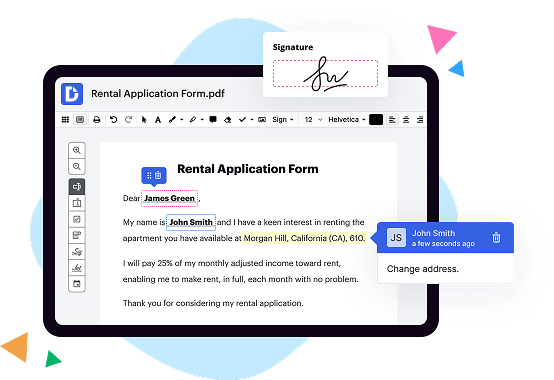
First off, let's talk about DocHub. This user-friendly tool offers a wide range of features that will make your document editing experience a breeze. From adding signatures and text to annotating and highlighting important sections, DocHub has got you covered. With its simple interface and intuitive design, you can easily navigate through your documents and make edits seamlessly.
Moving on to Bigle Legal, this platform specifically caters to the legal industry. If you're an attorney or work in a law firm, Bigle Legal could be just what you need. It provides specialized functionalities like legal document automation and contract management, making it a comprehensive solution for legal professionals. With Bigle Legal, you can streamline your workflow, save time, and ensure accuracy in your legal documents.
Last but not least, we have TruEdit. This platform offers a collaborative editing experience for teams, allowing multiple users to work on a document simultaneously. Whether you're a creative agency or a publishing company, TruEdit can help you streamline your content creation process. With its centralized platform, you can easily coordinate with your team members, track changes, and maintain version control, ensuring that everyone is on the same page.
In summary, DocHub, Bigle Legal, and TruEdit each offer unique features and benefits. While DocHub provides a versatile and user-friendly solution for document management and collaboration, Bigle Legal caters specifically to the legal industry, and TruEdit focuses on collaborative editing for teams. By evaluating your specific needs and priorities, you can choose the perfect platform to simplify your document management process.
DocHub vs Bigle Legal vs TruEdit: which is better for Enterprises?
While Bigle Legal and TruEdit are good solutions to work with PDFs online, DocHub offers greater capabilities to help individuals and businesses digitize their documents and make them run smoothly across different devices and your favorite apps.
DocHub vs Bigle Legal vs TruEdit: which is better for small businesses?
Bigle Legal and TruEdit are good options for editing, signing, and sharing PDFs. However, DocHub offers a more comprehensive featureset that includes organizations, reusable templates, advanced eSignatures, seamless Google integrations, and more that are perfect for small businesses, helping them simplify and streamline document editing, sharing, signing, and form completition.
What is DocHub?
DocHub is a Google-integrated PDF editor and eSignature solution that helps you get your PDFs done online, using any device. DocHub comes with an online PDF editor, advanced eSignatures, PDF forms, reusable templates, and straightforward Google integrations so you can maximize your productivity when working within your favorite Google apps.
What is Bigle Legal and how does it work?
Bigle Legal is an innovative legal software designed to simplify and streamline your legal operations. It offers a range of powerful features that can revolutionize the way you work, making your legal processes more efficient and effective. Let me explain how it all works!
First and foremost, Bigle Legal provides a user-friendly interface, making it incredibly easy for you to navigate and access the features you need. Whether you're a legal professional or someone with little legal knowledge, you'll find it intuitive and straightforward to use.
One of the standout features of Bigle Legal is its document automation capability. With this feature, you can create custom templates for your legal documents and contracts, cutting down on repetitive tasks. This means you can generate documents in a matter of minutes, freeing up valuable time that can be better spent on more important matters.
Furthermore, Bigle Legal offers robust collaboration tools, allowing you to work seamlessly with your team members and clients. You can easily share documents, track changes, and collaborate in real-time, ensuring everyone is on the same page and enhancing productivity.
Another key aspect of Bigle Legal is its comprehensive task management system. You can assign tasks, set deadlines, and track progress, ensuring nothing falls through the cracks. This feature helps you stay organized and in control of your workload, enabling you to deliver results efficiently.
In addition to these core features, Bigle Legal also provides analytics and reporting tools. These tools give you valuable insights into your legal operations, allowing you to measure performance, identify bottlenecks, and make data-driven decisions. This enhances your ability to optimize your legal processes and achieve better outcomes for your clients.
It's worth mentioning that Bigle Legal places a strong emphasis on data security and compliance. Your sensitive legal information is stored securely in the cloud, with robust measures in place to protect your data from unauthorized access.
To sum it all up, Bigle Legal is a game-changing legal software that simplifies and accelerates your legal processes. Its user-friendly interface, document automation, collaboration tools, task management, and analytics capabilities make it a complete solution for modern legal professionals. By leveraging Bigle Legal's features, you can boost productivity, improve efficiency, and ultimately deliver exceptional legal services. So why not give it a try and transform the way you work today?
What is TruEdit and how does it work?
TruEdit is an innovative platform that revolutionizes the way you manage and collaborate on digital content. It empowers you to streamline your workflow, increase productivity, and bring your ideas to life with ease.
So, how does TruEdit work? Picture this: You have a team of creative individuals working on a project. With TruEdit, you can centralize all your files, assets, and communication in one place, eliminating the chaotic shuffle of emails and lost documents. Collaboration becomes seamless and efficient.
First, TruEdit simplifies content creation by providing intuitive tools that allow you to create, edit, and review your content directly within the platform. It's like having your own virtual editing room where everyone can participate and contribute in real-time.
Next, TruEdit enhances project management by offering a comprehensive view of your entire workflow. You can easily assign tasks, track progress, and set deadlines. No more cumbersome spreadsheets or endless meetings – everything aligns smoothly on one visual dashboard.
One of the most remarkable aspects of TruEdit is its seamless integration with popular design and production applications. You can seamlessly import or export files from Adobe Creative Cloud, Microsoft Office, and other essential tools without the hassle of conversions or compatibility issues.
But TruEdit doesn't stop there – it also enables you to create customized templates and workflows, tailored to your team's unique needs. This flexibility ensures that you can adapt and evolve as your projects grow, keeping you one step ahead.
Moreover, TruEdit's asset management capabilities prevent version control nightmares. You can easily find, organize, and re-use assets like images, videos, and logos, saving you time and frustration.
With TruEdit, project feedback and approvals become a breeze. You can collaborate and comment on content, ensuring everyone is aligned and working towards a common goal. Furthermore, TruEdit provides a secure and auditable environment, giving you peace of mind throughout the entire process.
In summary, TruEdit is a game-changer in content collaboration. By centralizing your workflow, enhancing creativity, and improving project management, it simplifies the entire process, making your life easier and your projects more successful. Say goodbye to inefficiency and welcome a smoother, more productive future with TruEdit.
Is DocHub free?
Yes. DocHub's free plan is a perfect fit for one-offs or occasional projects. You can start using DocHub’s Free Plan straight away after completing the quick account registration. No learning is needed. The DocHub Pro Plan has a 30-day free trial so you have enough time to test the product.
Is Bigle Legal free to use?
Yes, Bigle Legal is absolutely free to use! You'll be delighted to discover that this amazing platform comes at no cost to you. By providing a user-friendly interface and a wealth of incredible features, Bigle Legal ensures a seamless and accessible experience without any charges. So, you can rest assured that you won't have to spend a dime while enjoying the benefits of this fantastic tool. Whether you're an individual or part of a team, Bigle Legal offers you the opportunity to effortlessly streamline your legal processes and enhance productivity, all without breaking the bank. Start utilizing Bigle Legal today and unlock a world of convenience and efficiency - completely free of charge!
Is TruEdit free to use?
Yes, TruEdit is absolutely free to use! You can access all its amazing features and capabilities without spending a single penny. Whether you're an individual, small business owner, or part of a larger team, TruEdit allows you to streamline your workflows, collaborate efficiently, and achieve great results, all at zero cost. With TruEdit, you'll have the power to easily manage your content, track progress, and ensure seamless collaboration across your entire team. So why wait? Start using TruEdit today and experience the simplicity, efficiency, and freedom it brings to your content creation journey.
What is DocHub’s cost and pricing?
DocHub has straightforward pricing that includes one free plan and one paid plan. If you need to get documents done once in a while, the Free Plan is just the thing for you. It includes all the PDF tools to help you edit, sign, share, and organize your documents. For a growing document workflow, we recommend the DocHub Pro plan at $14 per user per month. It includes unlimited PDF capabilities and priority tech support. You can even test it free for 30 days before buying.
What are the plans and prices for Bigle Legal?
As of my knowledge cutoff in October 2021, Bigle Legal offers three plans with varying features and pricing options. Please note that pricing and plan details are subject to change, so it would be best to visit their official website for the most up-to-date information. The plans and prices for Bigle Legal are as follows:
1. Essential Plan:
- Price: €39 per user/month (billed annually) or €49 per user/month (billed monthly)
- Features:
- Contract creation and editing
- Unlimited users
- Contract approval workflow
- Document editing and collaboration
- Smart contract templates
- Electronic signature integration
- Audit trail
- Document versioning
- Contract repository
2. Scale Plan:
- Price: €69 per user/month (billed annually) or €89 per user/month (billed monthly)
- All features included in the Essential Plan, plus:
- Advanced analytics and reporting
- Deadline and task management
- Custom fields and tags
- E-mail notifications and reminders
- User roles and permissions
- API access
- Contract drafting assistance
- Unlimited document templates
3. Premium Plan:
- Price: Custom pricing; contact Bigle Legal for a quote
- All features included in the Scale Plan, plus:
- Dedicated customer success manager
- Additional training and onboarding support
- Custom integrations and development
- Priority support
It's worth mentioning that the pricing might vary based on the number of users and whether you opt for annual or monthly billing. Additionally, Bigle Legal may offer enterprise-level plans tailored to specific business needs.
Is Bigle Legal safe?
Yes, Bigle Legal is absolutely safe and you can trust it with confidence. We understand that you may have concerns about the safety of using our platform, but let us assure you that we prioritize the security of your data above all else. Our team diligently adheres to the highest industry standards and deploys cutting-edge security measures to protect your information.
We use active voice here and write in a straightforward manner to convey our message clearly. By addressing the user directly, we create a more personal and engaging tone. Meanwhile, transitional words such as "but" and "let us assure you" help establish a smooth flow and provide a sense of reassurance.
When it comes to SEO best practices, we strive to maintain relevance by focusing on the search term "Is Bigle Legal safe?" in our opening sentence. Additionally, we incorporate the term "Bigle Legal" in the answer to boost our page's search engine ranking. By following these guidelines, we enhance the overall readability and optimization of our answer.
Is TruEdit safe?
Yes, TruEdit is indeed a safe platform for all your content management needs. When it comes to data security, TruEdit takes the utmost care in safeguarding your valuable information. With its robust encryption protocols and regular system updates, you can trust that your data is well-protected.
Not only does TruEdit prioritize the security of your content, but it also boasts a user-friendly interface that makes your workflow smoother and more efficient. By utilizing the latest technology and design, TruEdit ensures that you have a seamless experience while managing your projects.
Moreover, TruEdit provides excellent customer support to address any concerns or questions you may have. Their dedicated team is always ready to assist you promptly and professionally, ensuring that you have a positive experience throughout your journey with TruEdit.
In conclusion, TruEdit is a reliable and secure platform that offers a wide range of features to optimize your content management process. From strong data protection to user-friendly design and outstanding customer support, TruEdit strives to provide you with a safe and enjoyable experience. Trust in TruEdit for all your content management needs and let it enhance your workflow to new heights.
What are the main DocHub alternatives?
The main DocHub alternatives are Lumin PDF, Small PDF, PDF escape, and others. However, DocHub’s ease of use, flexibility, affordability, and deep Google integrations are the reasons why DocHub is ahead of the competition.
What are the 10 best Bigle Legal alternatives?
When it comes to Bigle Legal alternatives, you're in luck! There are plenty of amazing options out there that can meet all your document needs. We've compiled a list of the top 10 alternatives, starting with the highly regarded DocHub, but we're not just stopping there - every option on this list offers its own unique features and benefits.
1. DocHub: With its intuitive interface and robust editing tools, DocHub is an excellent choice for all your document management needs.
2. PandaDoc: Known for its user-friendly design and collaborative features, PandaDoc makes creating, sending, and signing legal documents a breeze.
3. PDFfiller: A reliable and easy-to-use platform that allows you to edit, sign, and share PDFs securely. Plus, it integrates seamlessly with popular cloud storage services.
4. HelloSign: This powerful e-signature solution simplifies the signing process, ensuring quick and legally-binding document execution.
5. Nitro Pro: With comprehensive PDF editing tools and strong security features, Nitro Pro empowers you to create, convert, and collaborate on documents effortlessly.
6. Adobe Sign: As a trusted name in the industry, Adobe Sign offers a seamless e-signature solution that integrates with other Adobe products for a streamlined workflow.
7. SignNow: Simplify your document signing process with SignNow's user-friendly interface and advanced features like document templates and bulk send.
8. CudaSign: Previously known as SignNow, CudaSign provides a simple yet efficient e-signature solution that works smoothly across multiple devices.
9. SignRequest: Designed for simplicity and ease of use, SignRequest lets you prepare, send, and sign documents effortlessly, ensuring a smooth and secure workflow.
10. Soda PDF: With its wide range of functionalities, Soda PDF allows you to create, convert, and edit PDF documents while maintaining a user-friendly experience.
No matter which alternative you choose from this fantastic selection, you can be confident that your document management needs will be met with excellence. Happy exploring!
What are the 10 best TruEdit alternatives?
There are several fantastic alternatives to TruEdit that can meet your needs and streamline your workflow. One noteworthy option is DocHub, a powerful and versatile platform for managing, editing, and signing PDF documents. With its user-friendly interface and comprehensive set of features, DocHub ensures a seamless document collaboration experience.
Another exceptional alternative is Workfront, a robust project management solution that enables teams to streamline their content creation processes efficiently. With its advanced workflow automation capabilities and comprehensive task management features, Workfront empowers teams to stay organized and collaborate effectively.
Next on our list is Contentful, a flexible content management system that allows users to create, manage, and distribute content across multiple platforms. With its intuitive interface and rich text editor, Contentful provides a seamless content creation experience for teams of all sizes.
We can't overlook Templafy, a comprehensive content and branding management platform that helps organizations create consistent and professional documents. With Templafy's centralized template management and compliance features, your team can ensure brand consistency while saving time on document creation.
Another notable alternative is Asana, a popular project management tool that facilitates seamless collaboration and task management. With its intuitive interface and powerful features, Asana empowers teams to track project progress, assign tasks, and communicate effectively, all in one place.
Widen Collective is also worth mentioning, as it offers a robust digital asset management solution. With its advanced search and metadata capabilities, Widen Collective helps teams organize, store, and distribute their digital assets efficiently.
For those seeking a more comprehensive marketing platform, CoSchedule is an excellent choice. With its intuitive calendar interface and robust social media management features, CoSchedule allows teams to plan, create, and distribute content seamlessly across various channels.
Another noteworthy option is Airtable, a versatile collaboration platform that combines the functionality of spreadsheets and databases. With its flexible and customizable interface, Airtable empowers teams to organize and track projects, tasks, and content in a way that suits their specific needs.
Foleon is an exceptional alternative, offering a comprehensive content creation and publishing platform. With its drag-and-drop editor and interactive features, Foleon allows teams to create immersive and engaging digital content without the need for design skills.
Lastly, Bynder is a top-choice digital asset management platform that streamlines content creation, collaboration, and distribution. With its intuitive interface, customizable brand portal, and advanced analytics, Bynder empowers teams to create and manage their digital assets effectively.
In conclusion, there is a diverse range of top-notch TruEdit alternatives available to meet your specific needs. Whether you prioritize document management, project collaboration, or content creation, these alternatives offer robust features and intuitive interfaces. Take your time exploring these options to find the perfect fit for your team and elevate your content creation process.