




Here's how it works



How to use or fill out 2018 background disclosure form seattle washington with our platform

- Click ‘Get Form’ to open the 2018 background disclosure form in the editor.
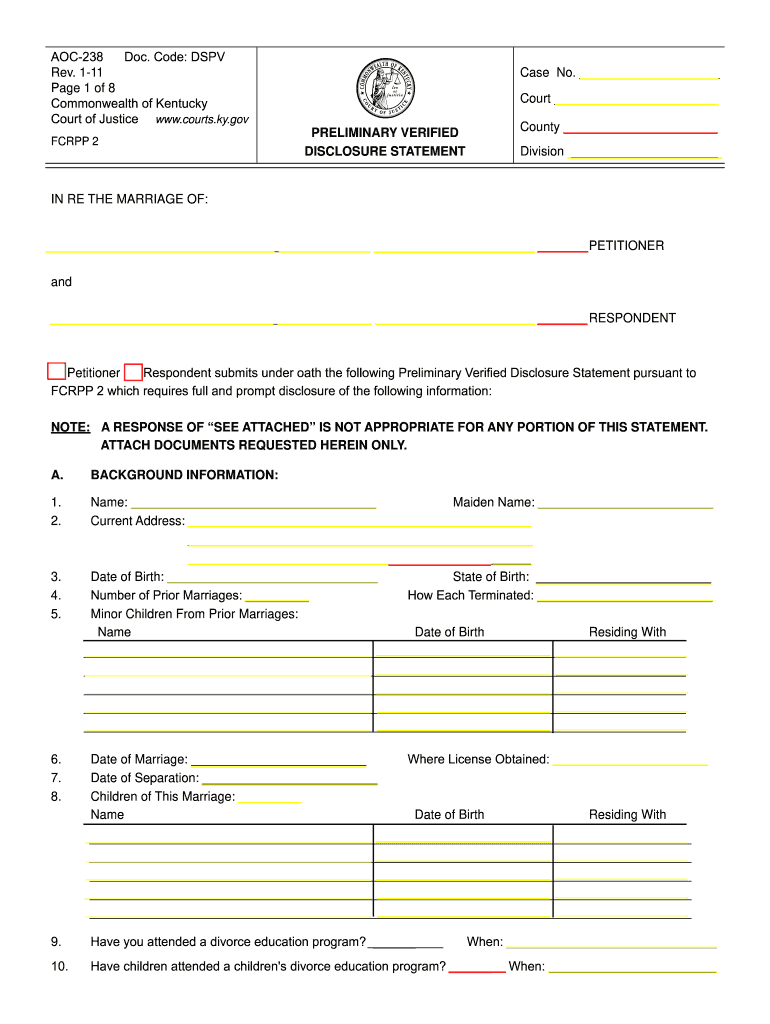
- Begin by filling out your personal information in Section A, including your name, maiden name, current address, and date of birth. Ensure accuracy as this information is crucial for identification.
- Proceed to list any prior marriages and their terminations. This section helps provide context regarding your marital history.
- In Section B, input your employment details. Include your current employer's name, address, position, and income details. Attach necessary documents like pay stubs directly through our platform for convenience.
- Continue to Section C where you will specify any additional income received in the last 12 months. Be thorough to ensure all sources are documented.
- Complete Sections D through H by detailing child support guidelines, nonmarital property claims, debts, and monthly expenses. Use our platform’s features to easily navigate between sections and make edits as needed.
Start using our platform today for free to streamline the completion of your 2018 background disclosure form!
It's free
Got questions?
Can I draw my eSignature to sign my 2018 background disclosure form seattle washington?
Of course, electronically drawing your signature is acceptable, but only if you utilize a tool that complies with industry laws and regulations. Try DocHub, which guarantees eSignature validity under ESIGN and UETA requirements. All you need to eSign your 2018 background disclosure form seattle washington is an account with DocHub and an internet connection. After you open your file in our editor, click Sign and select the Draw tool.
How do you edit 2018 background disclosure form seattle washington in Chrome?
If you are using Chrome, there are two simple ways to edit your 2018 background disclosure form seattle washington online. First, go to the DocHub website, add your file, and edit it using our toolbar. You can also set up our Chrome extension and edit any document by dragging and dropping it in your web browser tab.
Security and compliance
At DocHub, your data security is our priority. We follow HIPAA, SOC2, GDPR, and other standards, so you can work on your documents with confidence.
Learn more


