




Here's how it works

01. Edit your sample reference check questions and answers pdf online
Type text, add images, blackout confidential details, add comments, highlights and more.

02. Sign it in a few clicks
Draw your signature, type it, upload its image, or use your mobile device as a signature pad.

03. Share your form with others
Send sample reference questions and answers via email, link, or fax. You can also download it, export it or print it out.
How to use or fill out reference check questions and answers pdf with our platform

- Click ‘Get Form’ to open the reference check questions and answers PDF in the editor.
- Begin by filling in the candidate's name and the date of the call at the top of the form. This sets a clear context for your reference check.
- In the 'Person Making Call' section, enter your name and the time of the call. This information is crucial for record-keeping.
- Proceed to answer question 1 regarding how long you have known the candidate. Select from options like 'Less than one year' or 'More than 3 years'.
- For question 2, indicate your relationship with the candidate by selecting from options such as 'Supervisory' or 'Co-worker'.
- Continue through questions 3 to 8, providing ratings and comments as necessary. Use our platform’s features to easily select ratings on a scale of 1 to 5.
- If additional space is needed, utilize the reverse side of the form for any extra comments or insights about the candidate.
Start using our platform today for free to streamline your document editing and enhance your workflow!
Fill out reference check questions and answers pdf online
It's free
It's free
Security and compliance
At DocHub, your data security is our priority. We follow HIPAA, SOC2, GDPR, and other standards, so you can work on your documents with confidence.
Learn more


Related forms
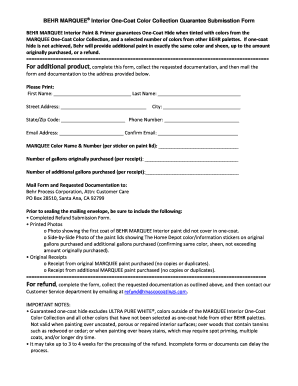
Behr one coat guarantee
The BEHR MARQUEE Interior One-Coat Color Collection Guarantee Submission Form outlines the process for customers to clai ...

Weight loss intake form
The document is a Weight Loss Intake Form from the Center for Advanced Medicine, designed to collect comprehensive perso ...

Cameroon, Republic of - Corporate - Tax administration
The document is a tax declaration form from the Ministry of Finance of Cameroon, specifically for reporting unclaimed fi ...
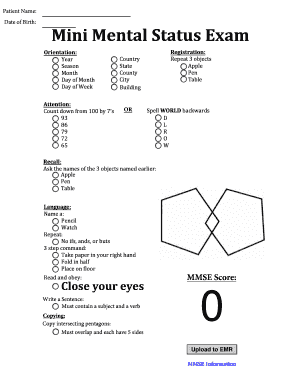
Mmse example
The document is a Mini Mental Status Exam (MMSE) form used to assess cognitive function in patients. It includes section ...

Leave of absence request
The document outlines the process for employees to request a leave of absence, detailing the types of leave available, r ...

Psychiatry referral form
The document is a Psychiatry Referral Form designed for therapists or physicians to complete when referring a patient fo ...

Shift preference form
The document is a Shift Preference Form used by employees to indicate their preferred work shifts for consideration when ...

Imm 5349
The document is a fillable form for applying for a Right of Permanent Residence Fee Loan from Citizenship and Immigratio ...