




Here's how it works

01. Edit your maryland secretary of state business registration online
Type text, add images, blackout confidential details, add comments, highlights and more.

02. Sign it in a few clicks
Draw your signature, type it, upload its image, or use your mobile device as a signature pad.

03. Share your form with others
Send md sos via email, link, or fax. You can also download it, export it or print it out.
How to use or fill out secretary of state md with DocHub

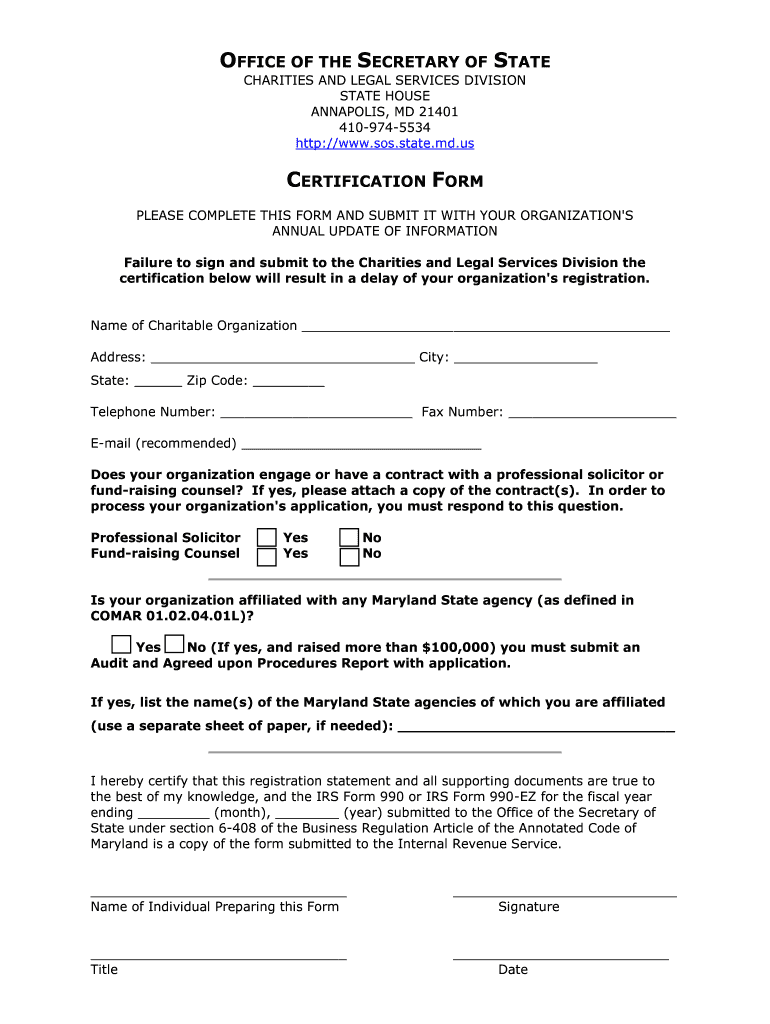
- Click ‘Get Form’ to open the certification form in our editor.
- Begin by entering the name of your charitable organization in the designated field. Ensure accuracy as this is crucial for your registration.
- Fill in your organization's address, including city, state, and zip code. This information helps in identifying your organization’s location.
- Provide a telephone number and fax number for contact purposes. Including an email address is recommended for efficient communication.
- Indicate whether your organization engages with a professional solicitor or fundraising counsel by selecting 'Yes' or 'No'. If applicable, attach the relevant contract(s).
- Answer if your organization is affiliated with any Maryland State agency. If yes and you raised over $100,000, ensure to submit an Audit Report.
- Complete the certification statement by signing and dating it. Include the name and title of the individual preparing the form.
Start using our platform today to fill out your Secretary of State MD form easily and for free!
Fill out secretary of state md online
It's free
It's free
Security and compliance
At DocHub, your data security is our priority. We follow HIPAA, SOC2, GDPR, and other standards, so you can work on your documents with confidence.
Learn more


