Type text, add images, blackout confidential details, add comments, highlights and more.
02. Sign it in a few clicks
Draw your signature, type it, upload its image, or use your mobile device as a signature pad.
03. Share your form with others
Send cved michigan via email, link, or fax. You can also download it, export it or print it out.
How to use or fill out cved michigan with our platform
Ease of Setup
DocHub User Ratings on G2
Ease of Use
DocHub User Ratings on G2
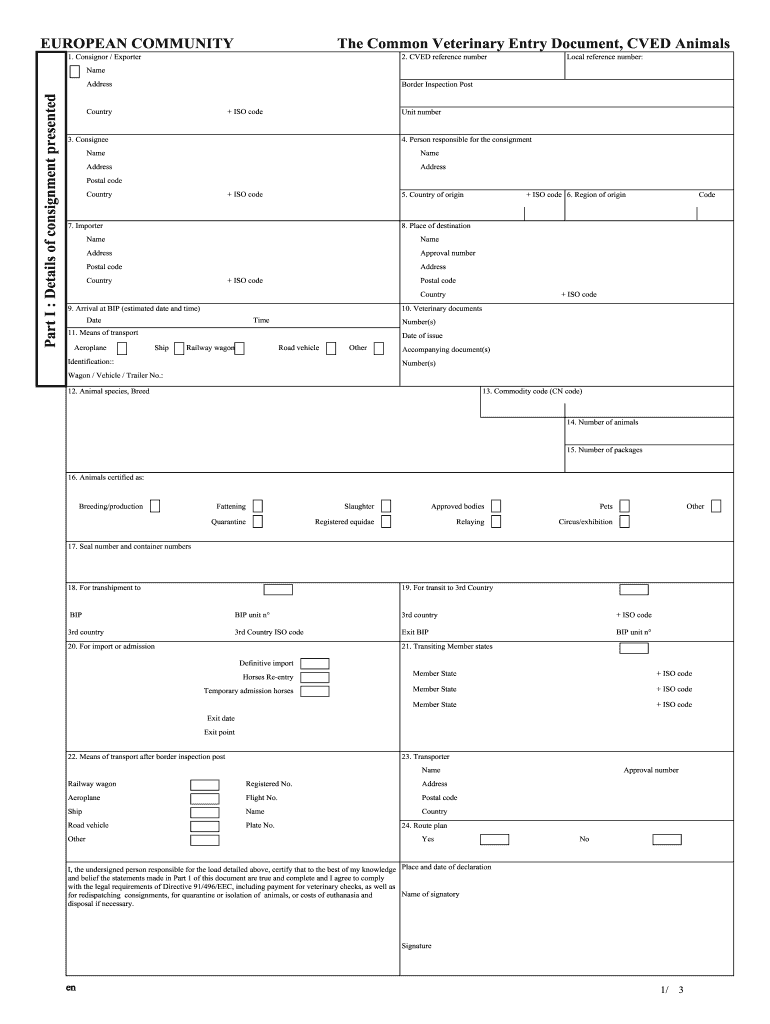
Click ‘Get Form’ to open the CVED Michigan document in the editor.
Begin by filling in the 'Consignor / Exporter' section. Enter your name, address, and CVED reference number accurately.
Proceed to 'Details of consignment presented'. Fill in the Border Inspection Post, country, and unit number as required.
Complete the 'Consignee' and 'Person responsible for the consignment' sections with their respective names and addresses.
In the 'Country of origin' and 'Region of origin', provide accurate geographical details along with postal codes.
Fill out transport details under 'Means of transport', ensuring you select the correct mode (aeroplane, ship, etc.) and provide identification numbers.
Finally, review all entries for accuracy before signing at the bottom of Part I to certify your information is complete.
Start using our platform today to streamline your CVED Michigan form completion for free!
Mich. Admin. Code R. 460.18503 - Names and accounting
(3) The letters CVED and the CVED number of the motor carrier shall be placed in a conspicuous place on both sides of all power vehicles in plain lettersRead more
Cookie consent notice
This site uses cookies to enhance site navigation and personalize your experience.
By using this site you agree to our use of cookies as described in our Privacy Notice.
You can modify your selections by visiting our Cookie and Advertising Notice.