




Here's how it works



How to use or fill out handelsbanken form corporate with our platform

- Click ‘Get Form’ to open the handelsbanken form corporate in the editor.
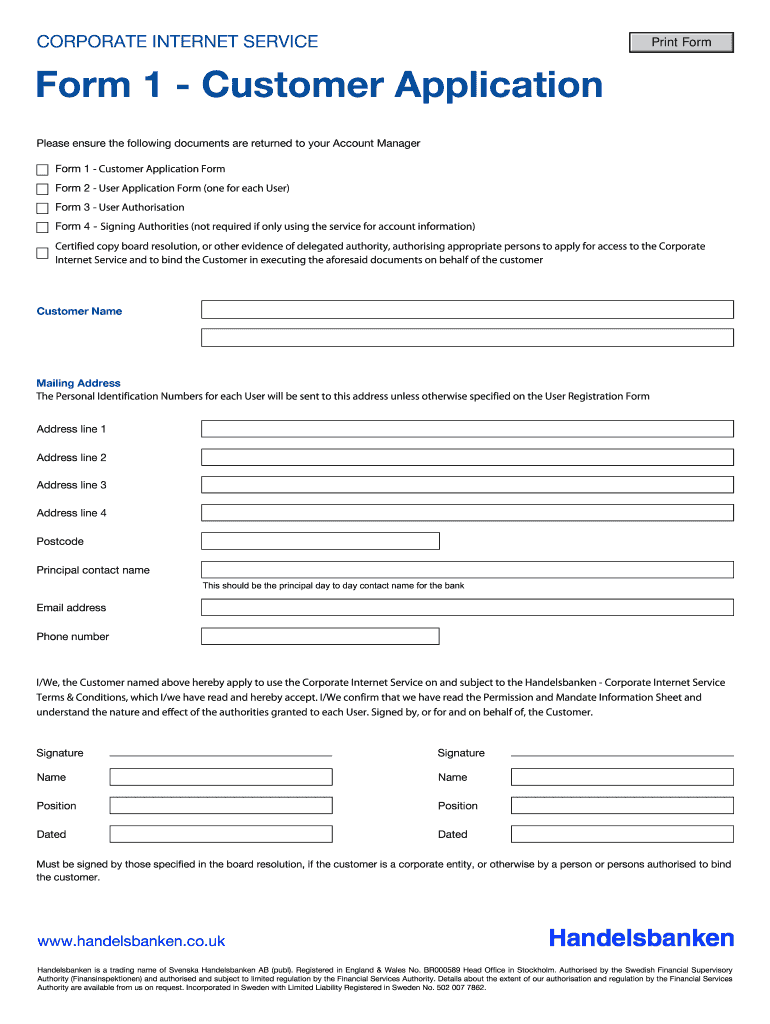
- Begin by entering the Customer Name and Mailing Address. Ensure that all address lines are filled out completely, as this is where Personal Identification Numbers for each User will be sent.
- Provide the Principal Contact Name, Email Address, and Phone Number. This should be the main point of contact for any banking inquiries.
- Review the terms and conditions of the Corporate Internet Service. Confirm your acceptance by checking the appropriate box.
- Sign the document in the designated Signature fields. Ensure that signatures are provided by those specified in your board resolution.
- Fill in the Names, Positions, and Dates next to each signature to complete this section accurately.
Start using our platform today to streamline your form completion process for free!
It's free
Got questions?
What do I need to sign my handelsbanken login electronically?
Electronic document signing requires a software solution that works in compliance with data security and eSignature laws. DocHub is a perfect tool for that, as it meets all the above mentioned requirements. Whatever method you like to sign your handelsbanken login in DocHub, your eSignature will be legally binding and court-admissible.
Do I need to set up software to modify my handelsbanken sort code?
If you edit your handelsbanken sort code with DocHub, you merely need a steady web connection and virtually any web browser installed on your device. No need to set up any third-party software or research tutorials. Just open a tab with DocHub, drag and drop your file, and modify it immediately.
Security and compliance
At DocHub, your data security is our priority. We follow HIPAA, SOC2, GDPR, and other standards, so you can work on your documents with confidence.
Learn more


