




Here's how it works

01. Edit your lycoming recommendation online
Type text, add images, blackout confidential details, add comments, highlights and more.

02. Sign it in a few clicks
Draw your signature, type it, upload its image, or use your mobile device as a signature pad.

03. Share your form with others
Send lycoming sb301 via email, link, or fax. You can also download it, export it or print it out.
How to use or fill out lycoming recommendation with our platform

- Click ‘Get Form’ to open the lycoming recommendation in the editor.
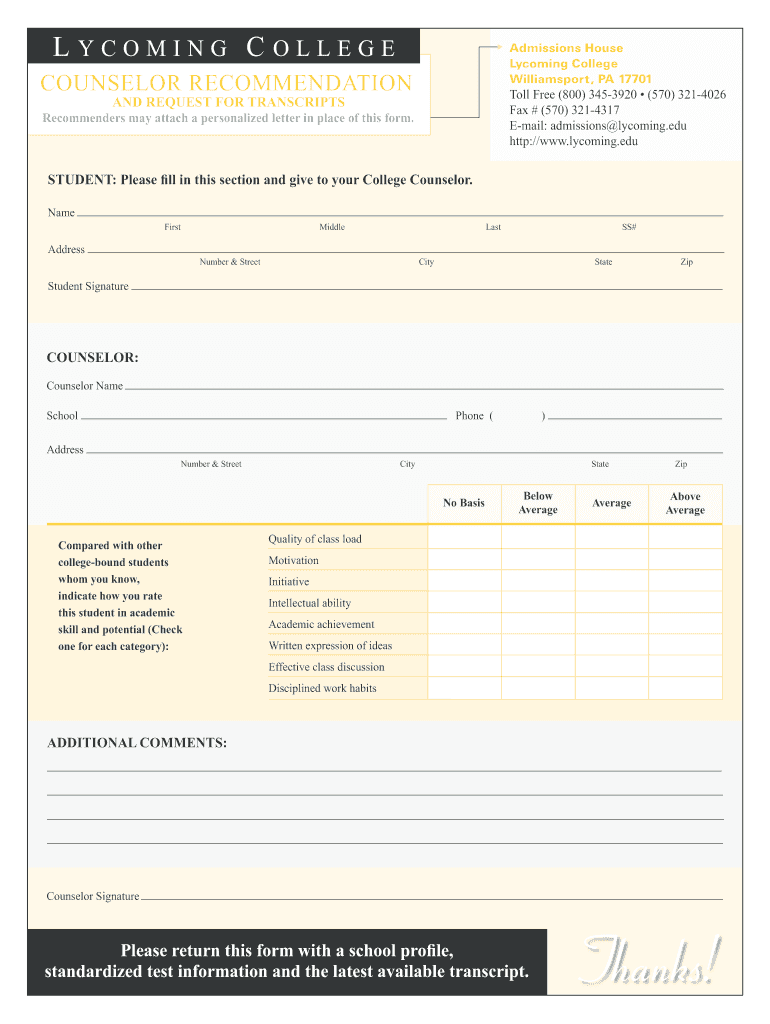
- Begin by filling in your personal information in the 'Student' section. Enter your first, middle, and last name, along with your address, social security number, and signature.
- Next, provide your counselor's details. Fill in their name, school, phone number, and address in the 'COUNSELOR' section.
- In the rating section, your counselor will evaluate you compared to other college-bound students. They should check one box for each category: Quality of class load, Motivation, Initiative, Intellectual ability, Academic achievement, Written expression of ideas, Effective class discussion, and Disciplined work habits.
- Encourage your counselor to add any additional comments that may support your application in the designated area.
- Finally, ensure that your counselor signs the form before submission. This form must be returned along with a school profile and transcript.
Start using our platform today to easily complete and submit your lycoming recommendation form for free!
Fill out lycoming recommendation online
It's free
It's free
Security and compliance
At DocHub, your data security is our priority. We follow HIPAA, SOC2, GDPR, and other standards, so you can work on your documents with confidence.
Learn more


