Alverno college transcript request 2026

Get Form
alverno iol Preview on Page 1

Here's how it works

01. Edit your alverno iol online
Type text, add images, blackout confidential details, add comments, highlights and more.
02. Sign it in a few clicks
Draw your signature, type it, upload its image, or use your mobile device as a signature pad.
03. Share your form with others
Send iol alverno via email, link, or fax. You can also download it, export it or print it out.

How to use or fill out alverno college transcript request with our platform

Form edit decoration
9.5
Ease of Setup
DocHub User Ratings on G2
9.0
Ease of Use
DocHub User Ratings on G2
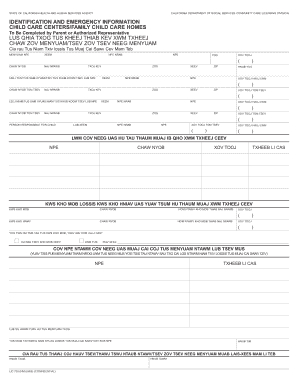
  1. Click ‘Get Form’ to open the Alverno College Transcript Request in the editor.
  2. Begin by filling in your name, date, and address. Ensure all information is printed clearly for accurate processing.
  3. Enter your Student ID or Social Security Number, along with your city, state, and zip code.
  4. Provide your telephone number and any other names you used while attending Alverno College.
  5. Indicate your dates of attendance and graduation date. This helps the registrar locate your records efficiently.
  6. Select your academic program from the provided options to assist in processing your request.
  7. Sign the form where indicated to authorize the release of your transcripts.
  8. Choose between Standard or Rush service for transcript delivery and specify the number of transcripts requested.
  9. If mailing transcripts, provide complete recipient details. If picking up, select how you want them handled (stamped or sealed).
  10. Finally, indicate the purpose of the transcript and any special instructions before submitting your request.

Start using our platform today to streamline your Alverno College transcript request process for free!

be ready to get more

Complete this form in 5 minutes or less

Get form

Got questions?

We have answers to the most popular questions from our customers. If you can't find an answer to your question, please contact us.
Contact us
If you do not have an academic transcript you will need to contact your previous institution to request one. A transcript from a professional body will list all the units completed, grades achieved and confirmation of any exemptions.
You also can docHub the Admissions Office by calling 414-382-6100 or emailing admissions@alverno.edu.
How it works? Apply. Place your order for initial transcripts processing that may include transcript procurement if needed. Destination Selection. Once approved, you can select the destinations where you wish to send your official documents. Order Tracking. Verification. Electronic Delivery.
Registrar Office Hours Monday through Friday: 8 a.m. to 4:30 p.m.
Typically, a registrar processes registration requests, schedules classes and maintains class lists, enforces the rules for entering or leaving classes, and keeps a permanent record of grades and marks.

Security and compliance

At DocHub, your data security is our priority. We follow HIPAA, SOC2, GDPR, and other standards, so you can work on your documents with confidence.

Learn more
ccpa2
pci-dss
gdpr-compliance
hipaa
soc-compliance

People also ask

Transcripts may be obtained in person at the Office of the Registrar for a fee of $7.00 per copy. Transcripts may be printed and given to you while you wait.
Registrars Office Please direct questions regarding prerequisite checking to the Registrar, 414-382-6370, or email at registrar@alverno.edu.

Related links