3234da 2026

Get Form
da 3032 Preview on Page 1

Here's how it works

01. Edit your da 3032 online
Type text, add images, blackout confidential details, add comments, highlights and more.
02. Sign it in a few clicks
Draw your signature, type it, upload its image, or use your mobile device as a signature pad.
03. Share your form with others
Send da form 3032 via email, link, or fax. You can also download it, export it or print it out.

How to use or fill out 3234da with our platform

Form edit decoration
9.5
Ease of Setup
DocHub User Ratings on G2
9.0
Ease of Use
DocHub User Ratings on G2
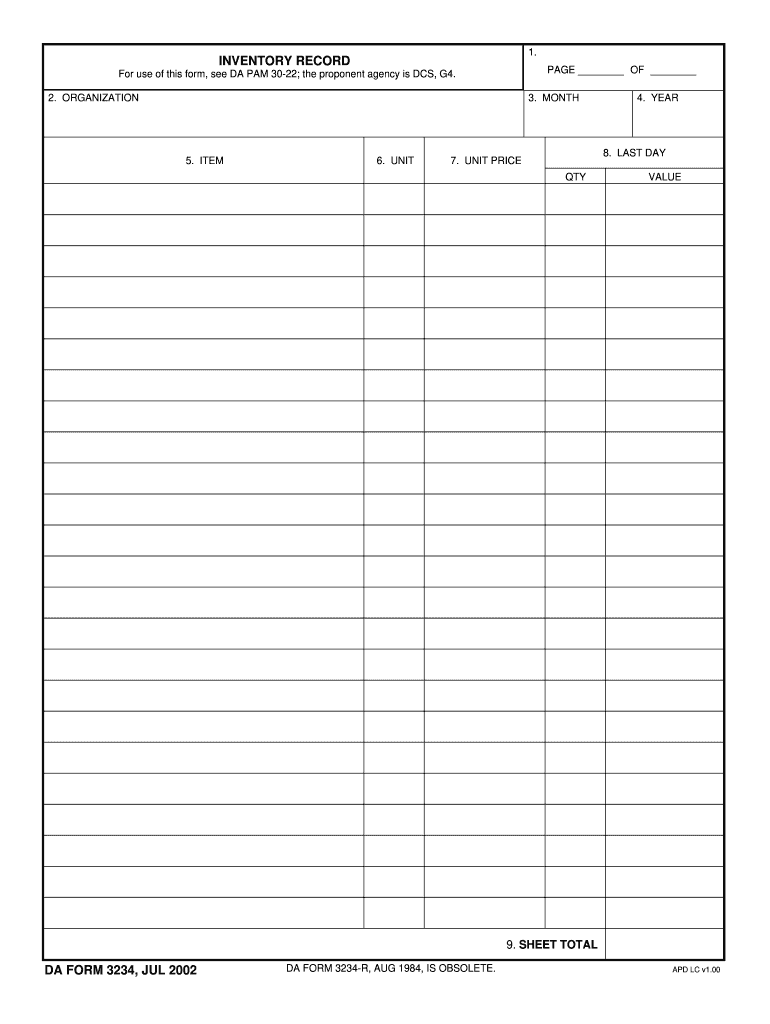
  1. Click ‘Get Form’ to open the 3234da in the editor.
  2. Begin by filling in the 'ORGANIZATION' field. Enter the name of your organization as it pertains to the inventory record.
  3. Next, specify the 'MONTH' and 'YEAR' for which you are recording inventory. This helps in maintaining accurate records over time.
  4. In section 'ITEM', list each item being recorded. Be specific to ensure clarity in your inventory management.
  5. Fill out the 'UNIT' field, indicating the unit of measurement for each item (e.g., pieces, boxes).
  6. Enter the 'LAST DAY' of the month for which this inventory is applicable, ensuring that all data is timely.
  7. For each item, input its 'UNIT PRICE' and 'QTY'. The platform will automatically calculate the total value based on these inputs.
  8. Finally, review your entries and check that all fields are complete before saving or exporting your document.

Start using our platform today to streamline your form completion process for free!

be ready to get more

Complete this form in 5 minutes or less

Get form

Got questions?

We have answers to the most popular questions from our customers. If you can't find an answer to your question, please contact us.
Contact us

With DocHub, you can easily approve your 3234da or any other paperwork on iOS, even without setting up extra programs. You can access your DocHub account from any web-connected browser and complete and sign your document in any preferred method with just a few clicks.

You need only an internet connection and a browser to complete your 3234da on an iOS phone. Open the DocHub website and authenticate. Then, add your file or choose it from the list in your dashboard. Then use our editing instruments to complete your form and save all your adjustments. You may also send it to a specified recipient right away.