Type text, add images, blackout confidential details, add comments, highlights and more.
02. Sign it in a few clicks
Draw your signature, type it, upload its image, or use your mobile device as a signature pad.
03. Share your form with others
Send security date via email, link, or fax. You can also download it, export it or print it out.
How to use or fill out sworn support with our platform
Ease of Setup
DocHub User Ratings on G2
Ease of Use
DocHub User Ratings on G2
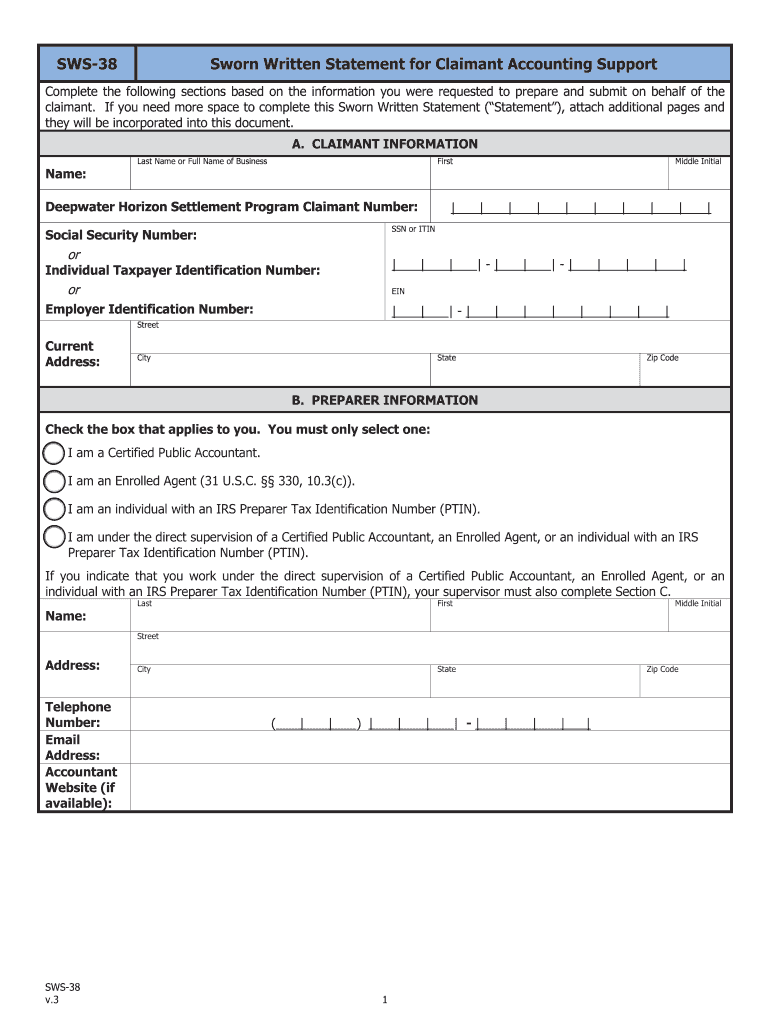
Click ‘Get Form’ to open the Sworn Written Statement for Claimant Accounting Support in the editor.
Begin with Section A, 'Claimant Information.' Fill in the claimant's last name, first name, middle initial, and their Deepwater Horizon Settlement Program Claimant Number. Ensure accuracy as this information is crucial.
Next, provide the Social Security Number (SSN) or Individual Taxpayer Identification Number (ITIN), along with the Employer Identification Number (EIN) if applicable. Double-check these entries for correctness.
Proceed to Section B, 'Preparer Information.' Select one of the options that best describes your status and fill in your details including name, address, telephone number, and email address.
If applicable, complete Section C for Supervisor Information by providing similar details about your supervisor and checking the appropriate box.
In Section D, indicate whether you have a written or oral agreement with the claimant. Attach any necessary documentation as specified.
Review Section E carefully. This section contains important affirmations regarding the truthfulness of your statements. Ensure you understand and agree before signing.
Finally, sign and date the form in Section F. Make sure all fields are completed accurately before submitting.
Start using our platform today to easily fill out your sworn support form online for free!
Sworn personnel to include. Parole, Probation, and. School Police along with non-sworn support staff. Course Description: Data Entry is a 16-hour course
For specific questions, contact the Office of Student Financial Aid and Scholarships at scholarships@ua.edu or call (205)348-8201. Per agreement with the CityRead more
Cookie consent notice
This site uses cookies to enhance site navigation and personalize your experience.
By using this site you agree to our use of cookies as described in our Privacy Notice.
You can modify your selections by visiting our Cookie and Advertising Notice.