




Here's how it works

01. Edit your preliminary positive definition online
Type text, add images, blackout confidential details, add comments, highlights and more.

02. Sign it in a few clicks
Draw your signature, type it, upload its image, or use your mobile device as a signature pad.

03. Share your form with others
Send what does preliminary positive mean via email, link, or fax. You can also download it, export it or print it out.
How to use or fill out preliminary drug screen result form with our platform

- Click ‘Get Form’ to open the preliminary drug screen result form in the editor.
- In the first section, enter the collection site or company name, address, and contact details. Ensure that the ID verification is marked appropriately.
- Fill in the donor's information including their name, social security number, and reason for testing. Select from options like 'Pre Employment' or 'Random'.
- The collector should read and record the specimen temperature within four minutes. Mark whether it falls within the acceptable range.
- The donor must provide consent by signing in the designated area, confirming they provided their specimen under proper conditions.
- For initial test results, complete the on-site screening device section by marking normal or abnormal results for each test conducted.
- Finally, ensure that both collector and donor certifications are signed to validate the document.
Start using our platform today to streamline your document editing and form completion process for free!
Fill out preliminary drug screen result form online
It's free
It's free
Security and compliance
At DocHub, your data security is our priority. We follow HIPAA, SOC2, GDPR, and other standards, so you can work on your documents with confidence.
Learn more


Related forms
Sweat Equity Recording Form - Atlanta Habitat for Humanity - atlantahabitat
The document outlines the process for homebuyers to log their sweat equity hours, which can be earned through various ac ...

Nys parks employment application part 1
The document is an employment application for seasonal and temporary hourly positions with the New York Office of Parks, ...
City survey application form gujarat
The Backflow Prevention Survey Report outlines the requirements for property owners of industrial, commercial, instituti ...
Free Scaffold Inspection ChecklistsPDF
The document is a Scaffolding Inspection Checklist from Arkansas Tech University, designed to ensure the safety and comp ...
Printable vawc forms
The document is a comprehensive Violence Against Women and Children (VAWC) Registry Form issued by the Department of Hea ...

Income-Based Gas Conversion Program Application
The document outlines the application process for the Natural Gas Conversion Rebate Program offered by National Fuel, wh ...

Media stay request
The document is a request form for travel writers seeking media rates or complimentary stays at Omni Hotels & Resorts. I ...
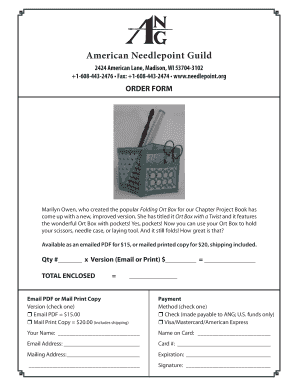
Order form - American Needlepoint Guild - needlepoint
The document is an order form for the American Needlepoint Guild featuring a new product called the 'Ort Box with a Twis ...