




Here's how it works



How to use or fill out CHARTER TOWNSHIP OF CALEDONIA MECHANICAL PERMIT with our platform

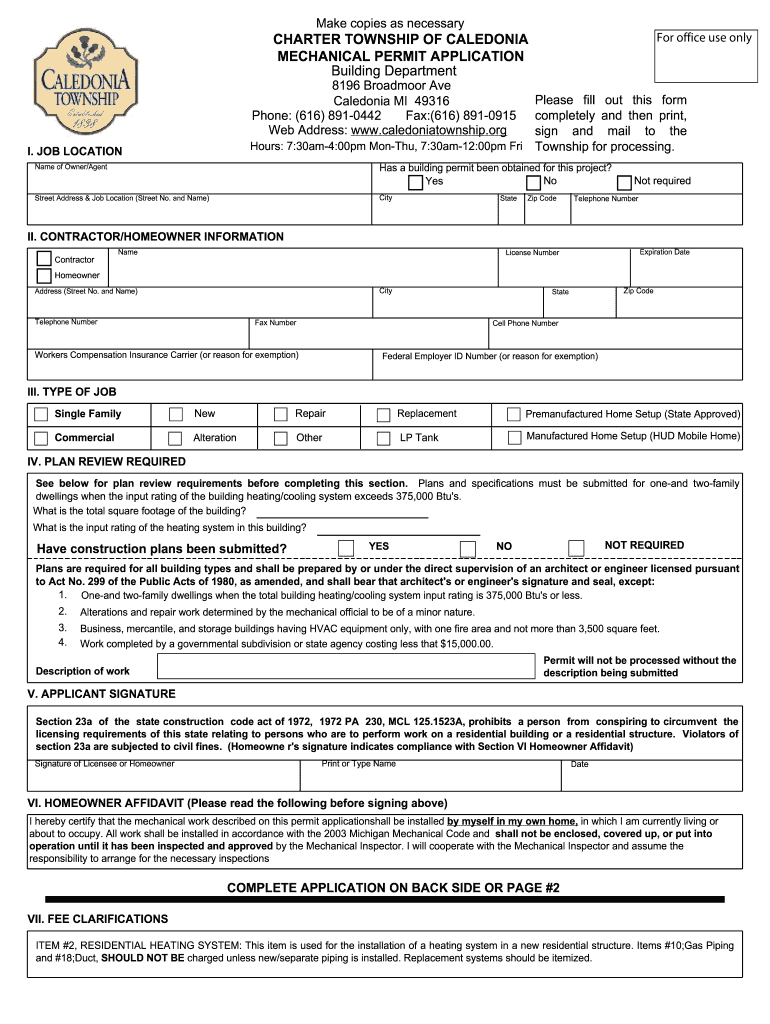
- Click ‘Get Form’ to open the CHARTER TOWNSHIP OF CALEDONIA MECHANICAL PERMIT in the editor.
- Begin by filling out the 'JOB LOCATION' section. Enter the name of the owner or agent, confirm if a building permit has been obtained, and provide the street address, city, state, and zip code.
- Next, complete the 'CONTRACTOR/HOMEOWNER INFORMATION' section. Fill in details for either the contractor or homeowner, including name, license number, and contact information.
- In the 'TYPE OF JOB' section, select the appropriate job type such as new installation or repair. Ensure you check all relevant options.
- Proceed to 'PLAN REVIEW REQUIRED'. Answer questions regarding construction plans and input ratings as necessary.
- Sign in the 'APPLICANT SIGNATURE' section. Ensure you print your name and date it correctly.
- Finally, review all sections for accuracy before submitting your application by mail to Caledonia Township along with any required fees.
Start using our platform today to streamline your mechanical permit application process!
It's free
Got questions?
Can I type my eSignature on my CHARTER TOWNSHIP OF CALEDONIA MECHANICAL PERMIT ... - caledoniatownship?
Yes, a typed name is accepted as a valid electronic signature when you create it on your document using a compliant solution like DocHub. Simply upload your CHARTER TOWNSHIP OF CALEDONIA MECHANICAL PERMIT ... - caledoniatownship to our editor, click Sign in the top tool pane → Create your signature → Type your name in the proper tab, and choose how it will appear on your document.
How to complete CHARTER TOWNSHIP OF CALEDONIA MECHANICAL PERMIT ... - caledoniatownship on the internet for free in 2024?
With a swift editing system like DocHub, you do not require anything but a browser and internet connection to modify your CHARTER TOWNSHIP OF CALEDONIA MECHANICAL PERMIT ... - caledoniatownship online quickly. Add your file or get the appropriate form in DocHub’s catalog, open our editor with one click, and complete it digitally. To revise your forms anytime, register a free account with DocHub.
Security and compliance
At DocHub, your data security is our priority. We follow HIPAA, SOC2, GDPR, and other standards, so you can work on your documents with confidence.
Learn more


