




Here's how it works



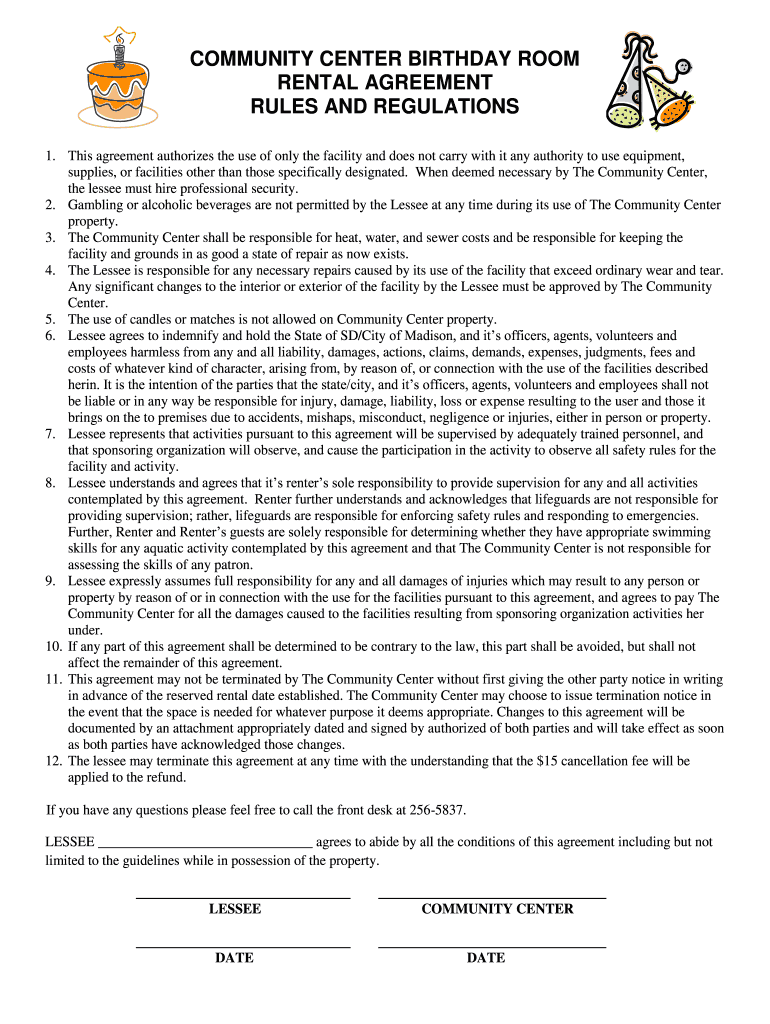
How to use or fill out BD Room Rules Agreement - Madison Community Center

- Click ‘Get Form’ to open it in the editor.
- Begin by entering your name in the 'LESSEE' field at the bottom of the document. This identifies you as the responsible party for the agreement.
- Review each rule and regulation carefully. Ensure you understand your responsibilities regarding facility use, supervision, and liability.
- If applicable, indicate any necessary repairs or changes you plan to make to the facility. Remember that these must be approved by The Community Center.
- Sign and date the agreement in the designated areas to confirm your acceptance of all terms outlined in the document.
- If you have questions or need clarification on any points, feel free to contact The Community Center at 256-5837 before finalizing your submission.
Start filling out your BD Room Rules Agreement today for free using our platform!
It's free
Got questions?
How can I eSign my BD Room Rules Agreement - Madison Community Center from Gmail?
With DocHub, it’s pretty simple. The editor offers users an add-on called DocHub for Gmail, which you can find in the Google Workspace Marketplace free of charge. Install it and grant it access to your Google account. Open your email with your BD Room Rules Agreement - Madison Community Center attached and click on the add-on button in the right-side panel. Log in to your DocHub account, and upload the file to our editor, where you can complete it and sign.
Can I edit BD Room Rules Agreement - Madison Community Center on my phone?
As a comprehensive document modifying service, DocHub is accessible on mobile phones. Open DocHub in your choice of mobile internet browser and employ our smart mobile-friendly toolset to complete your BD Room Rules Agreement - Madison Community Center.
Security and compliance
At DocHub, your data security is our priority. We follow HIPAA, SOC2, GDPR, and other standards, so you can work on your documents with confidence.
Learn more


