IL-04A-09.doc 2026

Get Form
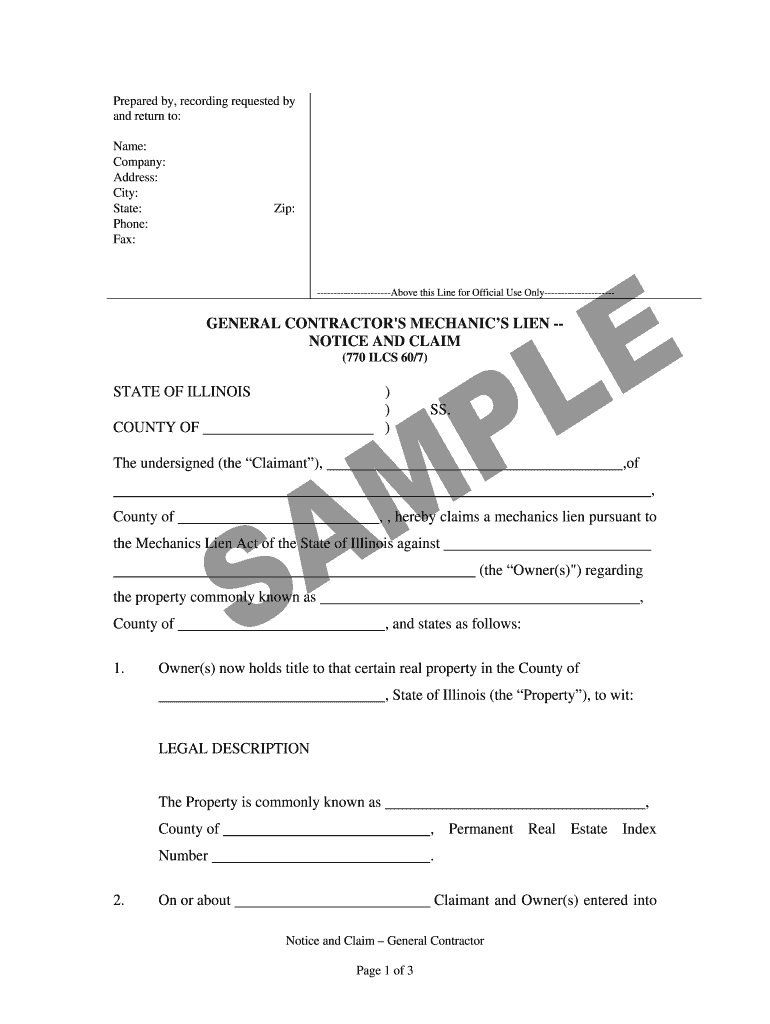
IL-04A-09.doc Preview on Page 1

Here's how it works

01. Edit your form online
Type text, add images, blackout confidential details, add comments, highlights and more.
02. Sign it in a few clicks
Draw your signature, type it, upload its image, or use your mobile device as a signature pad.
03. Share your form with others
Send it via email, link, or fax. You can also download it, export it or print it out.

How to use or fill out IL-04A-09.doc with our platform

Form edit decoration
9.5
Ease of Setup
DocHub User Ratings on G2
9.0
Ease of Use
DocHub User Ratings on G2
  1. Click ‘Get Form’ to open IL-04A-09.doc in the editor.
  2. Begin by filling in the 'Prepared by, recording requested by and return to' section. Enter your name, company, address, city, state, phone, fax, and zip code.
  3. In the 'Claimant' section, provide your name and county. This identifies you as the individual claiming the mechanic's lien.
  4. Next, specify the property details including its common name and legal description. Ensure accuracy for proper identification.
  5. Fill in the contract details including the date of agreement and contract sum. This is crucial for establishing your claim.
  6. Document when you completed the work under the contract. This should reflect when all labor and materials were provided.
  7. Finally, calculate any amounts due after credits or deductions and enter this information along with interest rates as specified in Illinois law.

Start using our platform today to easily complete your IL-04A-09.doc form online for free!

be ready to get more

Complete this form in 5 minutes or less

Get form

Got questions?

We have answers to the most popular questions from our customers. If you can't find an answer to your question, please contact us.
Contact us

Of course, you’ll find many different applications for this on the web. However, if you need to eSign your IL-04A-09.doc without installing extra software, DocHub is the optimum choice you can make. This powerful editor works on mobile devices just as on desktops. Open our editor in your preferred internet browser, register or log in to your account, and start processing your documents.

If you store your papers in Google Drive, there is no need to download your IL-04A-09.doc on your computer and upload it back to our editor. A much simpler way is to set up a browser extension developed by DocHub to simplify this flow. The extension allows editing PDFs right in your browser. Alternatively, you can integrate your DocHub and Gmail accounts for more efficient editing.

Both conditional and unconditional lien waivers are allowed, but conditional is viewed as the safer option. Illinois disallows any waiver of a right to claim a lien prior to performing work for a project. Illinois has no requirement that a lien waiver must be docHubd.
Illinois doesnt regulate its lien waivers with specific or statutory forms. However, lien waivers must be completed by express agreement, with the terms of the exchange clearly stated by both parties. Review your contract thoroughly and request the removal of any clauses that leave subcontractors unprotected.
Identify the type of lien waiver. Provide project information. Identify the parties involved. Specify the payment amount. Add the date and signature. Retain a copy. Mass apply them to bills/POs.

Security and compliance

At DocHub, your data security is our priority. We follow HIPAA, SOC2, GDPR, and other standards, so you can work on your documents with confidence.

Learn more
ccpa2
pci-dss
gdpr-compliance
hipaa
soc-compliance
be ready to get more

Complete this form in 5 minutes or less

Get form

People also ask

While its possible to create a lien waiver from scratch, doing so without legal guidance is riskyespecially given the legal and financial implications of lien rights. Many states have strict requirements that a lien waiver must meet to be enforceable.

Related links